Hardware Manual
34
Appendix
How to Make an Ethernet Cable
1. Prepare the following tools:
Ethernet cable without connectors
RJ-45 Connector (x2)
RJ45 Crimping Tool
Scissors
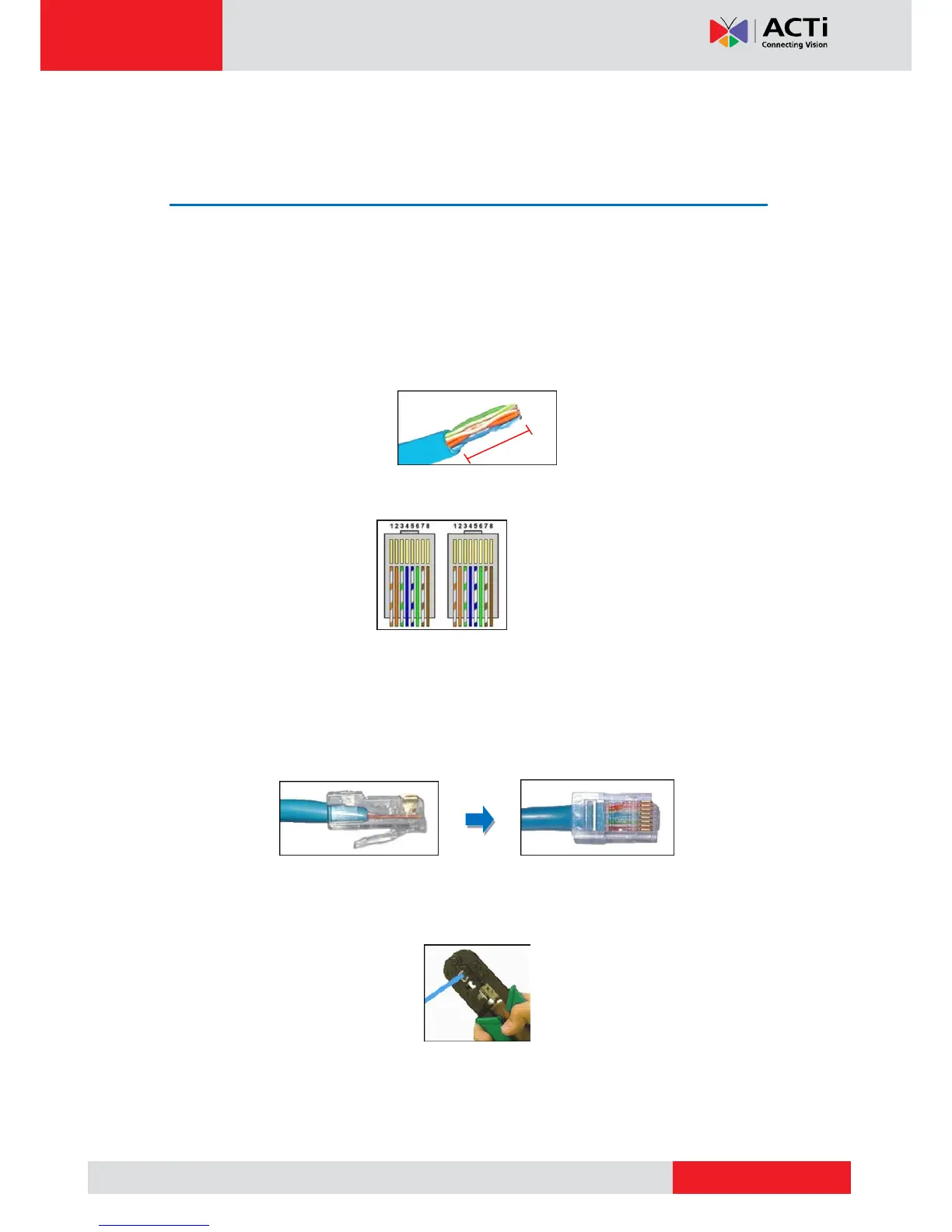
2. Cut about 1 inch into the plastic sheath from the end of the cable.
3. Unwind the wires and arrange them according to the color sequence below.
1) Stripe Orange
2) Orange
3) Stripe Green
4) Blue
5) Stripe Blue
6) Green
7) Stripe Brown
8) Brown
4. Pinch the wires between your fingers and straighten them out.
5. Use the scissors to make a straight cut across the wires ½ inch from the cut end.
6. With the RJ-45 connector tab facing down, push the wires into the connector all the way to
the end.
7. Place the connector into the crimping tool, and cinch down to secure the RJ-45 connector
to the Ethernet cable.
8. Repeat the same procedures to attach the other end.
VoIPon www.voipon.co.uk sales@voipon.co.uk Tel: +44 (0)1245 808195 Fax: +44 (0)1245 808299


 To Previous Page
 Loading...