Need help?
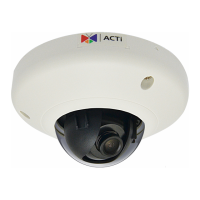
Do you have a question about the ACTi E92 and is the answer not in the manual?
Adhere to all warnings on product and manual to prevent hazards.
Highlights cutting-edge surveillance features, H.264, motion detection, and software support.
Details cleaning, attachments, water/moisture, servicing, and damage precautions.
Explains how to connect the IP camera using PoE switch/injector and network cables.
Steps for accessing the camera when a DHCP server is available.
Instructions for configuring PC and camera without a DHCP server.
 General
| Model | E92 |
|---|---|
| Day/Night | Yes |
| IR Cut Filter | Yes |
| IR LED | Yes |
| Wide Dynamic Range | Yes |
| WDR dB | 120 dB |
| Sensor Type | CMOS |
| Video Compression | H.264, MJPEG |
| Network Interface | Ethernet, RJ-45 connector |
| Power Supply | PoE (IEEE 802.3af) |
| Power Source | PoE |
| Mount Type | Wall, Ceiling |

 To Next Page