10 Quick Installation Guide
SYSTEM SETUP
11
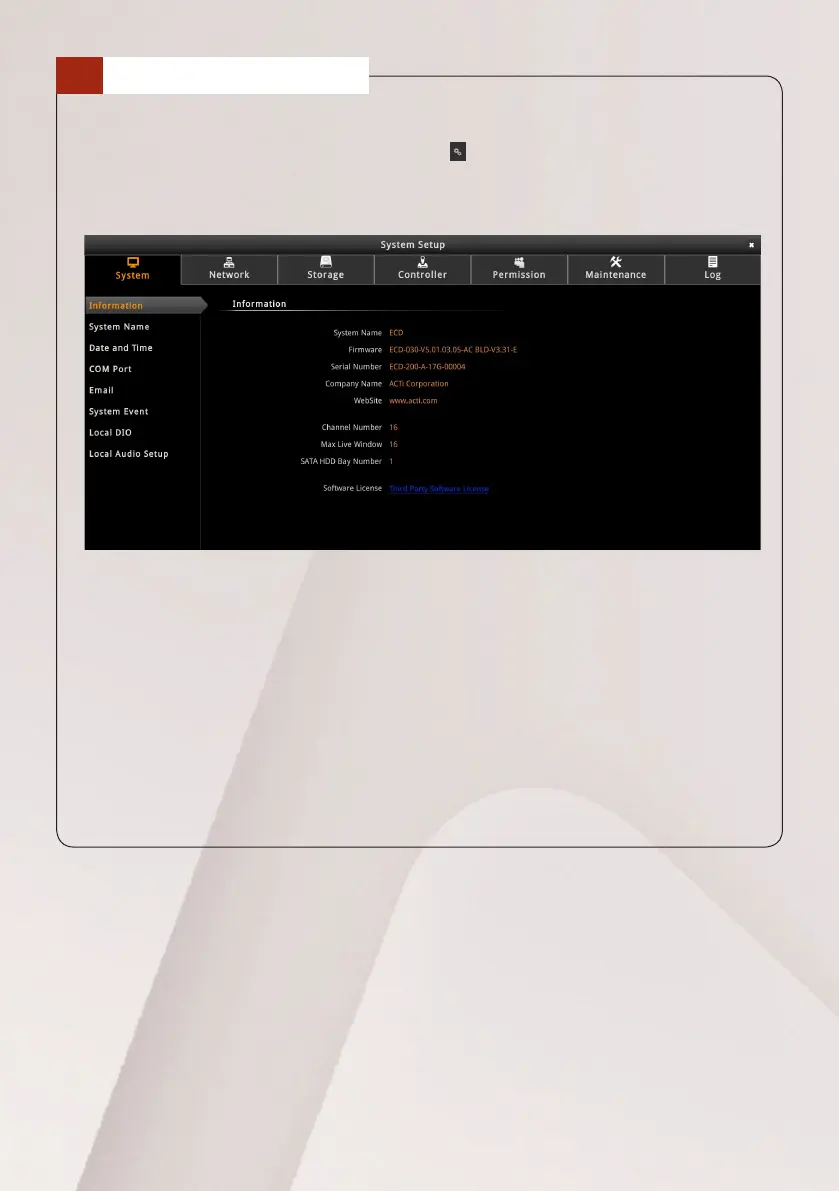
Administratorscancongurethedevicethroughitssystemsetup.
1. On the Live View screen, click the Setup icon on the bottom left corner of
the screen.
2. On the Setup screen, click a menu page tab to access the settings:
• System: Includes system information, date and time, email settings, etc.
• Network:Includesnetworkrelatedcongurations.
• Storage: This page is reserved for future project requirements.
• Controller:Includeskeyboardconguration.
• Maintenance:Includesrmwareupgradeandfactoryresetsettings.
• Permission: Includes users persmission setup.
• Log: Lists the system log of the device.
Due to continuous product improvements, some contents may have changed
from the time time this documentation was printed. Download the latest
documentation, which shall prevail over the printed version provided in the
package, from http://www.acti.com/downloadcenter.



 To Previous Page