Quick Installation Guide 9
10
MANAGE DEVICES
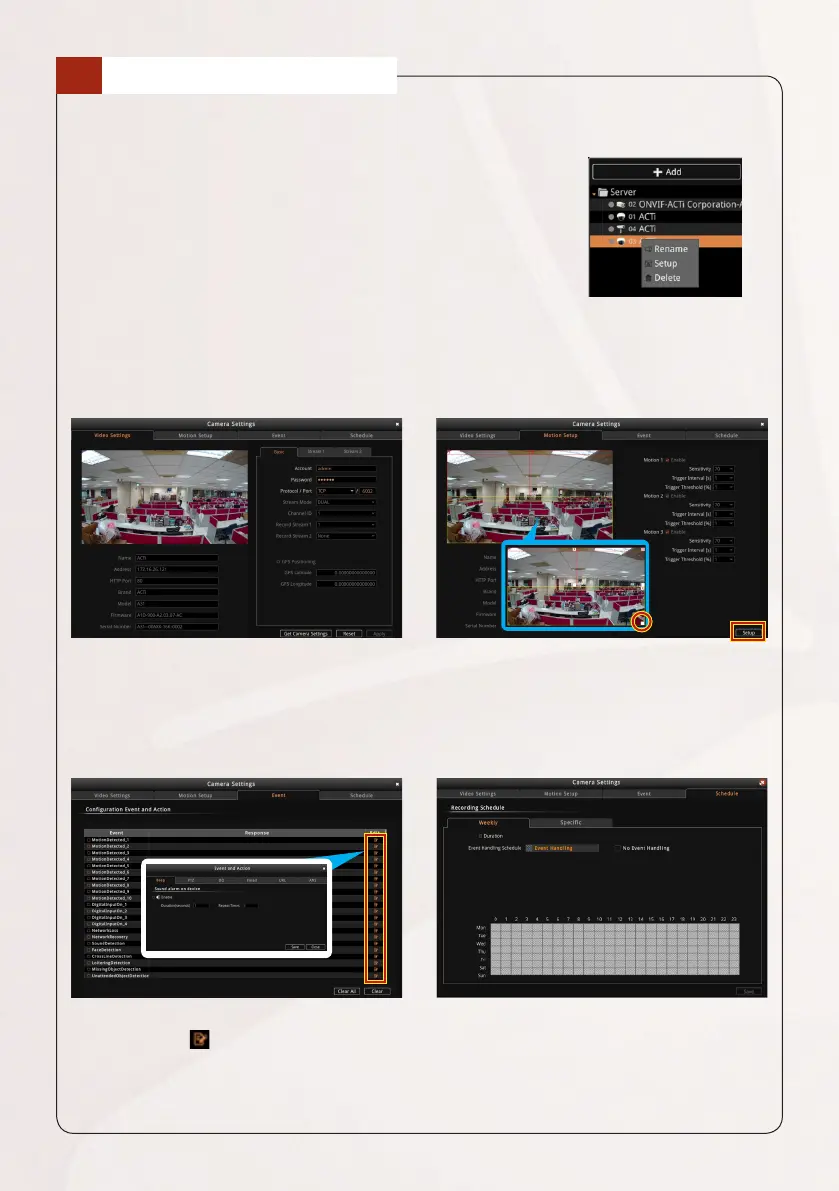
Managing the devices can be done from the Live View screen. Right-click on the
device model from the left panel, then click to:
• Rename the device name on the list
• Delete the device from the list
• Setup the camera settings (see below)
Camera Settings
From the Camera Settingsscreen,clickthecorrespondingpagetabtocongure
video settings and set up motion detection and other settings.
To modify the camera settings, click
Get Camera Settings. Modify as
needed, then click Apply.
• Toconguremotionsetup,click
Setup.
• To resize the detection area, drag
the box on the lower right corner
of the area.
To set the event trigger, double- click
the Edit icon .
The Schedule page tab is reserved
for future project-based requirements
needing recording functions.



 To Next Page