8 Quick Installation Guide
CHECK LIVE VIEW
9
After adding the cameras, the models are listed on the left panel of the Live
View screen.
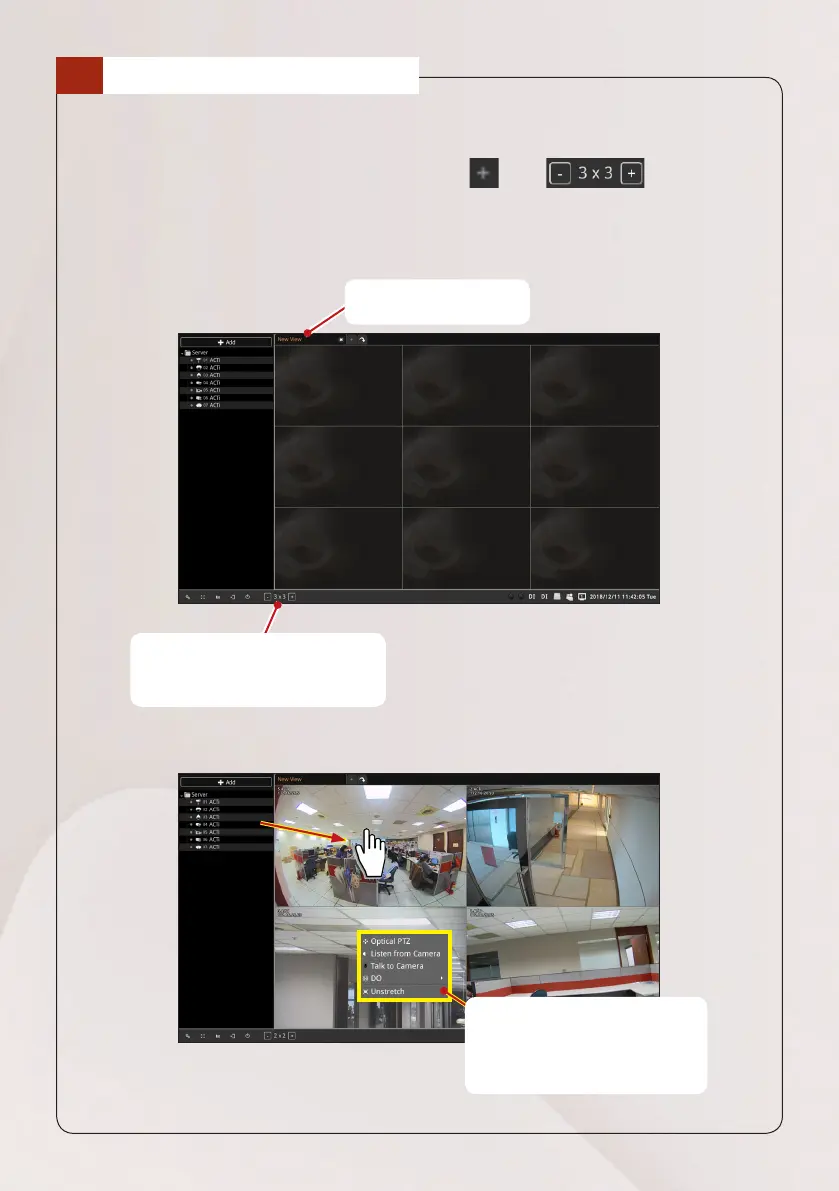
1. Create a page view on the right panel, click . Use to modify
how many channels you want to see on the live view screen.
2. Drag a model to the Live View screen.
Double-click the page
tab to rename it.
Right-click on a channel to
access the pop-up menu.
NOTE: Menu options vary
depending on camera model.
Use these buttons to modify
how many channels you want to
see on the live view screen.



 To Next Page