Hardware Manual
21
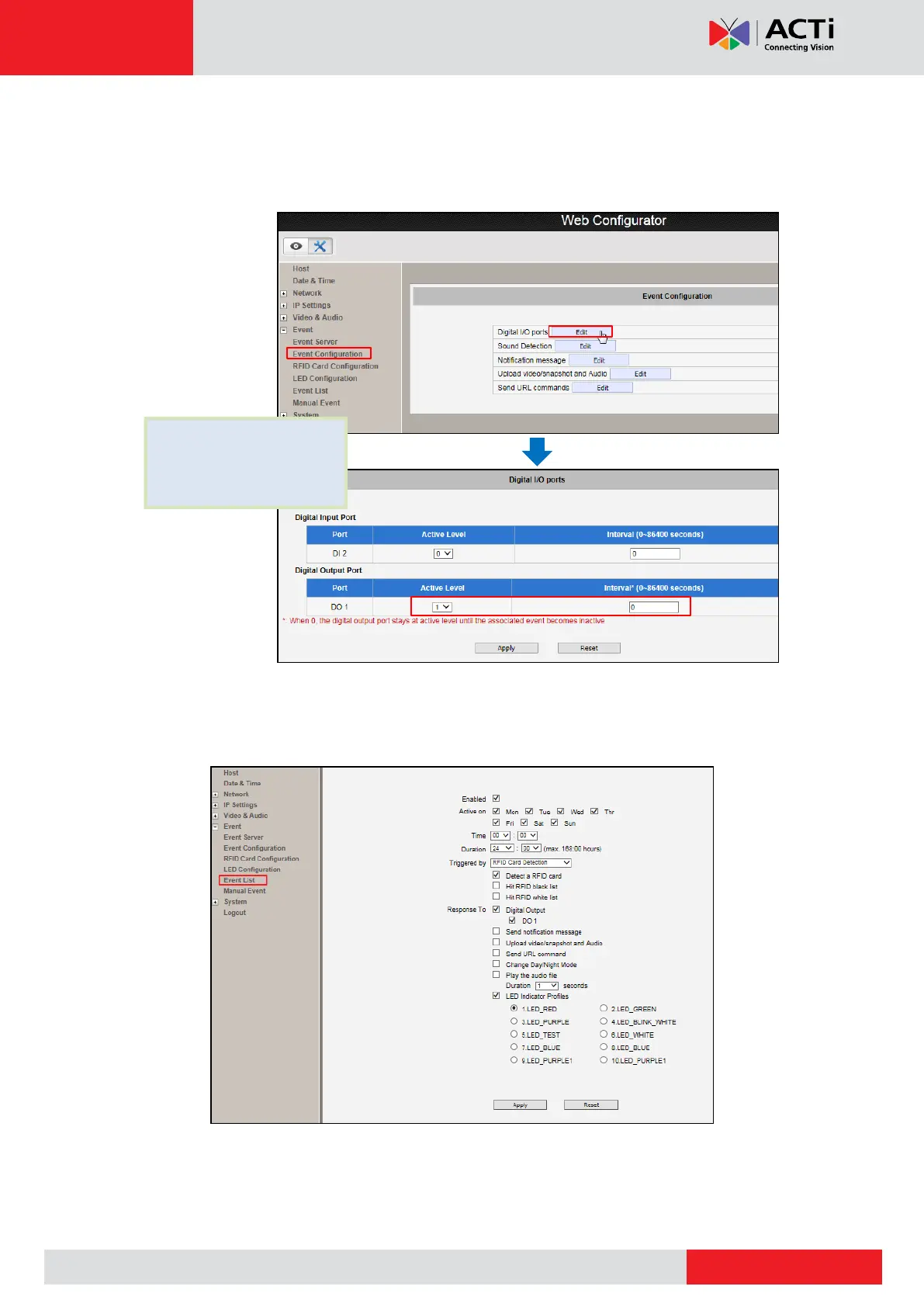
5. Configure the door station through the Web Configurator (refer to the Firmware Manual for
more detailed information).
a. Configure the Digital Output Port.
b. Configure the Event. The example configuration below triggers the door lock to
become active (to open the lock) and light up the red LED once an RFID card is
detected.
6. Try by placing the RFID card towards the RFID card reader.



 To Next Page