Hardware Manual
9
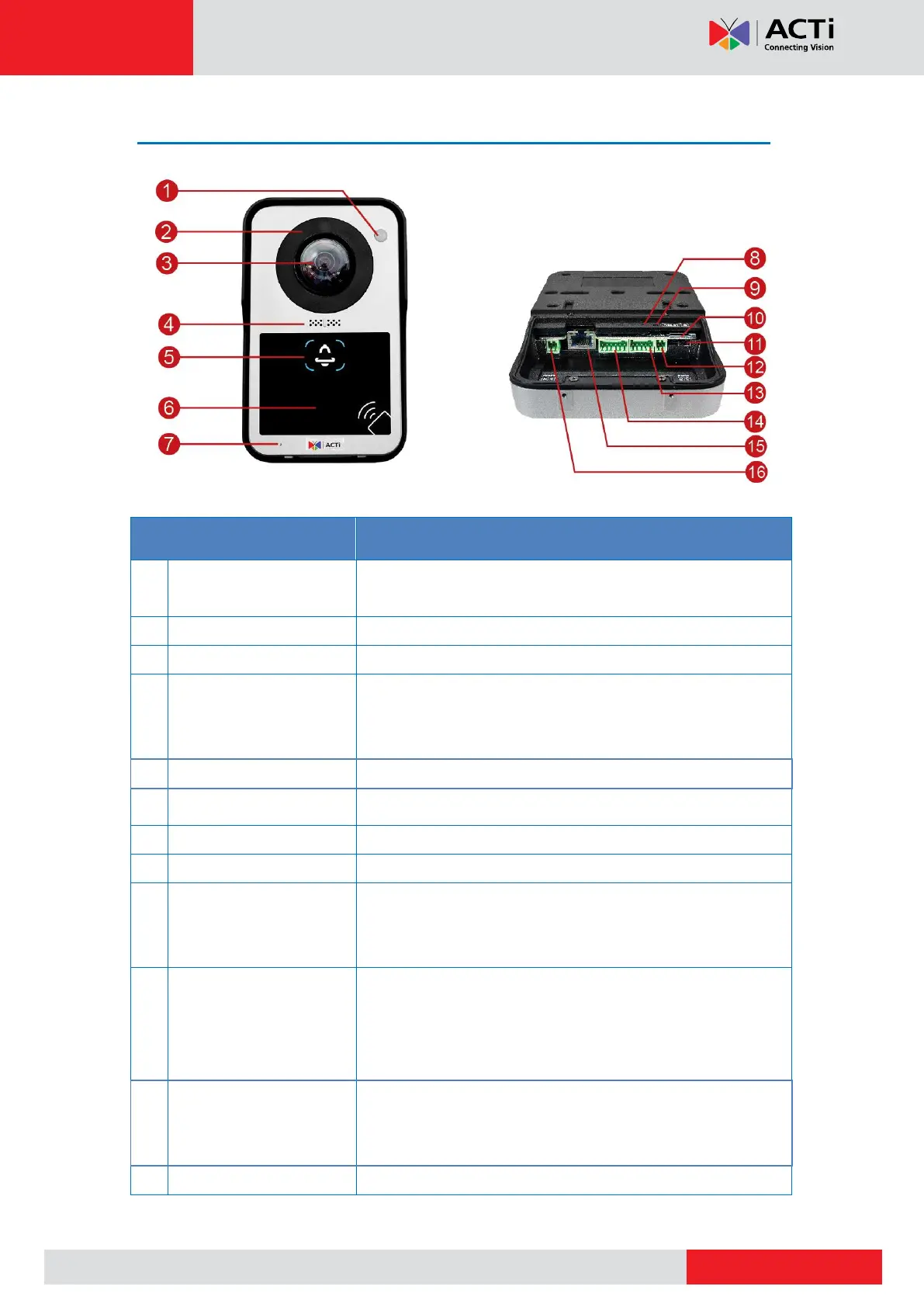
Physical Description
Detects objects within its field of view, like a person moving
towards the door.
Used for night mode video capture.
Provides a wide horizontal angle
The built-in mic and built-in allows for 2-way communication;
so that the person from each side of the door can speak with
each other.
Functions as a door bell.
Reads RFID cards to trigger the door to open.
Lights red when the camera is powered up.
Restores the factory default settings of the camera. To reset
the camera, while the power is on, press and hold the Reset
Button for at least 5 seconds or until the Power LED goes off.
Insert a memory card (not included) into the slot for local
recording purposes. See How to Install / Remove the
Memory Card on page 26 for more information.
NOTE: Supports only microSDHC and microSDXC cards.
Adjust the switch to select whether to use the built-in speaker
or an external speaker connected to the audio out connector
of the camera.
Connects to external speakers.



 To Next Page