Verizon Online
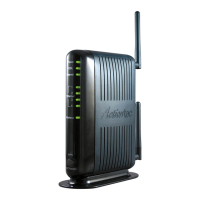
2 Troubleshooting the Actiontec M1424WR Router
Support Documents
Using the Power light to troubleshoot the Actiontec router
1. Power light is off
• The router isn't getting power.
• Confirm that the power switch on the back panel of the router is in the "on" position.
• If the Power light is still not green, check the connection between the power cord and the
back of the Actiontec router.
• Check the green light on the power plug that is connected to the electrical outlet or power
strip. If the light isn't illuminated, remove the power plug and plug it back in securely until
the green light is illuminated
• If the green light on the power plug is illuminated, the power switch is "on," but the Power
light on the front panel of the router isn't illuminated, please contact Verizon technical
support at 888-553-1555.
2. Power light is flashing red
• The router is initializing. If the Power light doesn't display steady green after a minute,
turn off the power switch on the back panel of the Actiontec gateway for 45 seconds and
then turn it back on.
3. If the power light is now solid green but you can't connect to the Internet, continue with
Step 2
.




 To Next Page