Verizon Online
Troubleshooting the Actiontec M1424WR Router 3
Using the Internet Light to Troubleshoot the Actiontec Router
1. The most common cause of a lost connection to your FiOS service is a bad connection
between the router and your FiOS wall connection.
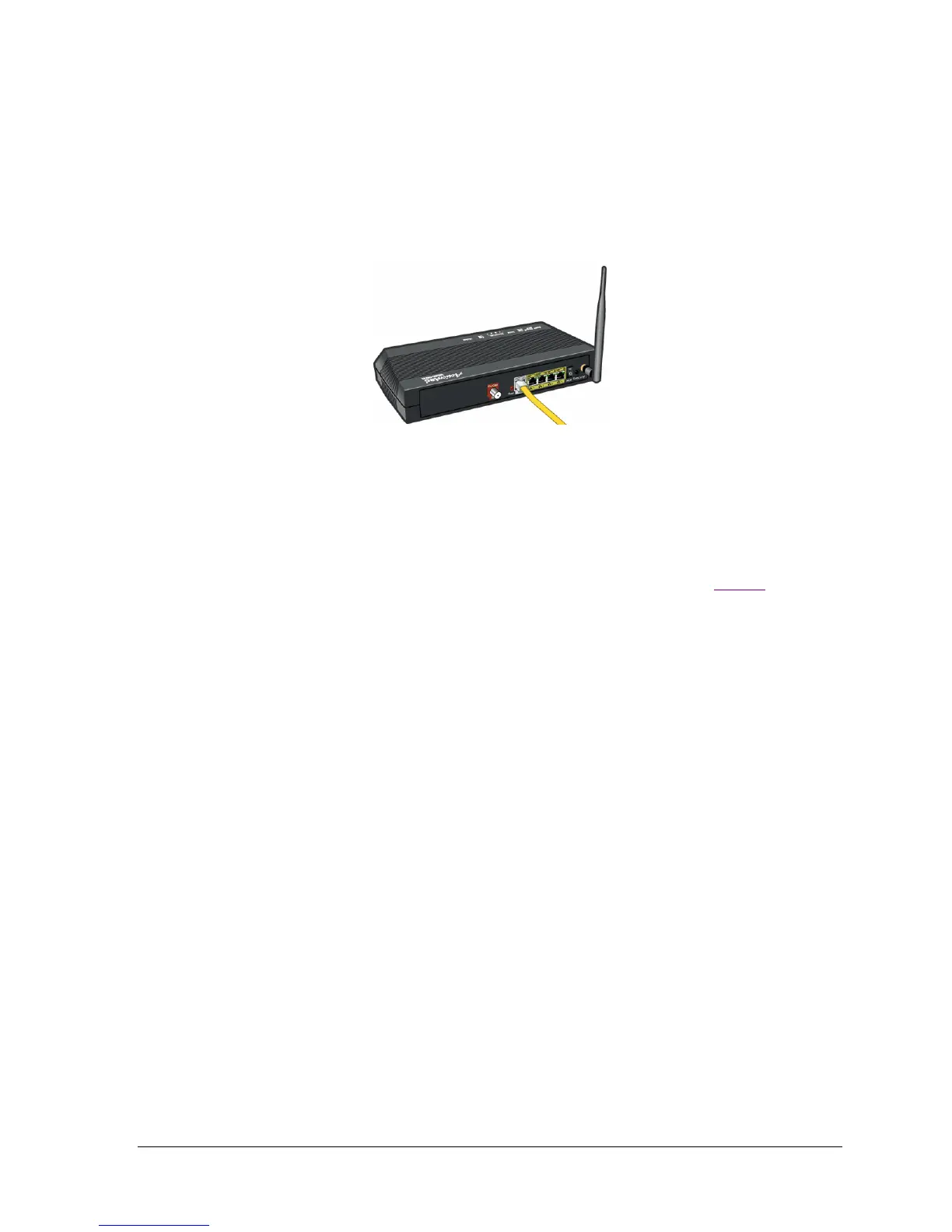
• Check the connection where the Ethernet cable connects to the WAN port on the back
of the Actiontec router.
• Check connection where the same Ethernet cable connects to your FiOS wall
connection.
2. If the Internet light still isn't illuminated, there may be a service outage in your area. If you
have a mobile phone with Internet access, you can enter
http://cgi.verizon.net/systemstatus/default.asp?template=central to display the Verizon
System Status page.
3. If the Internet isn't illuminated and there is no service outage, continue with Step 3
.




 To Next Page