SETUP AND OPERATION
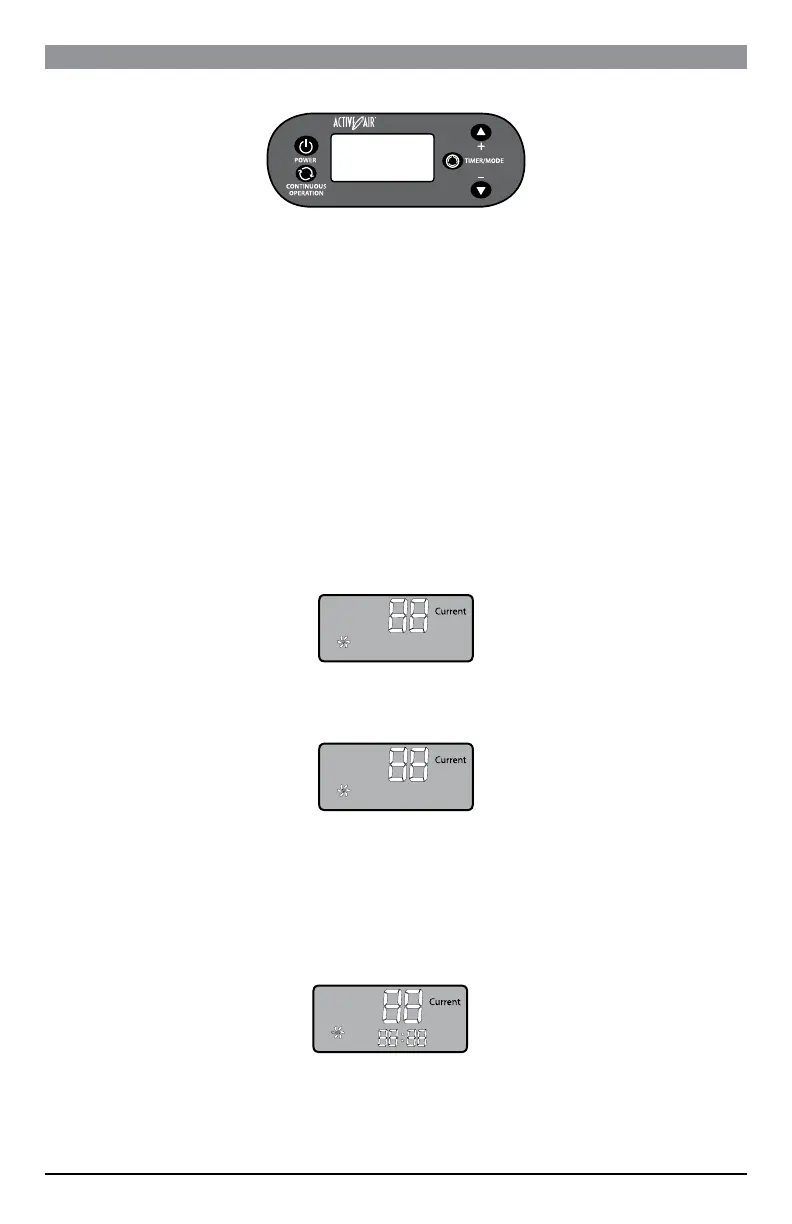
KEY FUNCTIONS
POWER – Turns the unit on and off.
CONTINUOUS OPERATION – When pressed, the unit will operate continuously.
TIMER/MODE – The unit has 5 modes: Humidity, Current Time, Timed Operation On, Timed
Operation Off, and Exit. Every time you press the Timer/Mode button it cycles to the next mode.
“+” BUTTON – When in the “SET” mode, every time you press the “+” button, it will raise the
humidity by 1%. If you hold the button down, it will add humidity more quickly. When in any of the
time modes, the “+” button adds hours. These buttons are used to set “CURRENT” time, “TIMING
ON”, and “TIMING OFF.”
“–“ BUTTON – When in the “SET” mode, every time you press the “–” button, it will lower the
humidity by 1%. If you hold the button down, it will lower humidity more quickly. When in any of the
time modes, the “–” button adds minutes. These buttons are used to set “CURRENT” time, “TIMING
ON”, and “TIMING OFF.”
HUMIDITY AND TIMER SETUP
When the machine is powered on for the first time, there will be an audible buzz sound. Press
the POWER button to start the machine. The screen will display “Run” and “Current,” the present
humidity.
1. To set the desired humidity, press the TIMER/MODE button. The screen shows “Set” and the
machine enters into the set mode. When in the set mode, you can increase or decrease the
humidity from the default setting to your desired level by using the “+” or “–” buttons.
ATTENTION: The machine’s default humidity setting may be lower or higher than the current
ambient humidity when the machine is powered on for the first time. If the default humidity is higher
than the current humidity, after the machine is powered on, although the fan will operate, the
dehumidify function will not operate. You are required to reset the humidity to your desired level in
order to ensure the machine will operate properly.
2. To set the current time, press TIMER/MODE again to see the present time. You can change the
time by using the “+” button to change hours and “–” button to change minutes.
ATTENTION: The time format is in 24 hours and the default time is set at 12:00. You can choose to
skip the current time setting by pressing the TIMER/MODE button to cycle to exit. However, if the
Run
Run
Set
Run
Set
7



 To Next Page