8
The ActivePure® Medical Guardian is designed to reduce airborne contaminants with minimal maintenance.
Filter: The ActivePure® Medical Guardian HEPA Filter is replaced when the change lter light illuminates after 180 days
(approx 6 months) of use.
Cell Module: The ActivePure® Medical Guardian ActivePure® Cell is replaced when the change cell light illuminates after
365 days (1 year) of use.
The ActivePure® Medical Guardian has a safety shutdown feature to ensure the lter and/or cell replacement is performed
at the appropriate times. When the lter and/or cell replacement time is reached, the appropriate LED indicator will
illuminate. However, if the replacement indicator(s) are ignored or if the one or both LED's fail to illuminate, by design
the device will shut down 3 days of operation after reaching the replacement time. This is to ensure the device does not
continue to operate with a lter and/or cell past its stated life.
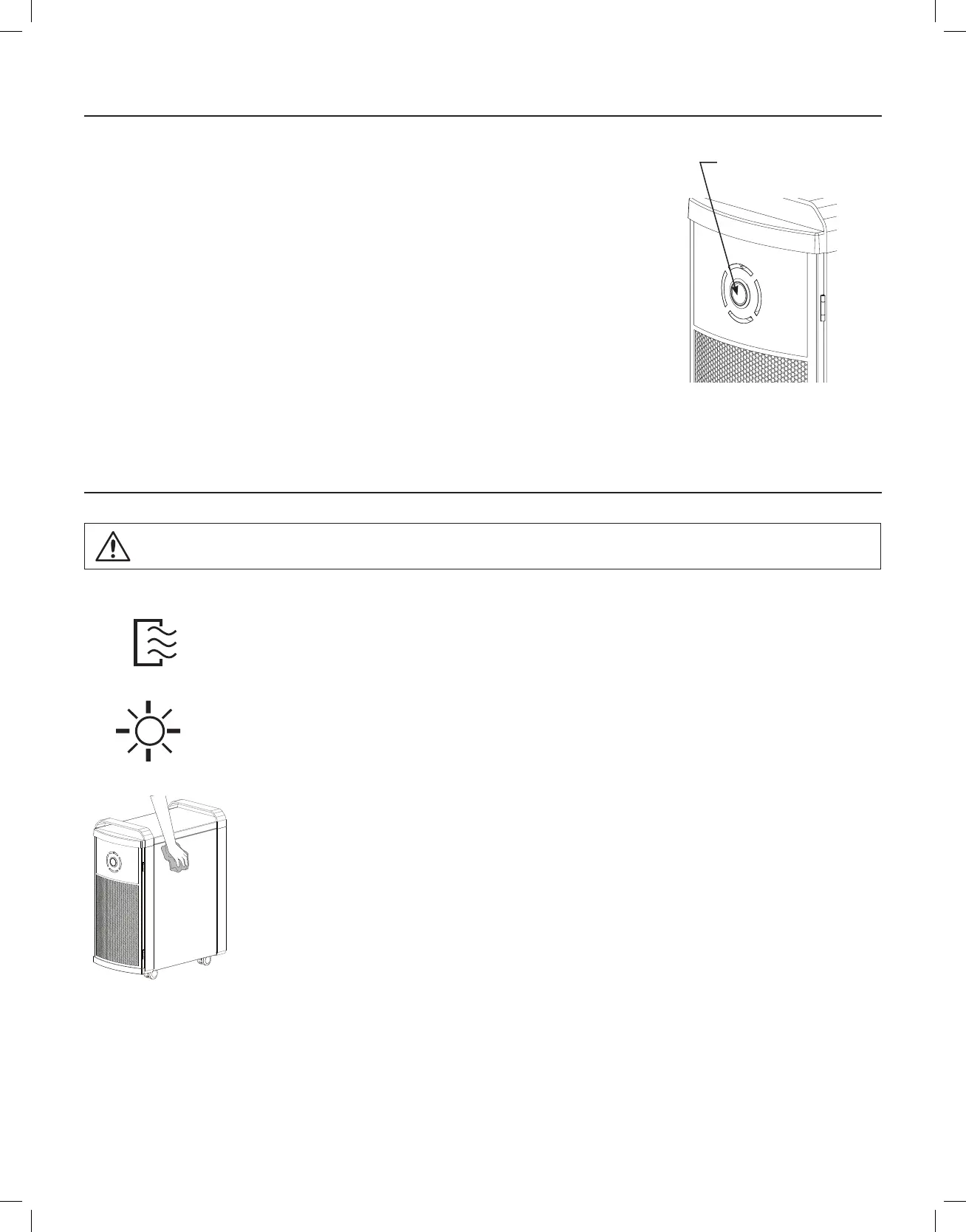
Cabinet: Wipe the exterior of the cabinet with a clean, soft cloth as needed to remove nger prints, smudges, etc. Clean
and disinfect device after each lter change as detailed in the Cleaning/Disinfecting and Filter Replacement
Instructions.
Important Points:
• Always unplug device before cleaning
• Never use gasoline, chemical solvents or any type of corrosive material to prevent damage to the device
• Use genuine ActivePure Medical® parts to maintain the warranty (See Warranty on Page 11)
SETTINGS
NOTE: Safety switch automatically turns power o when door is opened.
There are four fan settings on the ActivePure® Medical Guardian:
1. Whisper (one blue light illuminated)
2. Low (for normal use... two blue lights illuminated)
3. Medium (for a larger areas... three blue lights illuminated)
4. High (when maximum airow is desired... four blue lights illuminated)
When operating the ActivePure® Medical Guardian device for the rst time, set the fan speed to the
highest appropriate speed for the area its placed. Then adjust fan as appropriate for the area if needed.
GENERAL MAINTENANCE INSTRUCTIONS
On/Off
Speed Control
(green light illuminates
when power is on)
Disconnect power before servicing.
CAUTION:


 To Next Page