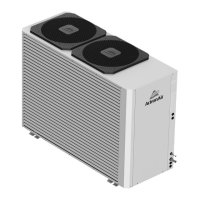
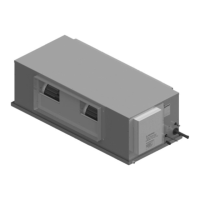
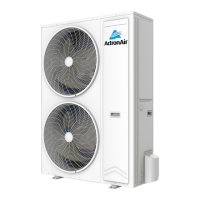
This document is a troubleshooting guide for the ActronAir Advance Split Ducted Unit, covering both R-410A and R-32 models. It provides comprehensive information on general troubleshooting, EC fan troubleshooting, indoor fan PWM and RPM limits, component troubleshooting, and fault/status codes.
Function Description:
The ActronAir Advance Split Ducted Unit is an air conditioning system designed for ducted applications. This manual serves as a guide for diagnosing and resolving common issues that may arise during installation, operation, and maintenance of these units. It covers various aspects of the system, from basic operational problems to detailed component-level diagnostics and error code interpretations.
Important Technical Specifications:
Model Numbers:
- R-410A Models: CRV140S, CRV160S, CRV180S, CRV160T, CRV180T, CRV210T, CRV240T
- R-32 Models: CRV13AS, CRV15AS, CRV17AS, CRV13AT, CRV15AT, CRV17AT
Indoor Fan PWM and RPM Limits (Approximate values at 25°C ambient temperature):
- R-410A (UNO Board):
- PWM %:
- EVV140S: Low 35, Medium 47, High 60
- EVV160S: Low 42, Medium 58, High 77
- EVV180S: Low 50, Medium 69, High 99
- EVV210S: Low 43, Medium 61, High 82
- EVV240S: Low 44, Medium 62, High 84
- RPM Limits:
- EVV140S, EVV160S, EVV180S: Low 1150, Medium 1290, High 1390
- EVV210S, EVV240S: Low 1150, Medium 1350, High 1500
- R-32 (UNO-Pro Board):
- PWM %:
- EVV13AS: Low 40, Medium 50, High 64
- EVV15AS: Low 52, Medium 64, High 73
- EVV17AS: Low 57, Medium 73, High 99
- RPM Limits:
- EVV13AS, EVV15AS, EVV17AS: Low 1380, Medium 1380, High 1380
Component Coil Resistances (at 25°C Ambient Temperature):
- Reversing valve: 2.03 KΩ
- Crankcase Heater: 1.56 KΩ
EEV Resistance (at 20°C Ambient Temperature):
- Orange - Grey: 46 ± 3 Ω
- Red - Grey: 46 ± 3 Ω
- Yellow - Grey: 46 ± 3 Ω
- Black - Grey: 46 ± 3 Ω
Condenser Fan Winding Resistance (at 25°C Ambient Temperature):
- R-410A Models (Part Number 2505-141 for CRV140S, CRV160S, CRV180S, CRV160T, CRV180T):
- Black and Blue: 97 Ω
- Blue and Brown: 143 Ω
- Black and Brown: 240 Ω
- Any colour and earth: Open circuit
- R-410A Models (Part Number 2505-130 for CRV210T, CRV240T):
- Brown and Black: 68.2 Ω
- Brown and Blue: 38.6 Ω
- Black and Blue: 30.1 Ω
- Any colour and earth: Open circuit
- Any colour and either Gray: Open circuit
Pressure Transducer Specifications:
- Control Voltage: 5.0 ± 0.2 VDC
- Output Voltage: 0.5 to 4.5 VDC
- High Pressure Transducer:
- 0 Kpa: 0.5 VDC
- 125 Kpa: 0.6 VDC
- ...
- 5625 Kpa: 5 VDC
- Low Pressure Transducer:
- 0 Kpa: 0.5 VDC
- 50 Kpa: 0.6 VDC
- ...
- 2250 Kpa: 5 VDC
Usage Features:
- General Troubleshooting: Provides solutions for common operational issues like the system not starting, no airflow, insufficient cooling/heating, steam from the outdoor unit, inability to adjust set temperature, and compressor running but no cooling.
- EC Fan Troubleshooting: Addresses issues related to the EC fan, including Auto Mode unavailability, airflow hunting, and excessive airflow at minimum zones. It emphasizes the importance of Self-Learn mode and proper air balance.
- Component Testing: Includes detailed procedures for testing the indoor board by looping communication terminals and observing LED flashes.
- Communication Voltage Checks: Specifies expected control voltages on communication lines for both InZone (R-410A / R-32) and UNO Board Series (R-410A) to diagnose communication errors.
- Indoor Fan Voltage Checks: Provides a step-by-step guide to measure the indoor fan on/off signal and PWM duty cycle to verify fan operation and speed control.
- Sensor Tables: Comprehensive temperature-resistance tables for Ambient/Outdoor Coil/Indoor Coil/Suction Temperature Sensors and Discharge Line Temperature Sensors, crucial for diagnosing sensor faults.
- Pressure-Voltage Tables: Detailed pressure-voltage tables for High and Low Pressure Transducers, enabling accurate diagnosis of pressure-related issues.
- Fault and Status Codes: A comprehensive list of fault and status codes displayed on the outdoor board (LR7-1/LC7-2 CPU) and wall controllers (NEO, LR7-1/LC7-2), along with their descriptions, possible causes, and remedies. This includes codes for sensor errors, pressure switch trips, communication errors, VSD (Variable Speed Drive) faults, and envelope protection errors.
Maintenance Features:
- Filter Cleaning: Recommends cleaning the return air filter to address airflow issues.
- Obstruction Removal: Advises checking and removing obstructions from the outdoor unit's air inlet or outlet.
- Ductwork Inspection: Suggests reducing total static pressure in ductwork, increasing duct sizes, reducing tight bends, or increasing return air grille size for airflow problems.
- Heat Load Analysis: Recommends performing a heat load analysis and closing unused zones for insufficient cooling/heating.
- P-Trap Installation/Filling: Suggests installing or filling a P-Trap to address odors in the conditioned space.
- Self-Learn Mode: Guides users to carry out or re-perform Self-Learn mode for EC fan issues, ensuring proper system calibration.
- Air Balance: Emphasizes the importance of correct air balance and installing manual dampers if needed.
- Sensor Resistance Checks: Guides technicians to check sensor resistance as a primary diagnostic step for sensor errors.
- Refrigerant Leak Checks: Recommends checking for refrigerant leaks and repairing them for high discharge temperature or pressure switch trip errors.
- Wiring Checks: Advises checking wiring for faulty transducers or communication errors.
- Drive Airflow: Highlights the importance of proper airflow/cooling over the VSD heat-sink for VSD overheating issues.
- Power Supply Checks: Instructs users to check line voltage and power supply for VSD-related voltage errors.
- Power Cycle/Reset: Suggests power cycling or resetting the drive for certain VSD trip lock errors or after rectifying issues.
- Board Replacement: Recommends replacing faulty indoor/outdoor boards, wall controllers, or VSD drives when specific component failures are identified.
- Controller Re-assignment: Provides guidance on re-assigning wall controllers in case of communication errors or if a master wall control is not detected.


 To Next Page
 General