EasyManua.ls Logo

ActronAir LM24-2W - User Manual

ActronAir LM24-2W
28 pages
Print Icon
To Next Page IconTo Next Page
Loading...
IMPORTANT NOTE:
Please read this manual carefully before installing or operating your air conditioning unit.
That’s better. That’s Actron.
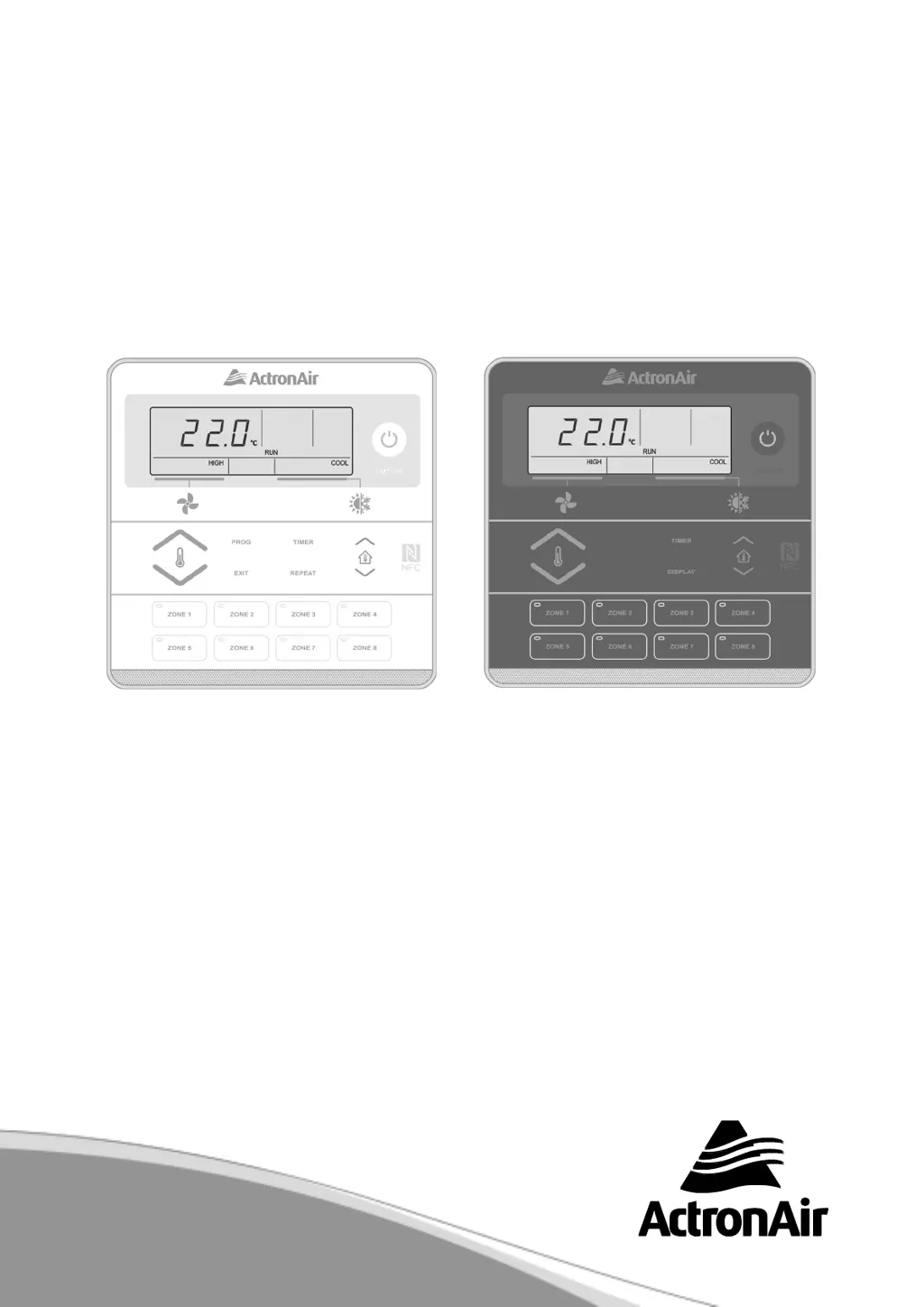
Model Numbers
LM7-2W (White)
LM7-2G (Grey)
LM24-2W (White)
LM24-2G (Grey)
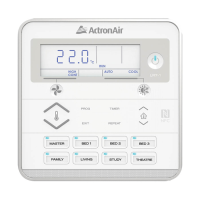
WALL CONTROLLER
Operation Manual

Other manuals for ActronAir LM24-2W

Questions and Answers

  • B
    Bryan YoderAug 15, 2025
    How to fix ActronAir Controller set-temp that can’t be adjusted?
    • M
      Mark ArroyoAug 16, 2025
      If you're unable to adjust the set temperature on your ActronAir Controller, and an EXX code is displayed on the wall controller, record the digits following 'E' and contact your installer. Also, ensure you are not exceeding the set-temperature limits on your wall control, and verify that the upper and lower temperature limits are correctly configured.
  • B
    Brittany ClaytonAug 18, 2025
    Why ActronAir Controller 7-day time clock is not accepting times I enter?
    • J
      john68Aug 18, 2025
      If the 7-day time clock on your ActronAir Controller isn't accepting the times you enter, make sure that the times do not overlap with those from another day. Also, ensure you are not trying to set the time past the maximum allowable limit.
  • K
    Kelli YorkAug 21, 2025
    Why is the ActronAir Controller cooling/heating not sufficient?
    • M
      Michelle ParsonsAug 21, 2025
      Insufficient cooling or heating in your ActronAir Controller can occur if the return air filter is clogged with dust and dirt. Ensure that the air inlet and outlet on the outdoor unit are not blocked. Also, the outside temperature being above or below the design conditions may affect the cooling/heating function.
  • X
    xbrownAug 25, 2025
    What to do if ActronAir LM24-2W system does not start?
    • B
      Billy MooreAug 25, 2025
      If your ActronAir Controller system doesn't start, verify that at least 5 minutes have passed since turning it on, as the system includes built-in safety timers. Also, check that your thermostat settings are correct and that the thermostat set-point is appropriately low for cooling or high for heating.
  • P
    paulreynoldsAug 27, 2025
    What to do if air does not flow from ActronAir Controller Indoor Unit?
    • J
      Jack GarrisonAug 27, 2025
      If air isn't flowing from the indoor unit of your ActronAir Controller, ensure that the zones are switched on, if applicable. Note that during heating, air might not flow for about 15 seconds after startup to prevent cold drafts. Also, during defrosting of the outdoor unit in heating mode, the indoor fan may not operate for several minutes to prevent cold air from being blown into the rooms.
  • S
    Samantha WilliamsAug 30, 2025
    Why is my ActronAir Air Conditioner Accessories cooling/heating not sufficient?
    • J
      Jared CooperAug 30, 2025
      Insufficient cooling or heating in your ActronAir Air Conditioner Accessories might occur if the return air filter is clogged with dust and dirt, hindering effective operation. Additionally, ensure that the air inlet and outlet on the outdoor unit are not obstructed. The outside temperature being above or below the design conditions can also affect performance.
  • S
    staceypatelSep 2, 2025
    What to do if ActronAir Air Conditioner Accessories system does not start?
    • H
      hawkinsdouglasSep 2, 2025
      If your ActronAir Air Conditioner Accessories system doesn't start, first, verify that at least five minutes have passed since turning it on, as the system incorporates built-in safety timers. Next, check that the thermostat settings are correct. Also, ensure the thermostat set-point is adequately low for cooling or sufficiently high for heating.
  • J
    Justin MacdonaldSep 5, 2025
    How to fix ActronAir Air Conditioner Accessories when set-temp can’t be adjusted?
    • B
      Benjamin FrancoSep 5, 2025
      If you're unable to adjust the set temperature on your ActronAir Air Conditioner Accessories, and an EXX code is displayed on the wall controller, record the digits following 'E' and contact your installer. Also, verify that you are not exceeding the set-temperature limits on your wall control. You should also check that the upper and lower temperature are set correctly.
  • J
    Joseph RamosSep 8, 2025
    What to do if air does not flow from ActronAir Air Conditioner Accessories indoor unit?
    • F
      Francisco HawkinsSep 8, 2025
      If air isn't flowing from the indoor unit of your ActronAir Air Conditioner Accessories, check that the zones are switched on, if applicable. During heating, air might not flow for about 15 seconds after startup to prevent cold drafts. Also, during the defrost cycle of the outdoor unit in heating mode, the indoor fan might not operate for several minutes to avoid blowing cold air into rooms.
  • M
    Mrs. Jenny Shannon MDSep 12, 2025
    Why is ActronAir Air Conditioner Accessories 7-day time clock not accepting times?
    • J
      Jay GarciaSep 12, 2025
      If the 7-day time clock on your ActronAir Air Conditioner Accessories isn't accepting the times you enter, ensure that you don't have overlapping times from another day. Also, verify that you're not attempting to set the time past the maximum allowable limit.

Summary

General Safety Precautions

Operational Safety

Controller Features

Auto Defrost Function

Automatic defrost cycle for heating mode to maintain performance.

Self Diagnosis

System detects and displays fault codes for troubleshooting.

Basic Operation Guide

Wall Controller Button Functions

Overview of buttons and functions on the wall controller.

Cooling Operation

Step-by-step guide for operating the unit in cooling mode.

Heating Operation

Step-by-step guide for operating the unit in heating mode.

Auto Operation Mode

Automatic mode switching between heating and cooling.

Timer Operation Modes

Setting and using the timer functions for operation.

Program Menu

7-Day Programmable Scheduling

Setting up a weekly schedule for the air conditioner.

Programming Daily Events

Step-by-step guide to program ON/OFF events for each day.

Zone Controller Functions

Setting Temperature Limits

Cleaning and Maintenance Procedures

System Troubleshooting Guide

Resetting the Wall Control

ActronAir LM24-2W Specifications

General IconGeneral
ModelLM24-2W
DisplayLCD
ConnectivityWired
WirelessNo
BacklightYes
CompatibilityActronAir Ducted Systems
Control ModesCool, Heat, Fan, Auto
Temperature Range16°C - 30°C

Related product manuals