7
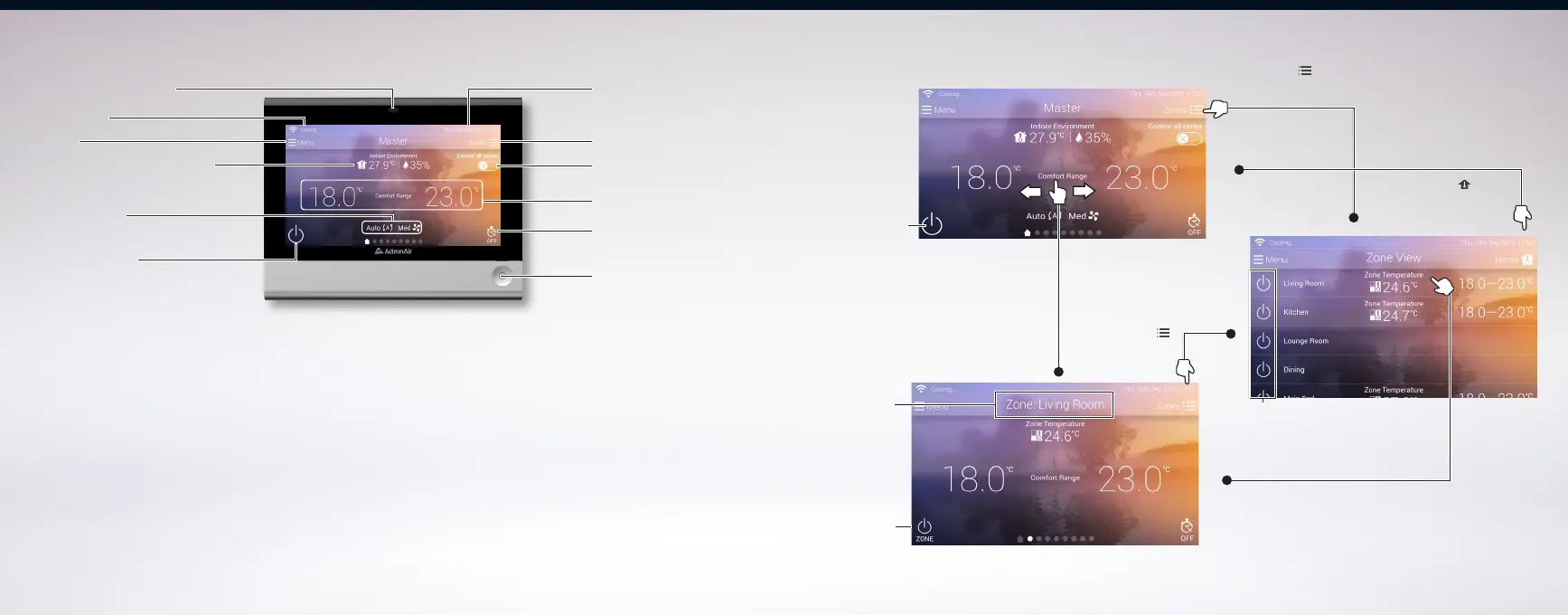
Navigation Home/Zone Screen ViewControl Identification - QUE Touch
Touch to turn
Zone ON/OFF
Zone Name
Touch ‘Home ’ to go
back to home screen
Touch ‘Zones ‘ to
show Zone List View
Touch a zone from zone list to
reveal individual zone view
NOTE:
1) Zone list and zone screen view are only available on a Zoned System
2) Zone temperature and zone set point are only available for VAV zones.
Press ‘ Zones ‘
to go back to
zone list view
Swiping home screen
horizontally will show
individual zone view
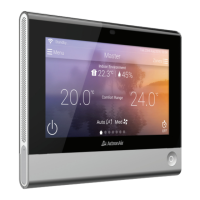
Home Screen View
Zone List View
Zone Screen View
Touch to turn
System ON/OFF
Touch to turn
Zone ON/OFF
Status Bar
Calendar and Clock
Menu
Indoor/Outdoor Environment
Set Temperature
Mode Window
System ON / OFF
Timer Status
Zone/Home View
Control All Zones Switch
Controller ON/OFF
HOME Button
Light/Proximity Sensor - Automatically adjusts screen
brightness depending on amount of ambient light detected. It
will also wake the screen if movement is detected nearby.
Status Bar - Shows the current operational status. (p.24-25)
Menu - Touch to access energy history, schedule, settings,
dashboard, technical and controller information. (p.12)
Indoor / Outdoor Environment - Touch to view indoor
average temperature, indoor humidity and outdoor ambient
temperature.
Mode Window - Touch to change system operating mode,
fan speed settings and other operation options. (p.10)
System ON/OFF - Touch to turn the system ON or OFF. (p.7)
Calendar and Clock - Shows the current date and time.
Zone List/Home Screen View - Touch to switch from Home Screen View
to Zone List View. This icon is only available on zoned system. (p.7)
Control All Zones Switch - Toggle ON to control all zones globally. (p.8)
Set Temperature - Touch to adjust set temperature of the room
or zone. (p.11)
Timer Function/Status - Touch to set timer ON/OFF program. (p.19-20)
Controller Shutdown/ON/HOME Button - Long Press to turn ON or
Shutdown the controller. Short press will show Home Screen View.
Light/Proximity Sensor
6


 To Next Page