Owner's Manual - Wall Hung Split System
Doc. No.9590-4011 Ver. 2 210622
Owner's Manual
Wall Hung Split System
8
03.06. Sleep Operation
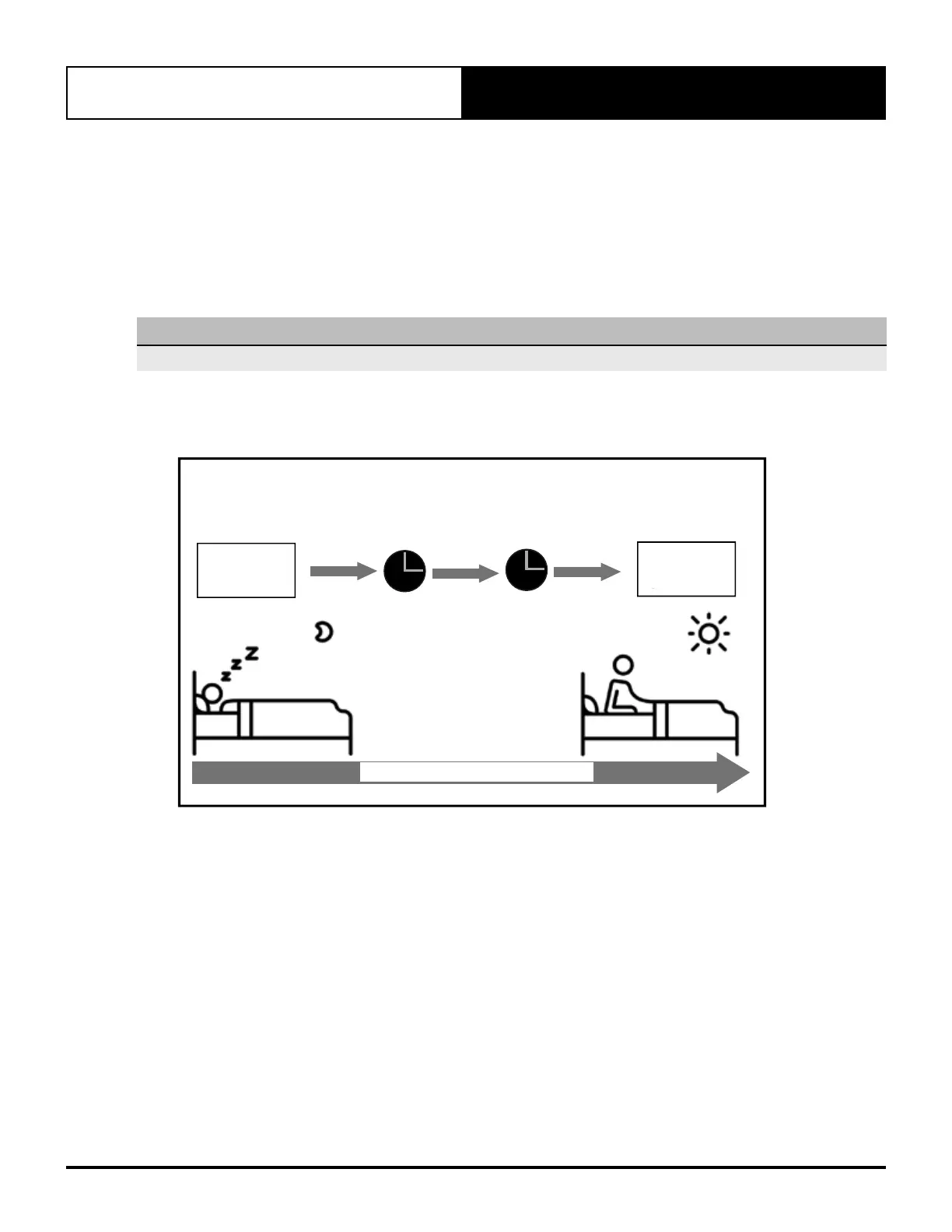
The SLEEP function is used to decrease energy usage while you sleep and do not need the same temperature
settings to stay comfortable. This function can only be activated via the remote control.
Press the SLEEP button when you are ready to go to sleep. When in COOL mode, the unit will increase the
temperature by 1°C after 1 hour, and will increase an additional 1°C after another hour. When in HEAT mode, the
unit will decrease the temperature by 1°C after 1 hour, and will decrease an additional 1°C after another hour.
It will hold the new temperature for 7 hours, then the unit will turn off automatically.
NOTE
The SLEEP function is not available in FAN or DRY mode.
Page 10
The SLEEP function is used to decrease energy
use while you sleep (and don’t need the same
temperature settings to stay comfortable). This
function can only be activated via remote control.
Press the SLEEP button when you are ready to
go to sleep. When in COOL mode, the unit will
increase the temperature by 1°C (2°F) after 1
hour, and will increase an additional 1°C (2°F)
after another hour. When in HEAT mode, the unit
will decrease the temperature by 1°C (2°F) after
1 hour, and will decrease an additional 1°C (2°F)
after another hour.
It will hold the new temperature for 7 hours, then
the unit will turn off automatically.
Note: The SLEEP function is not available in
FAN or DRY mode.
Sleep Operation
Set
temperature
Saving energy during sleep
1hr
1hr
7 hours
timer o
+/- 1 C/2 F
SLEEP Operation
+/- 1 C/2 F
Fig. 3.1
•
Unit
Specifications
and Features
SLEEP Operation
Set
Temperature
7 hours
Timer Off
±1°C
±1°C
Saving Energy During Sleep



 To Next Page