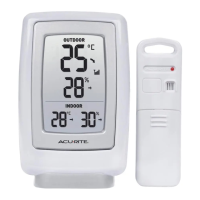
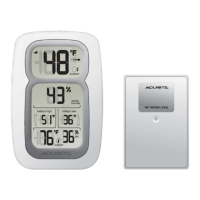
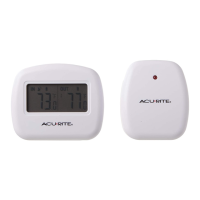
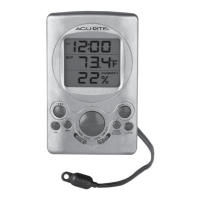
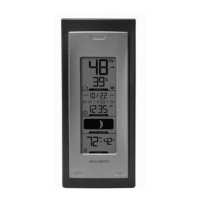
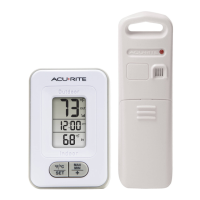
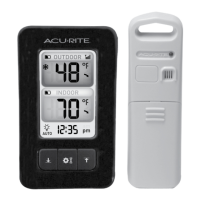
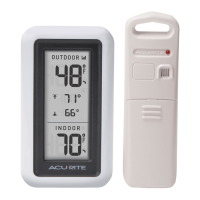
The AcuRite Digital Thermometer, available in models 00424CA/00522 (Product 1) and 02059M (Product 2), is a wireless thermometer system designed to monitor both indoor and outdoor temperatures. It also tracks daily high and low temperatures, providing essential environmental data for planning your day.
Function Description:
The AcuRite Digital Thermometer system consists of two main components: a display unit and an outdoor sensor (or wireless sensor for Product 2). The outdoor sensor wirelessly transmits temperature data to the display unit, which then shows both the current indoor and outdoor temperatures. The display unit also records and displays the highest and lowest temperatures observed over the past 24 hours. For Product 1, these records reset daily at the time the unit was powered on. For Product 2, records automatically clear at 12:00 AM midnight every day. The display unit for Product 2 also features an auto-cycle mode, allowing it to automatically cycle through data from multiple wireless sensors (if connected).
Important Technical Specifications:
- Temperature Range:
- Outdoor: -40°F to 158°F (-40°C to 70°C)
- Indoor: 32°F to 122°F (0°C to 50°C)
- Wireless Range:
- Product 1: 165 ft / 50 m (depending on home construction materials)
- Product 2: 330 ft / 100 m (depending on home construction materials)
- Wireless Frequency: 433 MHz
- Power:
- Product 1 Display: 2 x AA alkaline batteries
- Product 1 Sensor: 2 x AA alkaline or lithium batteries
- Product 2 Display: 3 x AAA alkaline batteries
- Product 2 Sensor: 2 x AA alkaline or lithium batteries
- Data Reporting:
- Product 1: 30 second updates
- Product 2 Sensor Data: 16 seconds
- Product 2 Display Data: 60 seconds
Usage Features:
- Display Unit:
- Current Outdoor Temperature: Displays the current outdoor temperature with an arrow icon indicating the temperature trend (trending up, down, or stable).
- High (↑) Temperature Record: Shows the highest temperature recorded over the past 24 hours.
- Low (↓) Temperature Record: Shows the lowest temperature recorded over the past 24 hours.
- Current Indoor Temperature: Displays the current indoor temperature with an arrow icon indicating the temperature trend.
- Low Battery Indicators: Separate indicators for the display unit and the outdoor sensor.
- Outdoor Sensor Signal Strength: Indicates the strength of the wireless signal from the outdoor sensor.
- Temperature Units: Users can select between Fahrenheit (°F) or Celsius (°C) by pressing a dedicated button inside the battery compartment (Product 1) or on the back of the display (Product 2).
- Clock (Product 2 only): Displays the current time.
- Auto-Cycle Indicator (Product 2 only): Indicates when auto-cycle mode is enabled, allowing the display to automatically cycle through data from multiple sensors.
- Integrated Hang Hole (Product 2 only): For easy wall mounting.
- Display Stand (Product 2 only): For tabletop use.
- Outdoor Sensor (Wireless Sensor):
- Integrated Hanger: For easy placement.
- Wireless Signal Indicator: Flashes when data is being sent to the display unit.
- A-B-C Switch (Product 2 only): An ID code switch located inside the battery compartment to identify multiple sensors on the display. Each sensor must have a different channel selected.
- Setup:
- Battery Installation: Both the display unit and the outdoor sensor require batteries. Alkaline batteries are recommended for general use, but lithium batteries are necessary for the outdoor sensor in cold temperatures (below -4°F / -20°C) to ensure proper function.
- Placement Guidelines: For maximum accuracy and wireless range, the display unit should be placed in a dry area free of dirt and dust, and the outdoor sensor should be placed outside in a location protected from direct weather elements, 4 to 8 feet above the ground, with permanent shade and plenty of fresh air. Both units should be within the specified wireless range and at least 3 feet (.9 m) away from electronic devices to prevent interference.
- Synchronization: The sensor(s) will automatically synchronize with the display unit after setup, which may take a few minutes.
- Setting Time & Units (Product 2 only): The "SET" button on the back of the display allows users to enter SET MODE to adjust the clock hour, minute, and temperature units.
- Expandability (Product 2 only): The display can track additional areas by using compatible Temperature Sensors (Model 06002RM, sold separately), allowing monitoring of up to 3 indoor/outdoor sensors within 330 ft (100 m).
Maintenance Features:
- Display Unit Care: Clean with a soft, damp cloth. Avoid caustic cleaners or abrasives. Keep away from dust, dirt, and moisture. Regularly clean ventilation ports with a gentle puff of air.
- Outdoor Sensor Care: Clean with a soft, damp cloth. Avoid caustic cleaners or abrasives.
- Battery Safety: Always clean battery contacts before installation. Remove batteries from equipment not in use for extended periods. Follow polarity diagrams. Promptly remove dead batteries and dispose of them properly. Do not incinerate, mix old and new batteries, or use rechargeable batteries.
- Troubleshooting: A dedicated troubleshooting section in the manual addresses common issues such as no outdoor sensor reception, flashing or inaccurate temperature readings, and a non-working display screen, providing solutions like relocating units, checking battery types, and reinstalling batteries.
Customer Support:
AcuRite offers customer support via phone (877-221-1252) and their website (www.AcuRite.com), which includes installation videos, product registration, instruction manuals, a user forum, and replacement parts. Product registration is recommended to receive a 1-year warranty.
Warranty:
Chaney Instrument Co. provides a limited one-year warranty, guaranteeing products to be free of defects in material and workmanship when properly installed and operated. Remedies for breach of warranty are limited to repair or replacement of defective item(s). The warranty does not cover normal wear and tear, damage from acts of nature, tampering, abuse, improper installation, shipping damage, or repairs by unauthorized personnel.

 Need help?
 General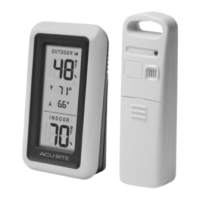

 To Next Page