EasyManua.ls Logo

ACU-RITE 00611A3 - User Manual

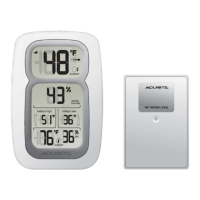
ACU-RITE 00611A3
12 pages
Print Icon
To Next Page IconTo Next Page
Loading...
SAVE THIS MANUAL FOR FUTURE REFERENCE.
CONTENTS
Unpacking Instructions ........... 2
Package Contents .................. 2
Product Registration ............... 2
Features & Benets ................. 3
Setup .................................... 4
Install or Replace Batteries...... 4
Placement Guidelines ............. 5
Using the Thermometer ........... 6
Troubleshooting ..................... 7
Care & Maintenance .............. 8
Specications ......................... 8
FCC Information .................... 8
Customer Support .................. 9
Warranty............................... 9
Instruction Manual
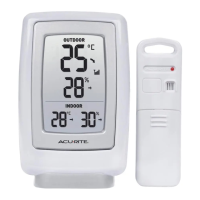
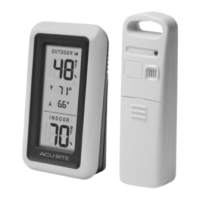
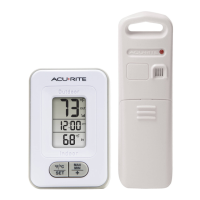
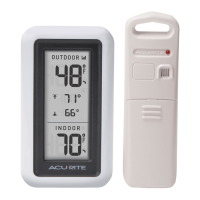
Wireless Thermometer
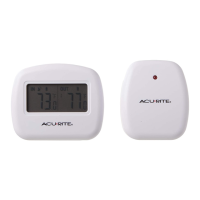
model 00411/00609SBDIA/00611A3
Questions? Contact Customer Support at
(877) 221-1252 or visit www.AcuRite.com

Questions and Answers

  • S
    Stephanie PattonAug 9, 2025
    What to do if the ACU-RITE 00611A3 outdoor temperature is flashing or showing dashes?
    • N
      Nicholas SchwartzAug 9, 2025
      If the outdoor temperature is flashing or showing dashes on your ACU-RITE Thermometer, it might be due to wireless interference. Try bringing both the sensor and display unit indoors and removing at least one battery from each. Then, reinstall the battery in the outdoor sensor, followed by reinstalling the battery in the display unit. Allow the units to sit within a couple of feet of each other for about 20 minutes to establish a strong connection.
  • T
    Tina TaylorAug 15, 2025
    What to do if ACU-RITE Thermometer display screen is not working?
    • D
      danielhillAug 16, 2025
      If the display screen on your ACU-RITE Thermometer is not working, first check that the batteries are installed correctly. If they are, the batteries may need to be replaced.
  • A
    adam57Aug 21, 2025
    What to do if my ACU-RITE 00611A3 has no outdoor sensor reception?
    • D
      Duane HollowayAug 21, 2025
      If your ACU-RITE Thermometer isn't receiving the outdoor sensor signal (no bars), try these steps: First, relocate the display unit and/or the outdoor sensor, ensuring they are within 165 ft (50 m) of each other. Second, ensure both units are at least 3 feet (.9 m) away from electronics like TVs, microwaves, and computers that could interfere with wireless communication. Third, use standard alkaline batteries (or lithium batteries in the sensor when the temperature is below -4ºF/-20ºC), avoiding heavy-duty or rechargeable batteries. Finally, allow up to 20 minutes for the display unit and sensor to synchronize after replacing the batteries.
  • B
    Brooke RodriguezAug 27, 2025
    Why is the outdoor temperature flashing or showing dashes on my ACU-RITE 00611A3 Thermometer?
    • J
      Jill FreemanAug 27, 2025
      If the outdoor temperature on your ACU-RITE Thermometer is flashing or showing dashes, it may be due to wireless interference. To resolve this, bring both the sensor and display unit indoors and remove at least one battery from each. Then, reinstall the battery in the outdoor sensor, followed by reinstalling the battery in the display unit. Allow the units to sit within a couple of feet of each other for about 20 minutes to establish a strong connection.
  • Z
    zbrownSep 2, 2025
    How to fix no outdoor sensor reception on ACU-RITE 00611A3 T111I with no bars?
    • C
      Carl MooreSep 3, 2025
      If your ACU-RITE Thermometer T111I shows no bars and isn't receiving the outdoor sensor signal, try these steps: Relocate the display unit and/or the outdoor sensor, ensuring they are within 165 ft (50 m) of each other. Also, make sure both units are at least 3 feet (.9 m) away from electronics like TVs, microwaves, and computers that could cause interference. Use standard alkaline batteries (or lithium batteries in the sensor when the temperature is below -4ºF/-20ºC), avoiding heavy-duty or rechargeable batteries. After replacing batteries, allow up to 20 minutes for the display unit and sensor to synchronize.

Summary

Unpacking Instructions

Package Contents

Lists the items included in the product package: display unit, outdoor sensor, and instruction manual.

SETUP

Main Unit Detachable Stand

Details on attaching the detachable stand for tabletop placement of the main unit.

Install or Replace Batteries

Instructions for installing or replacing batteries in the display unit and outdoor sensor.

Select Degrees Fahrenheit or Celsius

How to switch between Fahrenheit (°F) and Celsius (°C) temperature units on the display.

Placement for Maximum Accuracy

Display Unit Placement

Guidelines for placing the display unit in a dry area, suitable for tabletop or wall mounting.

Outdoor Sensor Placement

Instructions for placing the outdoor sensor outside for accurate readings, protected from direct weather.

General Placement Guidelines

Tips for optimal placement to ensure accurate measurements and maximize wireless range, avoiding interference.

OPERATION

Using the Thermometer High;Low Records

How to view and reset the minimum and maximum temperature and humidity records on the display unit.

Troubleshooting

No Outdoor Sensor Reception

Solutions for when the wireless signal indicator shows no bars, including relocation and battery checks.

Outdoor Temperature Flashing or Dashes

Steps to resolve issues where the outdoor temperature display is flashing or showing dashes, often due to interference.

Inaccurate Temperature Readings

Tips to ensure accurate temperature readings by checking unit placement and avoiding direct sunlight or heat sources.

Display Screen Not Working

Troubleshooting steps for a blank or non-functional display screen, primarily checking battery installation and condition.

Care & Maintenance

Display Unit Care

Instructions for cleaning the display unit using a soft, damp cloth and keeping it away from dust and moisture.

Outdoor Sensor Care

Guidelines for cleaning the outdoor sensor with a soft damp cloth, avoiding caustic cleaners or abrasives.

Specifications

FCC Information

Customer Support

Limited One Year Warranty

ACU-RITE 00611A3 Specifications

General IconGeneral
Power1 x AAA battery
Accuracy Temperature±2ºF/±1ºC
Accuracy Humidity±5%
Resolution1% RH
Battery1 x AAA battery

Related product manuals