EasyManua.ls Logo

ACU-RITE 00529W - User Manual

ACU-RITE 00529W
12 pages
Print Icon
To Next Page IconTo Next Page
Loading...
Instruction Manual
SAVE THIS MANUAL FOR FUTURE REFERENCE.
Questions? Contact Customer Support at
(877) 221-1252 or visit www.AcuRite.com.
CONTENTS
Unpacking Instructions ........... 2
Package Contents .................. 2
Product Registration ............... 2
Features & Benets: Sensor ..... 2
Features & Benets: Display .... 3
Setup .................................... 4
Sensor Setup ......................... 4
Display Setup ........................ 5
Intelli-Time
®
Clock ................... 6
Set the Time, Date & Units ...... 6
Placement Guidelines ............. 7
Using the Thermometer ........... 8
Troubleshooting ..................... 9
Care & Maintenance .............10
Replace Intelli-Time
®
Battery ..10
Specications ........................ 10
FCC Information ...................10
Customer Support ................. 11
Warranty..............................11
Thermometer
models 00592W / 00592A

Questions and Answers

  • C
    charles48Aug 1, 2025
    What to do if outdoor temperature is flashing on ACU-RITE 00529W?
    • C
      Courtney ChristianAug 1, 2025
      If the outdoor temperature on your ACU-RITE Thermometer is flashing or showing dashes, wireless interference might be the cause. Try bringing both the sensor and display unit indoors and removing at least one battery from each. Also, ensure the A-B-C switches on both units match. Reinstall the battery in both the outdoor sensor and the display unit. Allow the units to sit within a couple of feet of each other for about 20 minutes to establish a strong connection.
  • A
    Alice ClineAug 8, 2025
    What to do if ACU-RITE Thermometer has no outdoor sensor reception?
    • D
      daniel53Aug 8, 2025
      If your ACU-RITE Thermometer shows no outdoor sensor reception (no bars), relocate the display unit and/or the outdoor sensor, ensuring they are within 330 ft (100 m) of each other. Also, ensure both units are at least 3 feet (.9 m) away from electronics that may interfere with wireless communication, such as TVs, microwaves, and computers. Use standard alkaline batteries (or lithium batteries in the sensor when the temperature is below -4ºF/-20ºC), and avoid heavy-duty or rechargeable batteries. Allow up to 20 minutes for the display unit and sensor to synchronize after batteries are replaced.
  • K
    Karen YoungAug 16, 2025
    Why is my ACU-RITE 00529W Thermometer display screen not working?
    • M
      michael20Aug 17, 2025
      If your ACU-RITE Thermometer display screen isn't working, first, check that the batteries are correctly installed and replace them if necessary. If that doesn't work, reset the display by pressing the RESET button located in the battery compartment of the display unit. Note that you'll need to enter the date and time after a reset.
  • T
    Tracy WilliamsAug 23, 2025
    How to fix inaccurate temperature on ACU-RITE 00529W?
    • L
      lewisjustinAug 25, 2025
      If your ACU-RITE Thermometer is showing inaccurate temperature or humidity readings, ensure that both the display unit and sensor are placed out of direct sunlight and away from any heat sources or vents. Also, make sure both units are positioned away from moisture sources.

Summary

Unpacking Instructions

Package Contents

Lists items included in the product package.

Product Registration

Features & Benefits

Outdoor Sensor Features

Details features and benefits of the outdoor sensor unit, including hanger and battery compartment.

Display Unit Front Features

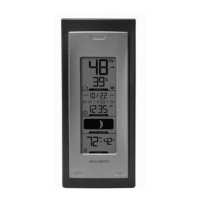
Describes the front features and buttons of the display unit, like temperature and time.

Display Unit Back Features

Describes the back features of the display unit, including battery compartment and setup buttons.

SETUP

Sensor Setup

Steps to set up the outdoor sensor, including A-B-C switch and battery installation.

Display Unit Setup

Steps to set up the display unit, including A-B-C switch and backup battery installation.

Intelli-Time Clock

Set the Time, Date & Units

Guide to setting the clock, date, time zone, and preferred units for the display.

Placement for Maximum Accuracy

Display Unit Placement

Guidelines for placing the display unit in a dry area for optimal performance.

Outdoor Sensor Placement

Guidelines for placing the outdoor sensor in a shaded, ventilated area for accuracy.

Important Placement Guidelines

Key recommendations for unit placement to ensure accuracy and wireless range.

OPERATION

Using the Thermometer

Instructions on operating the thermometer, including high/low records and moon phase display.

High;Low Records

How to view and manually clear the highest and lowest recorded temperature and humidity values.

Moon Phase Display

Explanation of the moon phase window and its functionality.

Troubleshooting

No Outdoor Sensor Reception

Solutions for issues with the outdoor sensor not communicating with the display unit.

Display Screen Not Working

Steps to resolve issues where the display screen is unresponsive or blank.

Outdoor Temperature Issues

Troubleshooting steps for intermittent outdoor temperature readings like flashing or dashes.

Inaccurate Readings

Tips to ensure accurate temperature and humidity readings by checking unit placement.

Care & Maintenance

Display Unit Care

Instructions for cleaning and maintaining the display unit using soft cloths.

Outdoor Sensor Care

Instructions for cleaning and maintaining the outdoor sensor using soft cloths.

Replace Intelli-Time Battery

Guide on how to replace the coin-cell battery for the Intelli-Time clock feature.

Specifications

FCC Information

Customer Support

Limited One Year Warranty

ACU-RITE 00529W Specifications

General IconGeneral
Temperature Range-40°F to 158°F (-40°C to 70°C)
DisplayLCD
Accuracy±2°F, ±5% RH
Resolution1% RH
Battery2 AAA batteries (included)

Related product manuals