4
Features & Benets
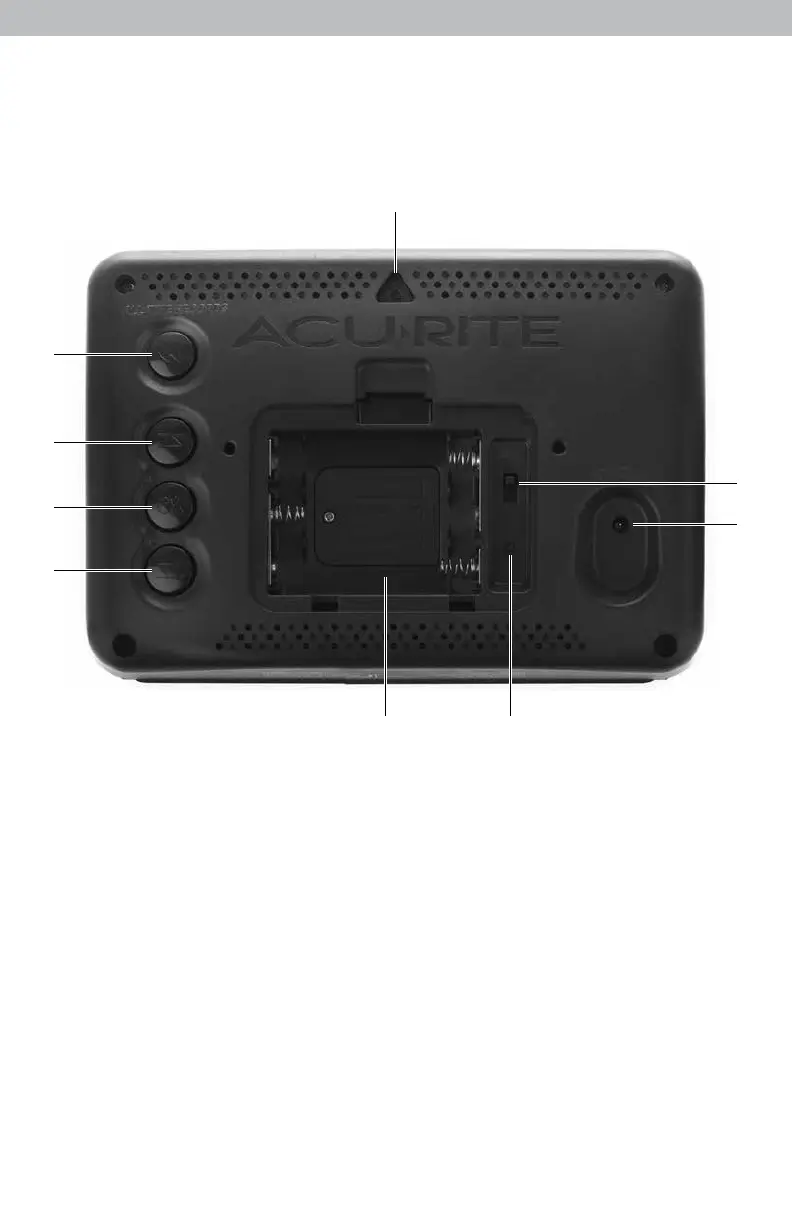
BACK OF DISPLAY UNIT
1. All-Time Records Button
Press to access all-time high and low
records.
2. Adjust Up Button
for setup preferences.
3. Setup Mode Button
for setup preferences.
4. Adjust Down Button
for setup preferences.
5. Battery Compartment
6. Reset Button
Full reset to factory defaults.
7. Plug-in for Power Adapter
8. A-B-C Switch
ID code that must match sensor’s A-B-C
switch to ensure units synchronize.
9. Integrated Hang Hole
for easy wall mounting.
10. Battery Compartment Cover
(not shown)
1
2
3
4
9
8
7
65


 To Next Page