Archive:l Products
L
Congratulations on your new AcuRite product. To ensure the best
possible product performance, please read this manual in its entirety
and retain it for future reference.
Unpacking Instructions
Remove the protective lm that is applied to the LCD screen prior to using this
product. Locate the tab and peel off to remove.
Package Contents
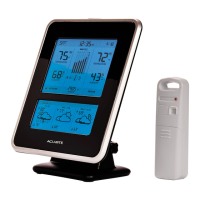
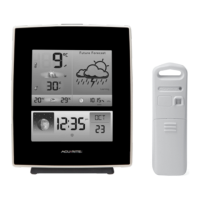
1. Display unit with tabletop stand
2. Outdoor sensor
3. Instruction manual
4. Power adapter
IMPORTANT
PRODUCT MUST BE REGISTERED
TO RECEIVE WARRANTY SERVICE
PRODUCT REGISTRATION
Register online
to receive 1 year
warranty protection
www.AcuRite.com
►
Register a Product
Features and Benets
1
2
3
4
5
OUTDOOR SENSOR
1. Integrated Hanger
For easy placement.
2. Wireless Signal Indicator
Flashes when data is being sent
to the display unit.
3. Battery Compartment
4. A-B-C Switch
ID code that must match display’s
A-B-C switch to ensure units synchronize.
5. Battery Compartment Cover
2


 To Next Page