201
uuAudio System Basic OperationuPlaying an iPod
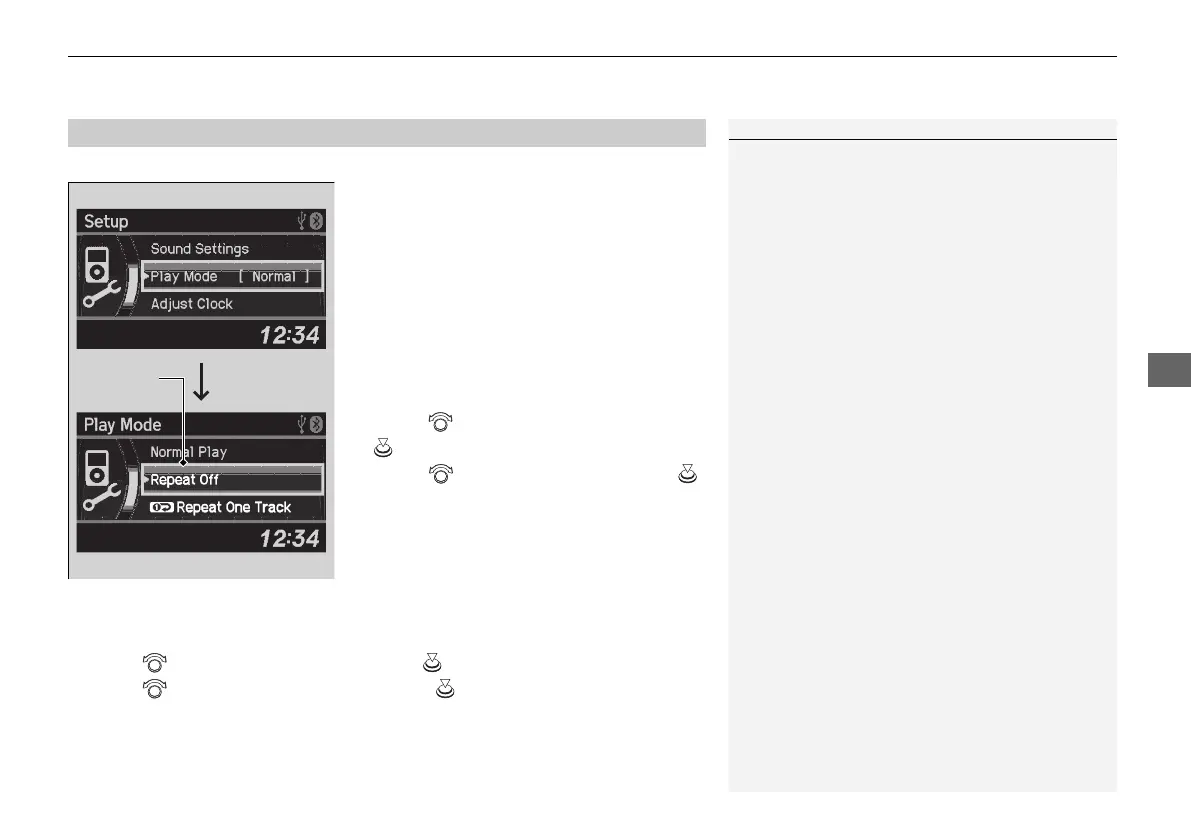
You can select repeat and shuffle modes when playing a file.
1. Press the SETUP button.
2. Rotate to select Play Mode, then press
.
3. Rotate to select a mode, then press .
■
To turn off a play mode
1. Press the SETUP button.
2. Rotate to select Play Mode, then press .
3. Rotate to select Normal Play, then press .
■
How to Select a Play Mode
1How to Select a Play Mode
Play Mode Menu Items
Normal Play
Repeat Off: Turns off the repeat mode.
Repeat One Track: Repeats the current track.
Shuffle Off: Turns off the shuffle mode.
Shuffle: Plays all available files in a selected list
(playlists, artists, albums, songs, genres, or
composers) in random order.
Shuffle Albums: Plays all available albums in a
selected list (playlists, artists, albums, songs, genres,
or composers) in random order.
21 ACURA ILX-31TX66800.book 201 ページ 2020年8月4日 火曜日 午後7時33分



 To Next Page