EasyManua.ls Logo

AcuRite 00506 - User Manual

AcuRite 00506
16 pages
Print Icon
To Next Page IconTo Next Page
Loading...
Instruction Manual
SAVE THIS MANUAL FOR FUTURE REFERENCE.
Questions? Contact Customer Support at
(877) 221-1252 or visit www.AcuRite.com.
Weather Station
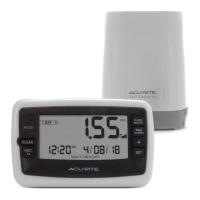
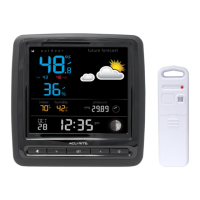
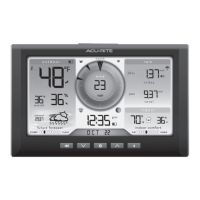
models 00484 / 00506 / 00524
CONTENTS
Unpacking Instructions ........... 2
Package Contents .................. 2
Product Registration ............... 2
Features & Benets: Sensor ..... 2
Features & Benets: Display .... 3
Setup .................................... 5
Sensor Setup ......................... 5
Display Setup ........................ 6
Set the Time, Date & Units ...... 7
Backlight Settings ................... 7
Placement Guidelines ............. 8
Using the Weather Station ...... 9
Programmable Alarms ........... 10
Troubleshooting ....................11
Care & Maintenance ............. 12
Calibration ...........................12
Specications ........................14
FCC Information ...................14
Customer Support .................15
Warranty..............................15


Questions and Answers

  • S
    Shawn KimAug 9, 2025
    How to fix AcuRite 00506 Weather Station display screen not working?
    • D
      Debra CollinsAug 9, 2025
      If your AcuRite Weather Station display screen is not working, check that the power adapter is properly plugged into both the display and a functioning electrical outlet.
  • R
    Renee CortezAug 17, 2025
    What to do if AcuRite 00506 has no outdoor sensor reception?
    • S
      Scott ReedAug 17, 2025
      If your AcuRite Weather Station is showing no outdoor sensor reception, relocate the display and/or the outdoor sensor, ensuring they are within 165 ft (50 m) of each other. Also, make sure both units are placed at least 3 feet (.9 m) away from electronics that may interfere with wireless communication, such as TVs, microwaves, and computers. Use standard alkaline batteries (or lithium batteries in the sensor when the temperature is below -4ºF/-20ºC). Avoid using heavy-duty or rechargeable batteries. Allow a few minutes for the display and sensor to synchronize after replacing the batteries.
  • D
    deborahgarciaAug 23, 2025
    Why is the AcuRite 00506 Weather Station forecast inaccurate?
    • W
      Wendy ThomasAug 23, 2025
      The Weather Forecast icon on your AcuRite Weather Station predicts conditions for the next 12 to 24 hours, not current conditions. Ensure the Learning Mode icon has disappeared from the display, as Learning Mode must complete before the forecast and pressure will be accurate. Allow the unit to run continuously for 33 days. Removing the battery or resetting the display will restart Learning Mode. The forecast should be fairly accurate after 14 days; however, Learning Mode calibrates for a total of 33 days.
  • S
    salvarezSep 1, 2025
    What to do if outdoor temperature is flashing on AcuRite 00506 Weather Station?
    • B
      Bradley AcostaSep 1, 2025
      If your AcuRite Weather Station's outdoor temperature is flashing or showing dashes, wireless interference may be the issue. Try bringing both the sensor and display indoors, side by side, and remove the power adapter/batteries from each. Then, reinstall batteries in the outdoor sensor, followed by reinstalling the power adapter/batteries in the display. Let the units sit within a couple of feet of each other for a few minutes to establish a strong connection.

Summary

Outdoor Sensor Features

Front of Display Features

Sensor Setup and Battery Installation

Installing Outdoor Sensor Batteries

Guide to installing batteries in the outdoor sensor, including temperature recommendations.

Display Setup and Power Connection

Installing Display Backup Batteries

Instructions for installing backup batteries and connecting the power adapter.

Setting Time, Date, and Units

Configure Time, Date, and Units

Step-by-step guide to setting clock hour, minute, calendar, and units.

Placement Guidelines

Display and Sensor Placement Best Practices

Recommendations for optimal placement of the display and outdoor sensor.

Operation and Forecasting

Programmable Alarms

Setting and Customizing Alarms

Guide to setting high/low value alarms for temperature or humidity.

Troubleshooting

Resolving Common Issues

Addresses issues like no sensor reception, screen not working, and inaccurate readings.

Calibration Procedures

Barometric Pressure Calibration

AcuRite 00506 Specifications

General IconGeneral
Display TypeLCD
Indoor Temperature Range32°F to 122°F (0°C to 50°C)
Outdoor Temperature Range-40°F to 158°F (-40°C to 70°C)
Humidity Range1% to 99%
Power SourceBattery
Weight0.5 lbs
Wireless Transmission Range330 ft (100 m)

Related product manuals