7
Programmable Alarms
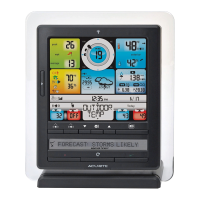
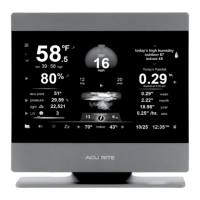
This display features programmable alarms that sound an alert to notify you
when a value (for temperature or humidity) has been reached or exceeded.
hen an aarm is triggered, the dispa emits an audibe beep and ashes data
in the affected category. You can customize the alarms by turning ON or OFF
the aarms oud ie activated or deactivated, and b inputting our on vaues
to trigger the alarm.
Setup an Alarm
1. Press and release the “ ” button until the reading for which you wish to
set an alarm is shown on the display. “ ” will be shown.
2. Press and release the “ “ or “ “ buttons until “ ” appears.
3. Press and release the “SET” button. The current HIGH alarm value will be
shown.
4. Press and release the “ “ or “ “ buttons to adust the aarms vaue.
5. ress and reease the button. he current aarm vaue i be
shown.
6. Press and release the “ “ or “ “ buttons to adust the aarms vaue.
7. Press and release the “SET” button to end alarm adjustments, OR press
and release the “ button to adust the net aarms vaues.
Disable an Alarm
1. Press and release the “ ” button until the reading for which you wish to
disable an alarm is shown on the display. “ ” will be shown.
2. Press and release the“ “ or “ “ buttons until “ ” appears.
3. Press and release the “ ” button to cycle to the next reading.
4. Repeat steps 1-3, as needed.
Note: o disabe A aarms at once, press and the “ ” button for
10 seconds.
You will automatically exit alarm SET MODE if no buttons are pressed for
10 seconds. Enter alarm SET MODE at any time by pressing the “ ” button.


 To Next Page