Chapter 5: Installing the Controller and Disk Drives ● 41
In a direct-attach connection, you connect SSDs directly to the controller with SAS cables
(mini-SAS to SATA). In a backplane connection, use the appropriate cable for your backplane
type (see page 39 for more about backplane connections). You can connect a maximum of
eight MaxIQ-compatible SSDs to a controller. For RAID arrays, Adaptec
RAID controllers
support a maximum of 256 drives, including SSDs (for details, see page 15).
Note:
The following steps use an Adaptec MaxIQ SSD as an example but the procedure is
suitable for any compatible SSD.
1
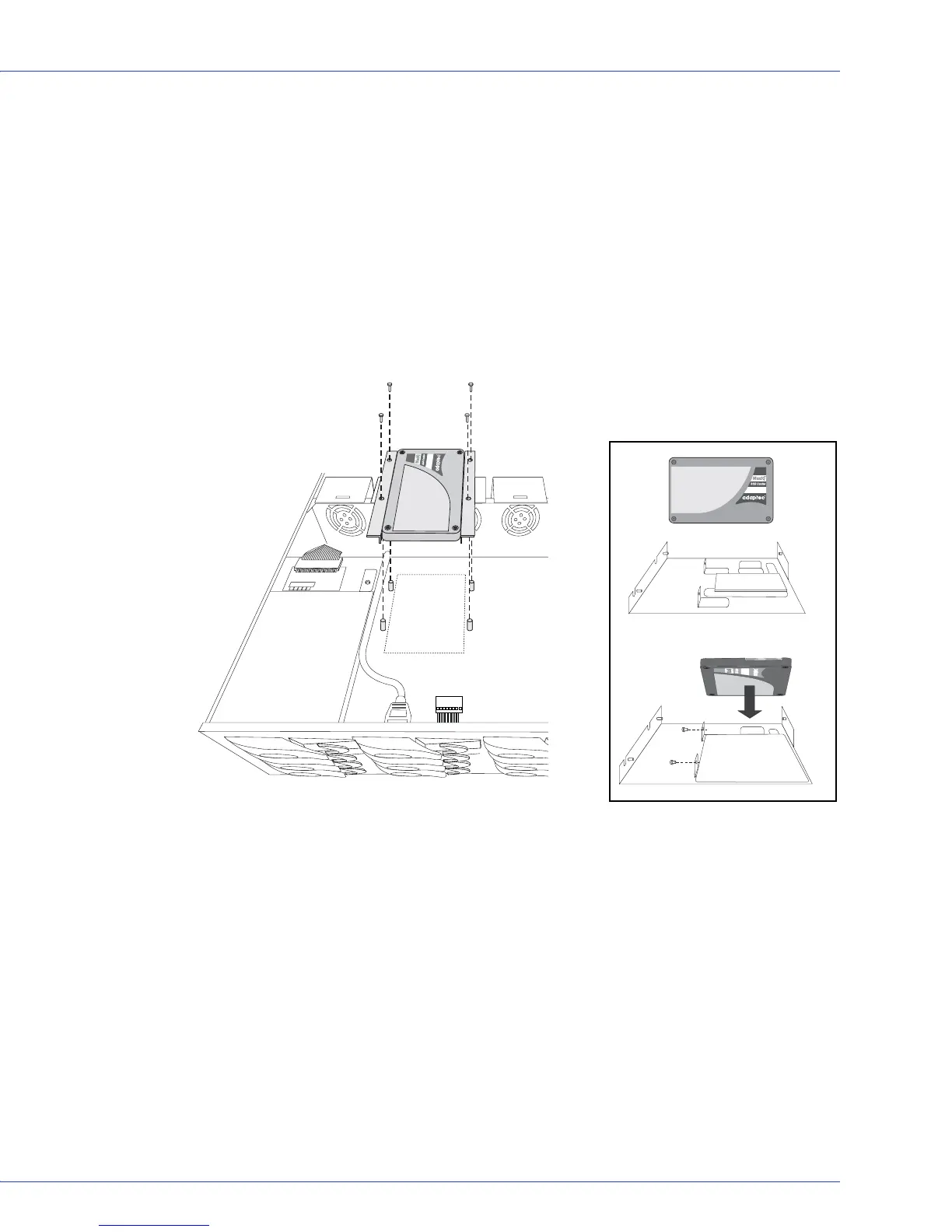
Install your Adaptec MaxIQ SSDs in your server. For servers with a standard 2.5-inch drive
tray, install the SSD directly into the tray. If your server does not have a standard 2.5-inch
drive tray, use a bracket or adapter which enables it to fit properly.
Typical MaxIQ SSD installation.
Use a 2.5” to 3.5” adapter to
install MaxIQ SSD if server does
not have 2.5” tray.



 To Next Page