Need help?
Do you have a question about the Adata SU800 and is the answer not in the manual?
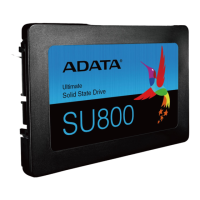
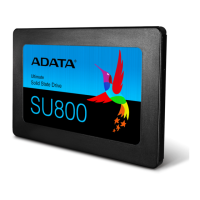
Collect the PC, Phillips screwdriver, and ADATA 2.5-inch SATA SSD for installation.
Ensure important data is backed up to an external device before proceeding with installation.
Turn off the PC and unplug the power cord to discharge residual power safely.
Use a standard Phillips screwdriver to remove the screws and detach the PC case.
Identify the unused 2.5-inch bracket on the motherboard and remove it.
Carefully remove the drive bracket and associated cables, checking for any fixed screws.
Connect necessary cables to the SSD, attach the bracket, and insert it into the designated slot.
Reassemble the PC case, ensuring not to overtighten the screws to avoid damage.
Plug in the power cord and turn on the PC to finalize the SSD installation.
 General
| Form Factor | 2.5 inch |
|---|---|
| NAND Flash | 3D TLC |
| Capacity | 128GB, 256GB, 512GB, 1TB, 2TB |
| Sequential Read Speed | Up to 560 MB/s |
| Sequential Write Speed | Up to 520 MB/s |
| MTBF | 2, 000, 000 hours |
| Shock Resistance | 1500G/0.5ms |
| Operating Temperature | 0°C to 70°C |
| Storage Temperature | -40°C to 85°C |
| Dimensions | 100.45 x 69.85 x 7 mm |
| Weight | 47.5 g |
| Interface | SATA III 6Gb/s |

 To Next Page