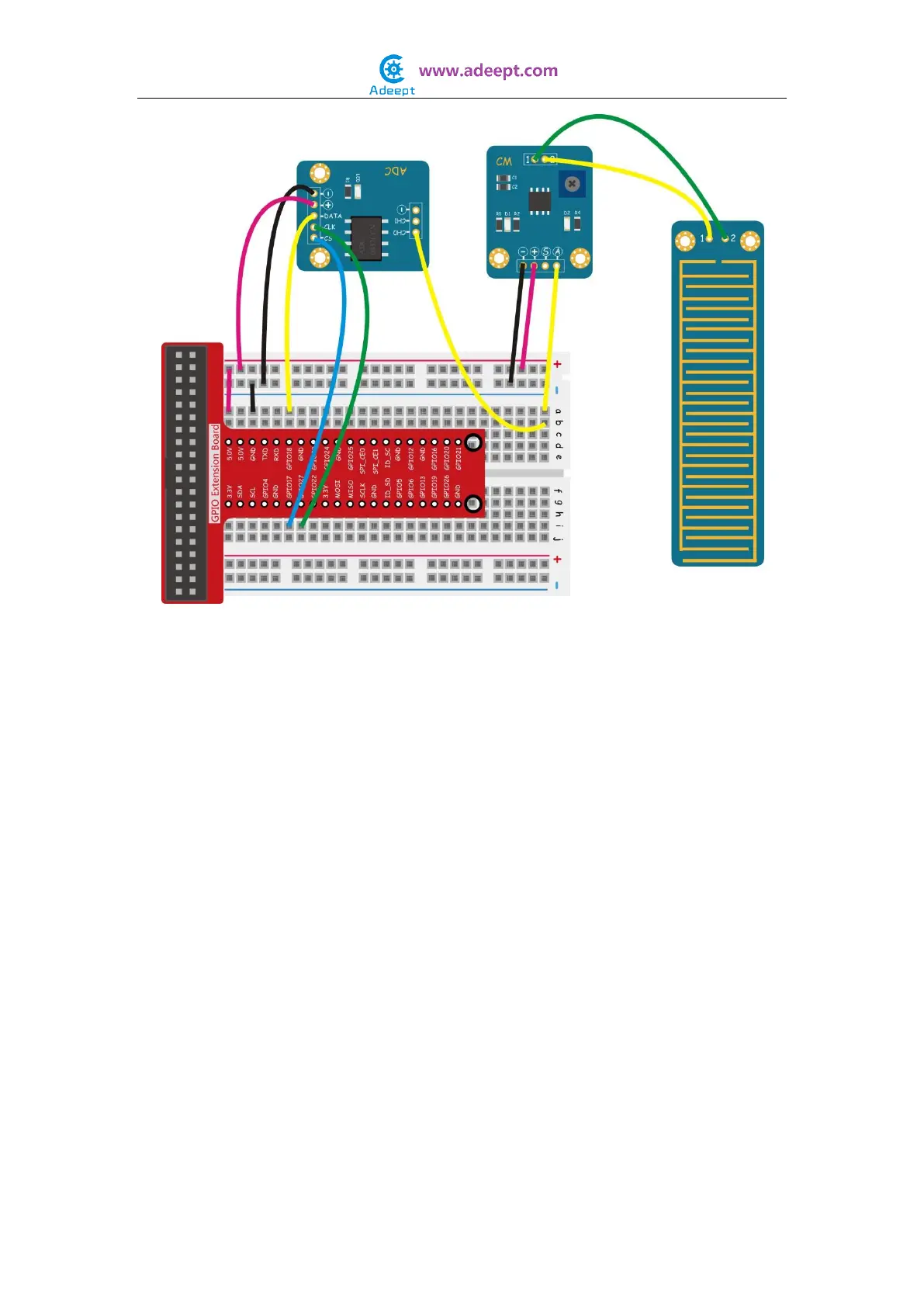
For C language users:
Step 2: Edit and save the code with vim or nano.
(code path: /home/Adeept_Sensor_Kit_for_RPi_C_Code/30_waterLevel/waterLevel.c)
Step 3: Compile
$ sudo gcc waterLevel.c -o waterLevel -lwiringPi
Step 4: Run
$ sudo ./waterLevel
For Python users:
Step 2: Edit and save the code with vim or nano.
(code path: /home/Adeept_Sensor_Kit_for_RPi_Python_Code/30_waterLevel.py)
Step 3: Run
$ sudo python 30_waterLevel.py
Take a bottle with some water. Place the Water Level Sensor module in the water at end
and add water into the bottle. You will see the value of water level displayed on the
terminal and changes as you add water.


 To Next Page