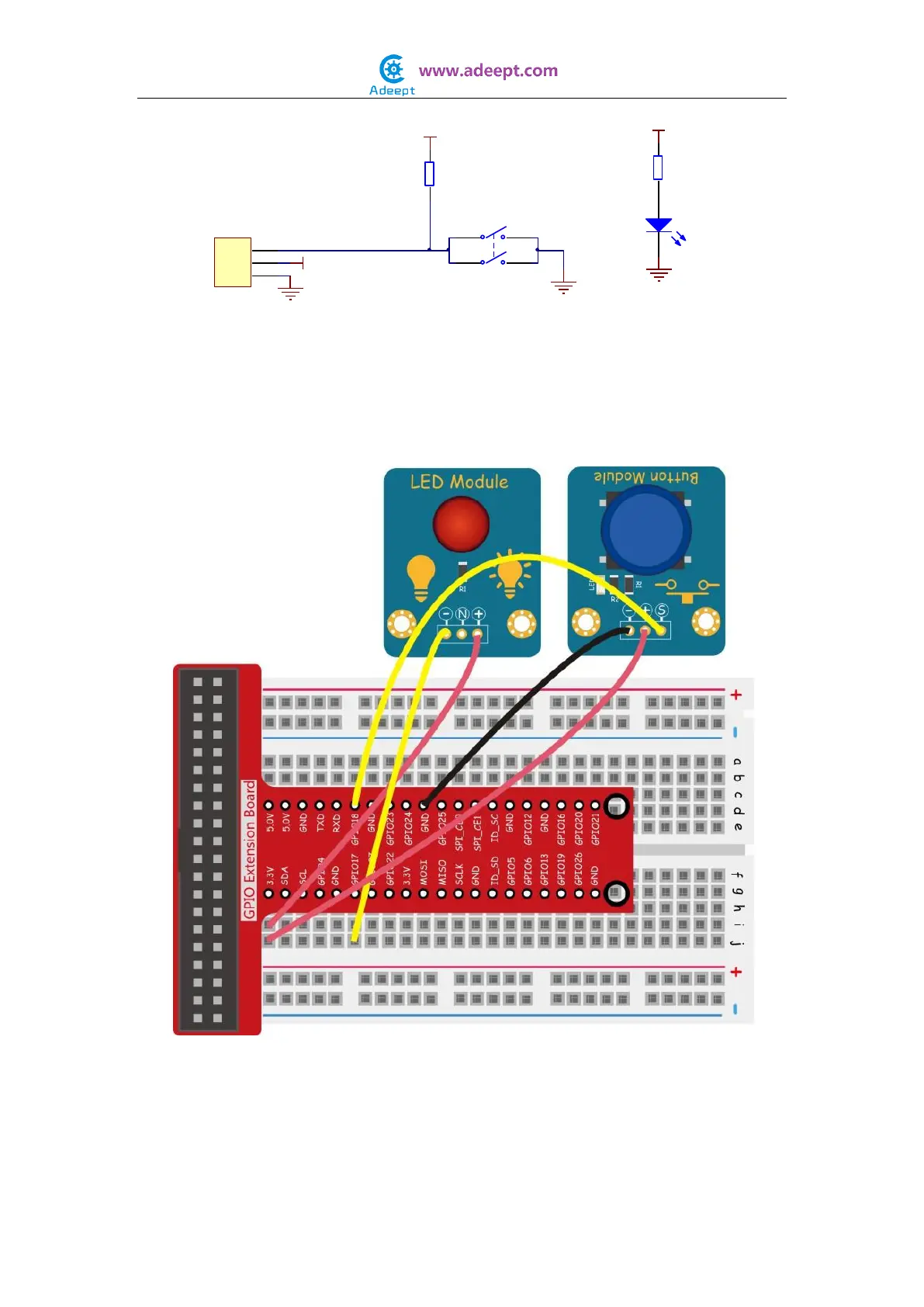
In this experiment, we detect the High or Low level of pin 12 of the Raspberry Pi and
then control the LED connected to pin 11 accordingly.
Experimental Procedures
Step 1: Build the circuit
For C language users:
Step 2: Edit and save the code with vim or nano.
(code path: /home/Adeept_Sensor_Kit_for_RPi_C_Code/02_btnAndLed/btnAndLed_1.c)
Step 3: Compile
10K
R1
1
2
3
P1
Header
Button
+
-
S
LED
220Ω
R2
GND
VCC
VCC
GND
VCC
GND


 To Next Page