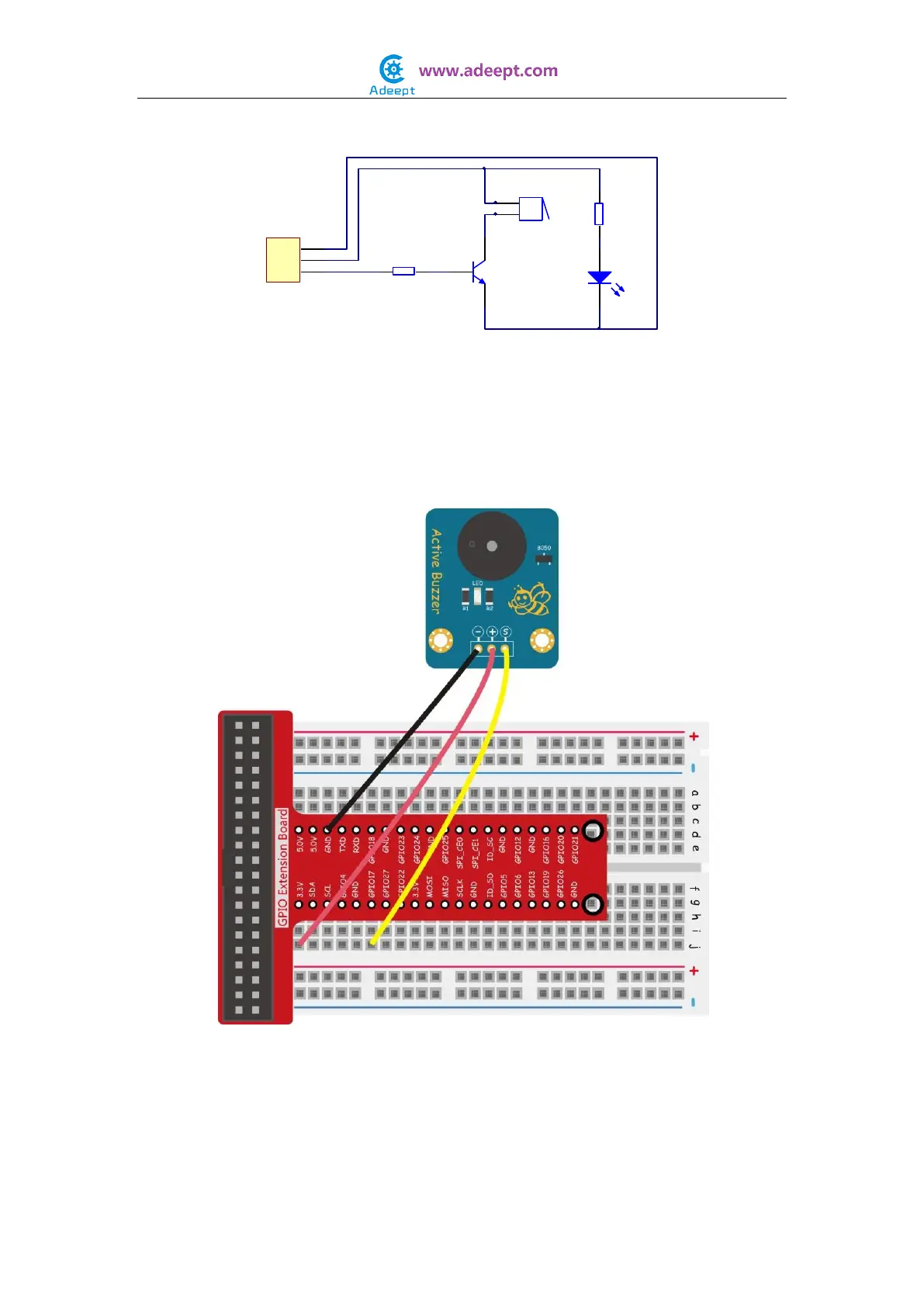
The schematic diagram:
In this experiment, by programming the Raspberry Pi, we make the pin 11 of the
Raspberry Pi output High and Low alternately, so the active buzzer makes sounds
accordingly.
Experimental Procedures
Step 1: Build the circuit
For C language users:
Step 2: Edit and save the code with vim or nano.
(code path: /home/Adeept_Sensor_Kit_for_RPi_C_Code/04_activeBuzzer/buzzer.c)
Step 3: Compile
Buzzer
1K
R2
1
2
3
P1
Header
LED
220Ω
R1
S
+
-
3
2
1
NPN
8050


 To Next Page