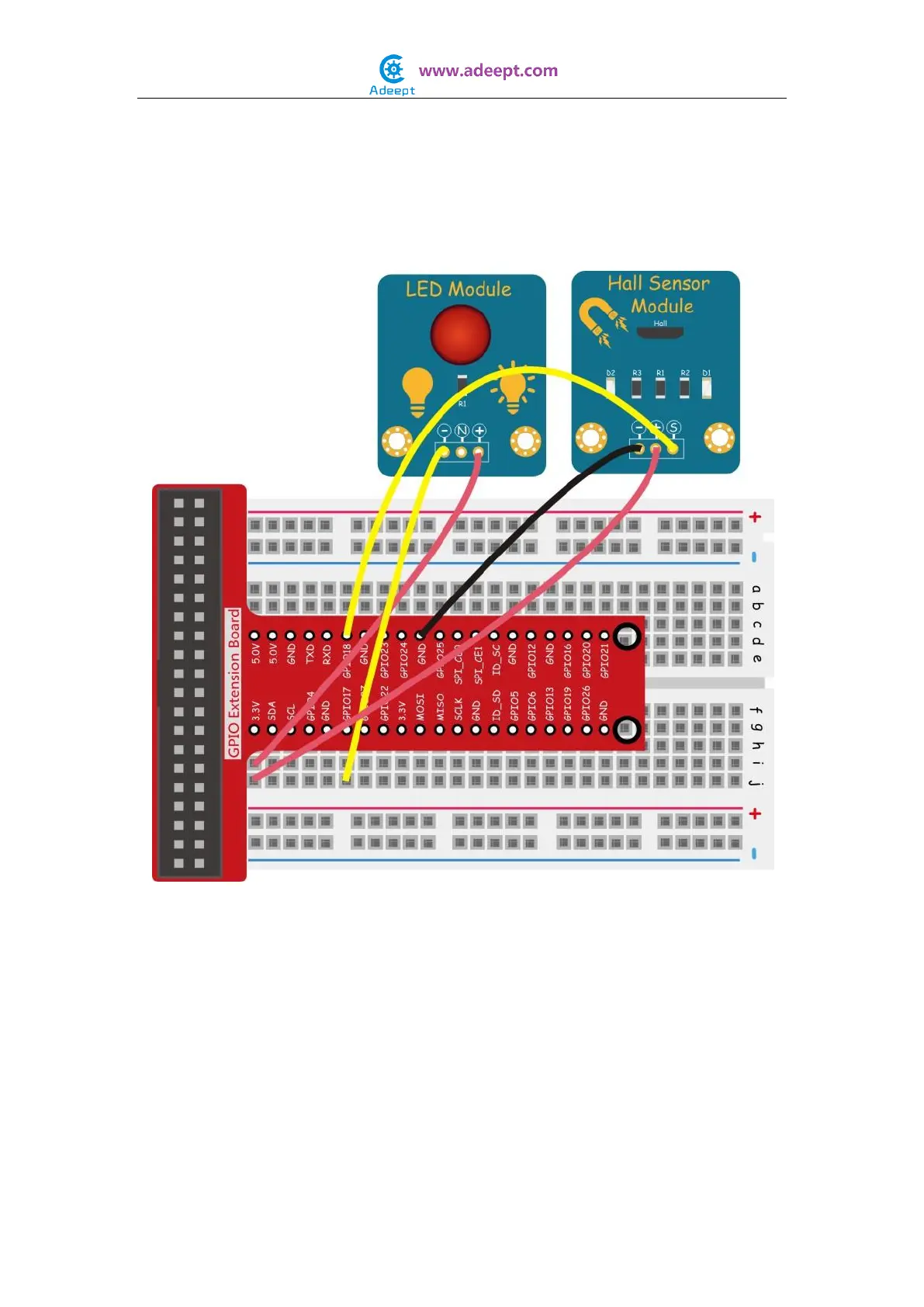
In this experiment, by programming the Raspberry Pi, we detect the High or Low level of
pin 11 of the Raspberry Pi and then toggle the LED based on the output signal of the hall
sensor.
Experimental Procedures
Step 1: Build the circuit
For C language users:
Step 2: Edit and save the code with vim or nano.
(code path: /home/Adeept_Sensor_Kit_for_RPi_C_Code/06_hall/hall.c)
Step 3: Compile
$ sudo gcc hall.c -o hall -lwiringPi
Step 4: Run
$ sudo ./hall
For Python users:


 To Next Page