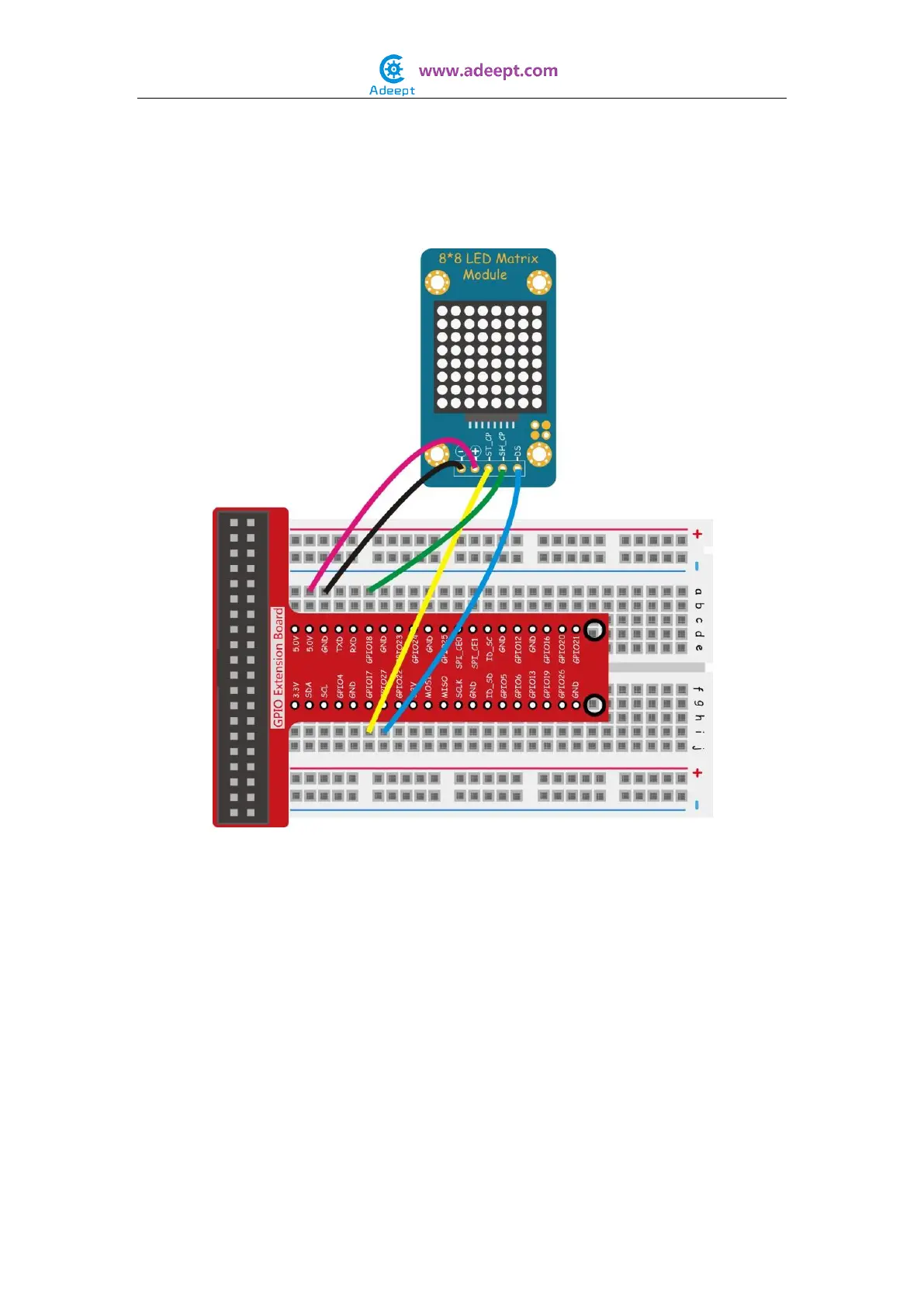
In this experiment, by programming the Raspberry Pi, we send the data to the dot matrix
module via the SPI interface and make the display scroll the characters “Adeept”.
Experimental Procedures
Step 1: Build the circuit
For C language users:
Step 2: Edit and save the code with vim or nano.
(code path: /home/Adeept_Sensor_Kit_for_RPi_C_Code/24_ledMatrix/ledMatrix.c)
Step 3: Compile
$ sudo gcc ledMatrix.c -o ledMatrix -lwiringPi
Step 4: Run
$ sudo ./ledMatrix
For Python users:
Step 2: Edit and save the code with vim or nano.
(code path: /home/Adeept_Sensor_Kit_for_RPi_Python_Code/24_LedMatrix.py)


 To Next Page