¬.hl
K4461-1 6/00
User Mode
This mode gives you the capability of enabling and disabling individual wireless keys that have been
directly programmed into the 6150RF. This is particularly useful if a user loses a wireless key.
This mode may only be accessed if the 6150RF is powered up for at least 1 minute
.
Only
wireless keys programmed directly into the 6150RF may be enabled and disabled using this
mode
.
ENTER THE USER MODE
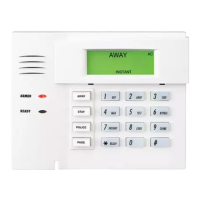
Press the [1] and [3] keys simultaneously for a few seconds after the unit has been powered
for at least 1 minute.
CHANGING THE STATUS OF A TRANSMITTER
On the display, “dE” and “-” flashes alternately. Enter the number of the wireless key
transmitter (1-8).
Then “d” and the wireless key number you entered flash alternately with “1” or “0” on the
display. A “1” indicates the wireless key is enabled, a “0” indicates it is disabled. Enter [1] to
enable or [0] to disable the wireless key. All wireless keys are defaulted to 1 (enabled).
Press the [
✳
] to accept the entry.
Repeat the procedure for all the wireless keys whose status you want to change.
EXITING THE USER MODE
To exit the User mode press [
✳
] when “dE” and “–” flash alternately on the display.
165 Eileen Way, Syosset, New York 11791
Copyright
2000 PITTWAY CORPORATION


 To Previous Page