Industrial Electronic Devices
ADFweb.com S.r.l.
Document code: MN67044_ENG Revision 2.100 Page 16 of 37
M-BUS
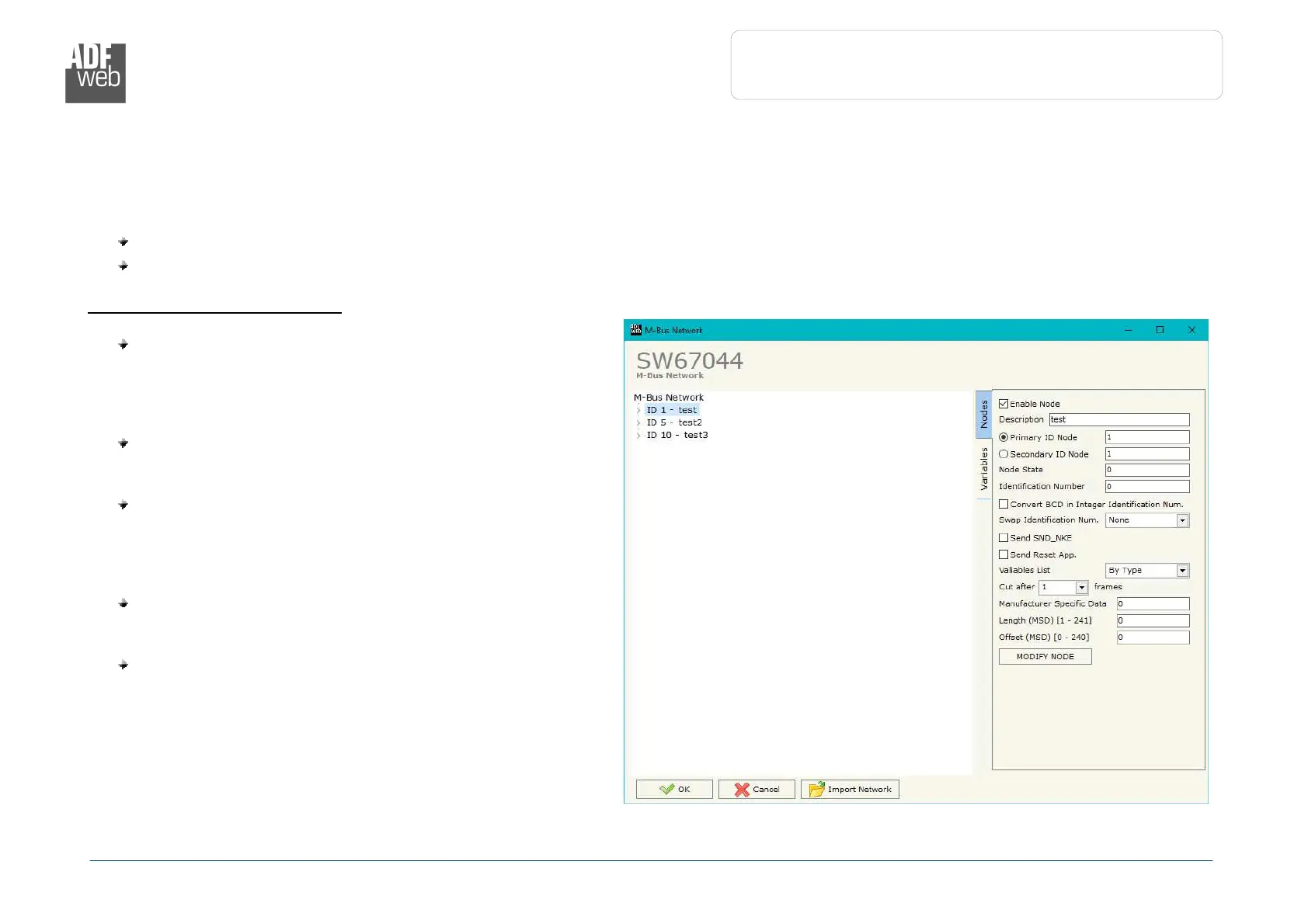
By Pressing the “M-Bus” button from the main window for SW67044 (Fig. 2) the window “M-Bus Network” appears (Fig. 4).
In the section “Nodes” it is possible to create the nodes of M-Bus line:
In the field “Description” it is possible to write a short description of the node.
In the field “M-Bus Type” it is possible to select if the node uses M-Bus (on wire) or wM-Bus.
S
ECTION
N
ODES
(M-B
US NODES
):
In order to create a new node it is necessary to select
which address use, selecting “Primary ID” or “Secondary
ID”, to makes the requests and then insert the “Primary
Address” (from 1 to 250) or the Secondary Address” (from
0 to 99999999) of M-Bus device.
In the field “Node State” it is possible to insert an address
Modbus that contain the Status of the M-Bus device. If you
don’t need to know this, put this register at 0.
In the field “Identification Number” it is possible to
insert an address Modbus that contain the Identification
Number of the M-Bus device. You have to read two
consecutive registers for knowing the value. If you don’t
need to know this, put this register at 0.
If the field “Convert BCD in Integer Identification
Num.” is checked the Converter converts the Identification
Number that is normally expressed in BCD in a Integer.
In the field “Swap Identification Num.” it is possible to
select the swap mode of the Identification Number. If swap
isn’t necessary you have to select “None”; otherwise see
the section “Swap Identification” (page 27) of this
document for select the swap mode.


 To Next Page