EasyManua.ls Logo

ADI AR-446 - Paging; Paging Operation Procedure

Default Icon
44 pages
Print Icon
To Next Page IconTo Next Page
To Previous Page IconTo Previous Page
Loading...
Es...
|
RECEPTION
3.
Squelch
will
open
when
the
proper
code
is
received.
TRANSMISSION
4.
When
the
PTT
switch
is
pressed,
the
code
shown
in
the
figure
is
sent
out
for
about
0.5
second.
PTT
ON
PTT
OFF
'
.
q
WA
\_
he]
Code
(Approx.
0.5
seconds!
Note
Voice
output
is
muted
during
code
output.
5.
To
cancel
the
C.SQ
function
press
the
DTMF
key.
5-9-4
Using
C.SQ
with
a
repeater
The
C.SQ
signal
is
transmitted
after
a
short
delay
if
the
PTT
switch
is
pressed
while
the
or
+
indicator
is
lit.
This
ig
to
avoid
any
malfunction
due
to
the
C.SQ
signal
being
interruptec
by
repeaters
with
long
response
times.
Delay
during
C.SQ
or
PAG
output
A
delay
is
built
in
when
the
C.SQ
or
PAG
is
sent
out
The
delay
time
for
normal
transmission
is
250
ms
(not
modifable).
The
initial
setting
for
shift,
split
channel,
and
duplex
1s
450
ms,
and
can
be
changed
to
750,
850,
or
1000
ms.
@
Changing
the
delay
time
1.
Turn
C.SQ
mode
on.
28
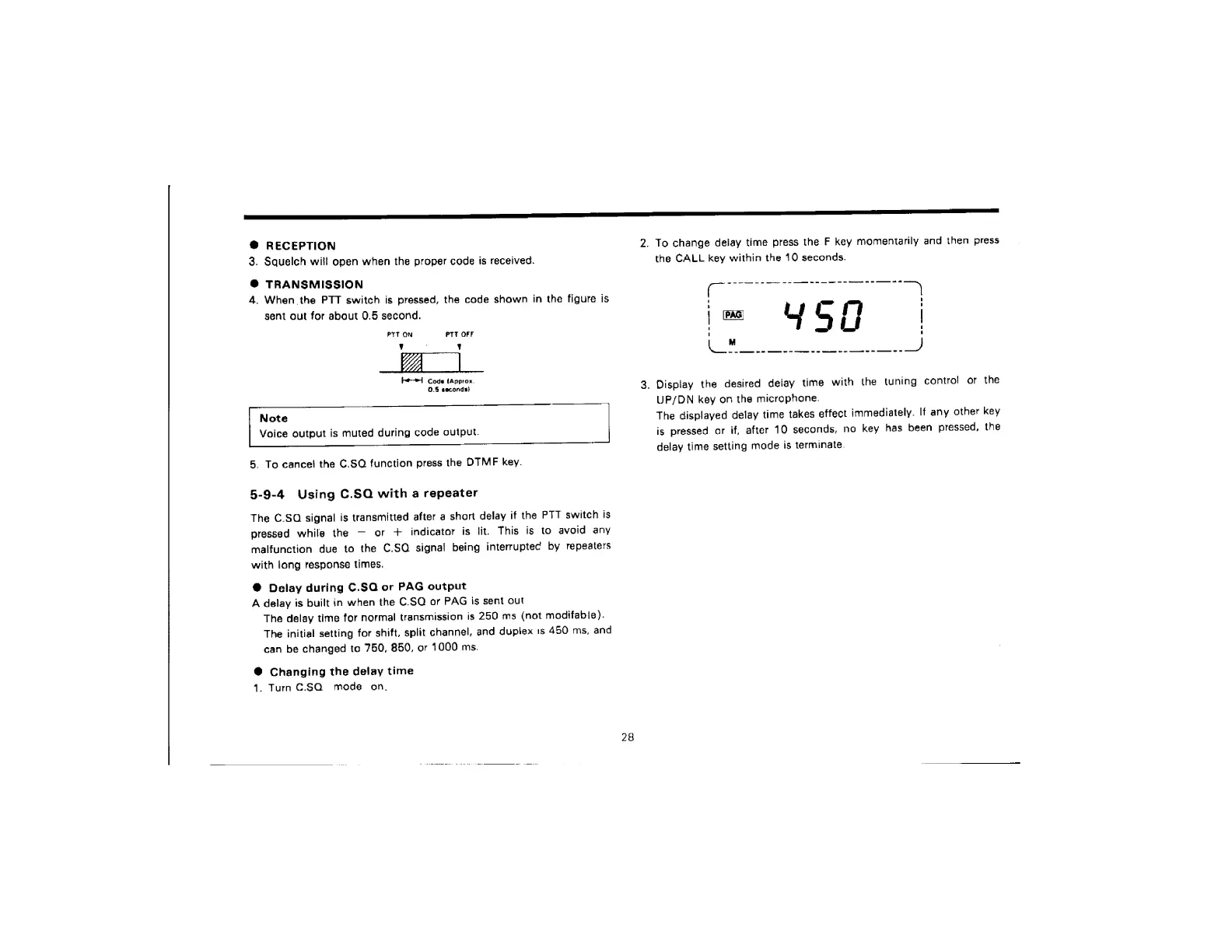
2.
To
change
delay
time
press
the
F
key
momentarily
and
then
press
the
CALL
key
within
the
10
seconds.
3.
Display
the
desired
delay
time
with
the
tuning
contro!
or
the
UP/DN
key
on
the
microphone.
The
displayed
delay
time
takes
effect
immediately.
If
any
other
key
is
pressed
or
if,
after
10
seconds,
no
key
has
been
pressed,
the
delay
time
setting
mode
is
terminate.

Related product manuals