
 Need help?
Do you have a question about the ADJ Focus Spot Two and is the answer not in the manual?
Notice regarding energy saving and environmental protection.
Checking the product carton for damage and ensuring all components are present.
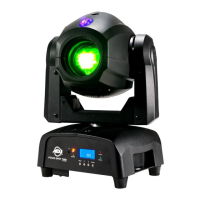
Overview of the Focus Spot Two, its modes, and suitable applications.
Details for contacting ADJ Products, LLC for assistance and suggestions.
Highlights of the Focus Spot Two's capabilities like DMX modes and connectivity.
Information on validating purchase and warranty terms.
Important safety measures for operating and maintaining the unit.
Warning against electrical shock and fire hazards.
Guidelines for safe use, placement, and maintenance.
Requirements for trussing and installation materials to support fixture weight.
Ensuring secure mounting with secondary safety attachments.
Recommended operating temperature for optimal fixture life.
Step-by-step guide for attaching clamps and safety cables.
Visual representation of the fixture's dimensions and mounting points.
Diagram of the fixture's base with labeled components and controls.
Explanation of the system menu navigation buttons.
Introduction to DMX protocol for lighting control.
Connecting multiple fixtures for synchronized DMX control.
Specifications for approved DMX-512 data cables.
Instructions for making and connecting 3-pin XLR DMX cables.
Guidance on using 5-pin XLR connectors with adapters.
Using terminators to prevent erratic behavior on long cable runs.
DMX channels for controlling pan, tilt, and color selection.
DMX channels for gobo, rotation, prism effects, and strobe.
DMX channels for master dimmer, UV strobe, and focus.
DMX channels for show modes, blackout, and sound active.
DMX channels for pan, tilt, and color in 18 channel mode.
DMX channels for gobo, rotation, prism, and strobe.
DMX channels for master dimmer, UV strobe, and focus.
DMX channels for show modes, dimmer, and speed settings.
Procedure to set the DMX address for fixture communication.
Choosing between 16 or 18 DMX channel modes.
Setting units to operate as Master or Slave in a linked system.
Configuring show modes and enabling sound active operation.
Managing DMX signal loss behavior and dimmer curves.
Inverting movement and managing display backlight.
Running self-tests, viewing fixture data, and resetting motors.
Adjusting home positions for pan, tilt, and focus.
Adjusting home positions for prism, gobo, and color wheels.
Detailed guide to controlling the fixture via DMX controller.
Running the fixture in sound active or pre-programmed show modes.
Linking multiple units for synchronized operation without a controller.
Using the manual focus wheel for precise beam focusing.
Connecting multiple fixtures using PowerCon input/output sockets.
Using the UC IR infrared remote for various fixture functions.
Controlling the fixture via a smartphone app using Airstream IR.
Step-by-step instructions for safely changing gobos.
Procedure for accessing internal components by removing the head casing.
Details on light output and beam spread characteristics.
Understanding the different dimmer curve settings and their effects.
Instructions for fuse replacement and routine cleaning.
Solutions for common problems like no light output or sound response.
Details on warranty coverage, exclusions, and periods.
Voltage, power, dimensions, weight, and beam angle of the fixture.
DMX modes, sound active, working position, and warranty period.
Explanation of the fixture's automatic voltage adjustment.
 Power
Power| voltage | 100 - 240V, 50/60Hz |
|---|---|
| power consumption | 108W |
| fuse | 2 Amp |
 Lighting
| LED | 1 x 75W Cold White LED, 1 x 3W UV LED |
|---|---|
| beam angle | 15 ~ 20 Degrees |
| gobo size | 23.8mm (Outer), 19mm (Inner/Image), 0.2mm (Thickness) |
 Weight and Dimensions
| dimensions | 6.75”(L) x 9.25”(W) x 15.25”(H) |
|---|---|
| weight | 16 Lbs. / 7.3 kgs. |
| dimensions (metric) | 173mm x 237mm x 385mm |

 To Next Page