ADJ Products, LLC www.adj.com - HEXCON Page 11 ADJ Products, LLC www.adj.com - HEXCON Page 12
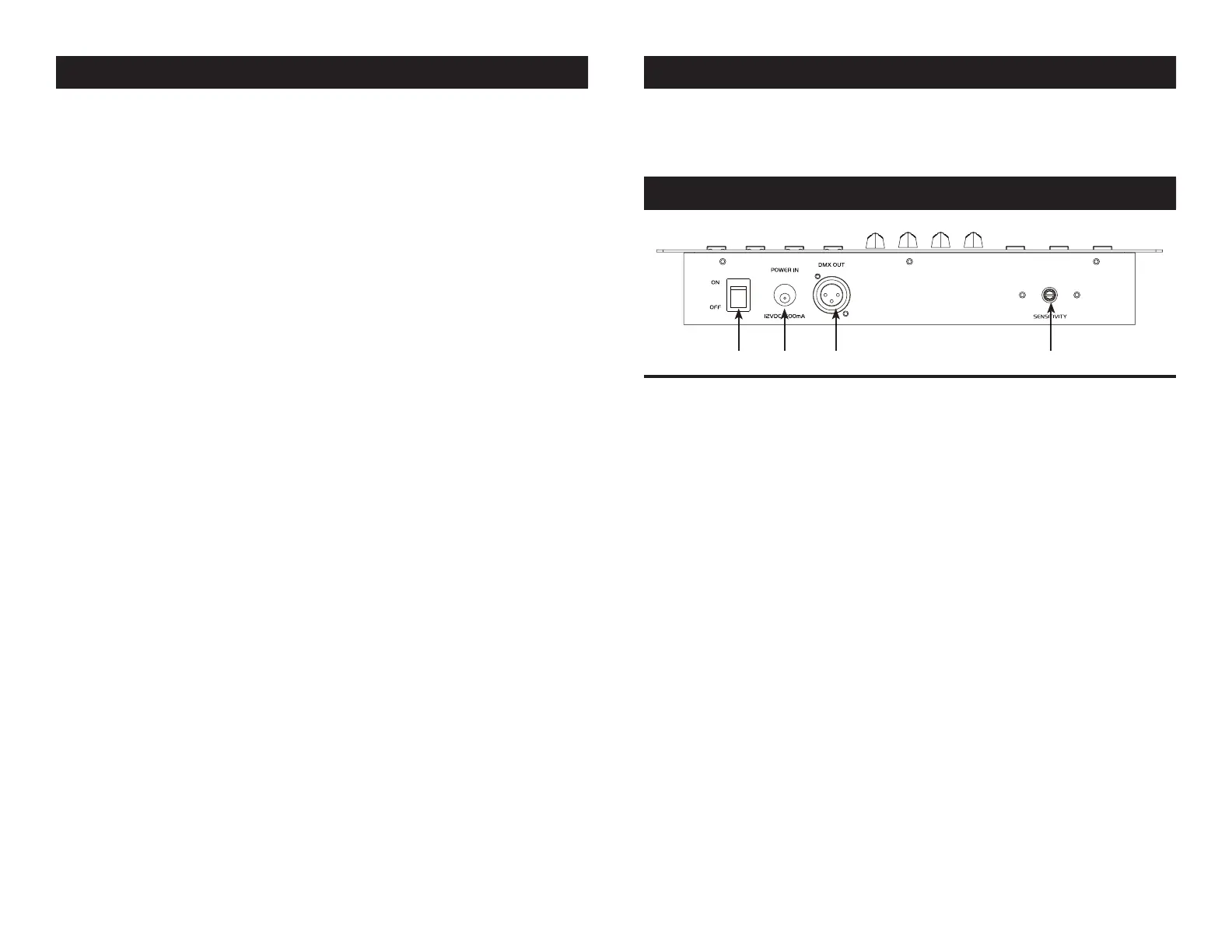
15. POWER SWITCH - This switch will power the controller ON/OFF.
16. DC INPUT - Accepts a DC 12V, 500mA minimum, power supply.
17. DMX OUT - Used to send DMX signal to the compatable LED fixtures.
18. SOUND SENSITIVITY - Use this knob to adjust the sound sensitivity.
HEXCON Controls and Functions - Rear Panel
18171615
HEXCON Controls and Functions
Press one of the buttons and the corresponding LED above the button
will light indicating which LED fixture can be controlled.
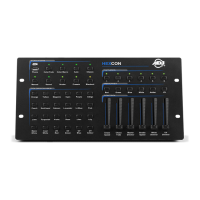
12. MEMORY/RGBWA+UV BUTTONS - Press the PRESET BUTTON and
then press and hold 1 of the 6 MEMORY BUTTONS to save a desired
color, chase, or fade program into the memory bank. See PRESETS (8)
for more info. In MANUAL mode or COLOR MACRO mode, press any
of the buttons to activate the corresponding color.
13. UV DIMMER FADER - Use this fader to control the output intensity of
the UV LEDs.
14. WHITE DIMMER/AMBER DIMMER FADER - In COLOR MACRO mode,
COLOR FADE mode, AUTO mode, CHASE mode, and SOUND ACTIVE
mode, this fader will control the output intensity of the white LEDs. In
MANUAL mode (2) this fader will control the AMBER LEDs.
15. STROBE SPEED/WHITE DIMMER FADER - When the STROBE
BUTTON (6) is activated, this fader will control the strobe speed.
In MANUAL mode (2), this fader will control the WHITE LED’s.
16. BLUE/MASTER DIMMER FADER - This fader has two functions.
- This fader can be used to control the blue LEDs intensity in MANUAL
MODE.
- In AUTO PROGRAM, CHASE MODE, COLOR FADE, COLOR
MACROS, & SOUND ACTIVE MODE this fader will control all LED
output intensity.
17. GREEN/CHASE FADE FADER - This fader has two functions.
- This fader can be used to control the green LEDs intensity in
MANUAL MODE.
- In AUTO PROGRAM, CHASE MODE, COLOR FADE, COLOR
MACROS, & SOUND ACTIVE MODE this fader will control the fade
speed.
18. RED/CHASE SPEED FADER - This fader has three functions.
- This fader can be used to control the red LEDs intensity in MANUAL
MODE.
- In AUTO MODE, CHASE MODE & COLOR FADE this fader will control
chase speed.
- In COLOR MACROS MODE this fader will scroll through the different
color macros.
19. COLORS/CHASES - Press the either the COLOR MACRO button (5)
or the MANUAL button (2) to activate color mode. Press any of the
COLOR buttons for corresponding color. Press the CHASE button (9)
to activate chase mode and press any of the color buttons to activate
individual chases.
HEXCON Controls and Functions


 To Next Page