EasyManua.ls Logo

ADJ STINGER - User Manual

ADJ STINGER
10 pages
Print Icon
To Next Page IconTo Next Page
Loading...
Rev. 6/15
User Instructions
©2015 ADJ Products, LLC all rights reserved. Information,
specications, diagrams, images, and instructions herein are
subject to change without notice. ADJ Products, LLC logo and
identifying product names and numbers herein are trademarks
of ADJ Products, LLC. Copyright protection claimed includes all
forms and matters of copyrightable materials and information
now allowed by statutory or judicial law or hereinafter granted.
Product names used in this document may be trademarks or
registered trademarks of their respective companies and are
hereby acknowledged. All non-ADJ Products, LLC brands and
product names are trademarks or registered trademarks of their
respective companies.
ADJ Products, LLC and all aliated companies hereby dis-
claim any and all liabilities for property, equipment, building,
and electrical damages, injuries to any persons, and direct or
indirect economic loss associated with the use or reliance of
any information contained within this document, and/or as a
result of the improper, unsafe, unsucient and negligent as-
sembly, installation, rigging, and operation of this product.
Europe Energy Saving Notice
Energy Saving Matters (EuP 2009/125/EC)
Saving electric energy is a key to help protecting the enviroment.
Please turn o all electrical products when they are not in use. To
avoid power consumption in idle mode, disconnect all electrical
equipment from power when not in use. Thank you!
STINGER


Questions and Answers

Summary

Europe Energy Saving Notice

General Information

Unpacking

Instructions for checking the shipping carton for damage and ensuring all equipment is intact.

Introduction

Overview of the Stinger's features, modes, and projection enhancement.

Customer Support

Contact information and service hours for ADJ Products customer support.

General Instructions

Optimize Performance

Read operating instructions for basic operations, safety, and maintenance.

Safety Precautions

Safety Issues

Warning about fuse popping if maximum load is reached and general electrical safety.

Mounting and Operation

Guidelines for mounting, ventilation, indoor use, and power cord safety.

Cleaning & Servicing

Recommendations for cleaning and when professional servicing is required.

Laser Warnings and Safety

Non-Interlocked Housing Warning

Warning against opening the laser housing due to high power exposure risks.

Laser Safety Data

Information on potential eye injury from laser light and safe usage distances.

Laser Operation Precautions

Specific warnings against pointing lasers at people, reflective surfaces, or aircraft.

Legal Requirements

User responsibility for legal compliance regarding laser product usage in different countries.

Set Up

5-Pin XLR DMX Connectors

Guidance on using 5-pin XLR connectors in 3-pin DMX lines and cable conversion.

Line Termination

Explanation of line termination using a terminator to avoid erratic behavior.

Installation

Mounting Guidelines

Instructions for mounting the unit securely using a clamp and safety cable.

System Menu

Function Display

Overview of the System Menu options for addressing, shows, sound, and software version.

System Menu

LCD Display Lock

How to lock and unlock the display to access the menu.

ADDR - DMX Address Setting

Procedure to set the DMX address for the unit.

SHOW - Show mode

How to select and activate one of the seven built-in show modes.

SOUN - Sound Active mode

How to enable/disable sound active mode and adjust sensitivity.

VER - Software Version

How to view the unit's software version.

Operation

Universal DMX Control

Using a DMX controller for patterns, rotation, and strobing.

Sound Active Mode

Operating the unit in sound active mode and adjusting sensitivity.

Show Mode

Operating the unit in built-in show modes.

Master-Slave Set Up

Master-Slave Set Up Procedure

Steps to link up to 16 units for master-slave operation.

DMX Traits

Channel 1-3 DMX Traits

Details DMX channel functions for Auto Run, RGBWAP, and Color Control.

Channel 4-6 DMX Traits

Details DMX channel functions for Auto Run Speed, White LEDs, and White Output.

Channel 7-8 DMX Traits

Details DMX channel functions for Lasers and Laser Strobe Control.

Channel 9-10 DMX Traits

Details DMX channel functions for LED Rotation and Laser Rotation.

Fuse Replacement

Cleaning

Fixture Cleaning Guidelines

Instructions for cleaning internal/external optics, mirrors, and casing for optimal output.

Trouble Shooting

No Light Output

Troubleshooting steps for unit with no light output, checking fuse and seating.

Unit Does Not Respond to Sound

Troubleshooting steps for units not reacting to sound, checking frequency and sensitivity.

Warranty

Manufacturers Limited Warranty

Details ADJ's limited warranty terms, conditions, and coverage periods for products.

Specifications

Product Specifications

Technical details including model, voltage, LED, laser, power draw, dimensions, and warranty.

Summary

Europe Energy Saving Notice

General Information

Unpacking

Instructions for checking the shipping carton for damage and ensuring all equipment is intact.

Introduction

Overview of the Stinger's features, modes, and projection enhancement.

Customer Support

Contact information and service hours for ADJ Products customer support.

General Instructions

Optimize Performance

Read operating instructions for basic operations, safety, and maintenance.

Safety Precautions

Safety Issues

Warning about fuse popping if maximum load is reached and general electrical safety.

Mounting and Operation

Guidelines for mounting, ventilation, indoor use, and power cord safety.

Cleaning & Servicing

Recommendations for cleaning and when professional servicing is required.

Laser Warnings and Safety

Non-Interlocked Housing Warning

Warning against opening the laser housing due to high power exposure risks.

Laser Safety Data

Information on potential eye injury from laser light and safe usage distances.

Laser Operation Precautions

Specific warnings against pointing lasers at people, reflective surfaces, or aircraft.

Legal Requirements

User responsibility for legal compliance regarding laser product usage in different countries.

Set Up

5-Pin XLR DMX Connectors

Guidance on using 5-pin XLR connectors in 3-pin DMX lines and cable conversion.

Line Termination

Explanation of line termination using a terminator to avoid erratic behavior.

Installation

Mounting Guidelines

Instructions for mounting the unit securely using a clamp and safety cable.

System Menu

Function Display

Overview of the System Menu options for addressing, shows, sound, and software version.

System Menu

LCD Display Lock

How to lock and unlock the display to access the menu.

ADDR - DMX Address Setting

Procedure to set the DMX address for the unit.

SHOW - Show mode

How to select and activate one of the seven built-in show modes.

SOUN - Sound Active mode

How to enable/disable sound active mode and adjust sensitivity.

VER - Software Version

How to view the unit's software version.

Operation

Universal DMX Control

Using a DMX controller for patterns, rotation, and strobing.

Sound Active Mode

Operating the unit in sound active mode and adjusting sensitivity.

Show Mode

Operating the unit in built-in show modes.

Master-Slave Set Up

Master-Slave Set Up Procedure

Steps to link up to 16 units for master-slave operation.

DMX Traits

Channel 1-3 DMX Traits

Details DMX channel functions for Auto Run, RGBWAP, and Color Control.

Channel 4-6 DMX Traits

Details DMX channel functions for Auto Run Speed, White LEDs, and White Output.

Channel 7-8 DMX Traits

Details DMX channel functions for Lasers and Laser Strobe Control.

Channel 9-10 DMX Traits

Details DMX channel functions for LED Rotation and Laser Rotation.

Fuse Replacement

Cleaning

Fixture Cleaning Guidelines

Instructions for cleaning internal/external optics, mirrors, and casing for optimal output.

Trouble Shooting

No Light Output

Troubleshooting steps for unit with no light output, checking fuse and seating.

Unit Does Not Respond to Sound

Troubleshooting steps for units not reacting to sound, checking frequency and sensitivity.

Warranty

Manufacturers Limited Warranty

Details ADJ's limited warranty terms, conditions, and coverage periods for products.

Specifications

Product Specifications

Technical details including model, voltage, LED, laser, power draw, dimensions, and warranty.

ADJ STINGER Specifications

Light Specifications IconLight Specifications
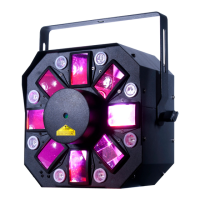
LED6 x 5W RGBAWP Hex LEDs, 8 x 3W White LEDs
Laser4.9mW Red & Green Laser Diodes
Power IconPower
voltage100V ~ 240V 50/60Hz
power draw70W
fuse2A
Weight and Dimensions IconWeight and Dimensions
dimensions12”(L) x 9”(W) x 9.75”(H), 304mm x 230.5mm x9.75mm
weight11 lbs. / 5 kgs.

Related product manuals