15
RACK MOUNTING HARDWARE
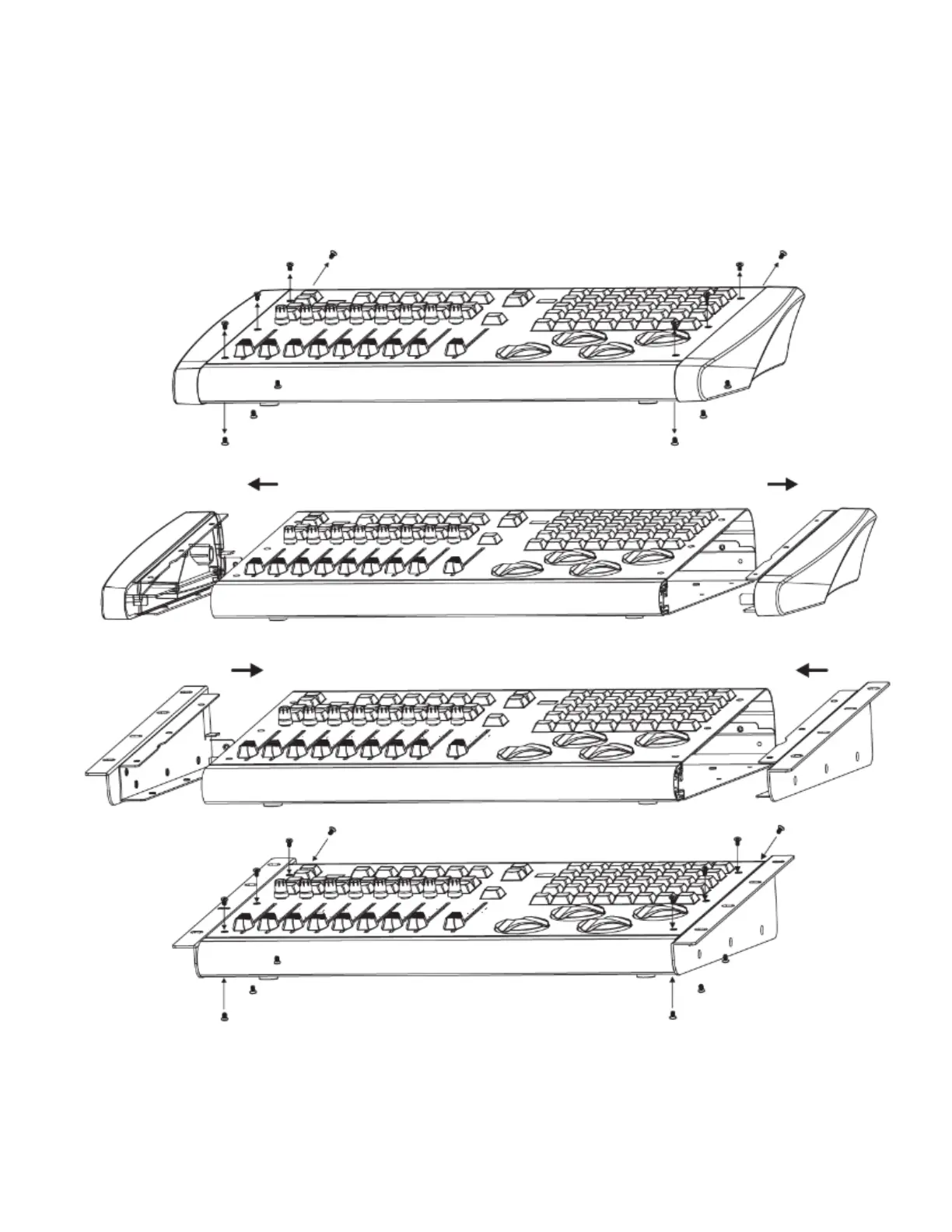
The LINK™ comes with replacement sides so that you can rack mount it in a standard 19” rack
enclosure or case. To install the rack mount hardware, you must remove the plastic end caps, and then
reuse the mounting screws to attach the metal rack-mountable sides. Each side requires that you
remove a total of (7) screws, (3) on the top, (3) on the bottom, and (1) on the back. Pull the plastic end
caps away from the unit and then insert the metal rack mount sides so that the screw holes are aligned
properly. The height is 7.5 rack spaces starting from the bottom. This leaves a gap at the top to allow
room for the USB cable to fit.
1
2
3
4









 To Next Page