7
SET UP
1. Open the shipping carton and carefully remove the unit. Be sure to remove all the packing mate-
rial, paying particular attention to the area around the nozzle.
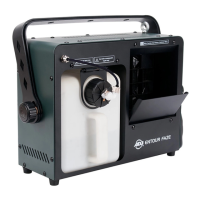
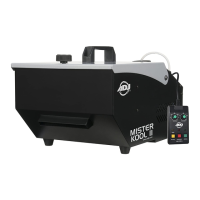
2. Set the machine on a at dry surface and unscrew the knob on the top of the unit. Open the top
of the unit, and ll the inside of the Mister Kool with ice.
3. Remove the reservoir cap located on the top of the machine.
4. Fill the Mister Kool II reservoir with ADJ brand fog juice only, then replace the cap.
5. Insert the water tube into the water bag. When the ice melts, the water will drain into the bag.
6. Remove the remote control from the carton. Firmly plug the remote control into the remote con-
trol socket located on the rear unit.
7. Plug the unit into a matching power supply and ip the power switch to the on position.
8. Follow the operating instructions on the next page for proper remote operation.
Always be sure to maintain an adequate supply of ADJ® Brand Fog juice™ in the uid reser-
voir. Running the fog machine dry will cause pump failure and or clogging. This is the most
common cause of failure in fog machines.
When rst powered on, or when the fog uid is freshly relled, the unit will required approxi-
mately 3 minutes to warm up. Once the unit has warmed up, follow the directions below for
ground fogger operation.
Remote Operation: The remote allows the unit to run manually or by timer. The remote has an “on/
o” button that activates the timer function. A yellow LED above the on/o button will illuminate
when the timer function is activated.
Continuous: The remote features a red “Continuous” button that triggers continuous output. Fog
will continue to emit as long as this button is pushed in. A red LED above this button will illuminate
when the continuous operation is active.
Manual: The remote features a green button that allows fog output to be controlled manually. Fog
will emit as long as this button is pressed and held, and a green LED above this button will illuminate
when the machine is warmed up and ready to emit fog.
Timer: The timer function allows fog to be emitted at designated intervals. To activate the timer func-
tion, press the yellow timer button. A yellow LED will illuminate when the timer function is activated.
The “duration” knob will control the length of fog burst. The “interval” knob will control the time
between bursts. Turning these knobs in a clockwise direction will increase there values, while turning
them in a counter-clockwise direction will decrease their values.
OPERATING INSTRUCTIONS


 To Next Page