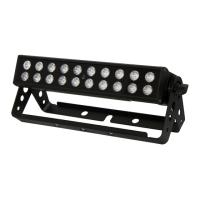
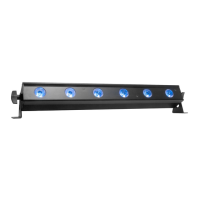
UB 6H Introduction
ADJ Products, LLC - www.adj.com - UB 6H User Manual Page 3
Unpacking: Thank you for purchasing the UB 6H by ADJ Products, LLC. Every UB 6H has been
thoroughly tested and has been shipped in perfect operating condition. Carefully check the shipping
carton for damage that may have occurred during shipping. If the carton appears to be damaged,
carefully inspect your xture for any damage and be sure all accessories necessary to operate the unit
have arrived intact. In the event that damage has been found or parts are missing, please contact our
toll free customer support number for further instructions. Do not return this unit to your dealer without
rst contacting customer support.
Introduction: The ADJ UB 6H is a DMX intelligent, LED bar xture. This xture can be used in a stand
alone set up or connected in a Primary/Secondary set up. This xture has six operating modes: Sound
Active mode, Auto Run mode, Static Color mode, RGBWA+UV Dimmer mode, Built-In Program mode,
and DMX control mode.
Customer Support: ADJ Products, LLC provides a customer support line, to provide set up help and
to answer any questions that may arise during initial set up or operation. You may also visit us on the
web at www.adj.com for any comments or suggestions. Service Hours are Monday through Friday
8:00 a.m. to 4:30 p.m. Pacic Standard Time.
Voice: (800) 322-6337
Fax: (323) 582-2941
E-mail: support@adj.com
Warning! To prevent or reduce the risk of electrical shock or re, do not expose this unit to rain or
moisture.
Caution! There are no user serviceable parts inside this unit. Do not attempt any repairs yourself, as
doing so will void your manufacturer’s warranty. In the unlikely event that your unit requires service,
please contact ADJ Products, LLC.
PLEASE recycle the shipping carton when ever possible.


 To Next Page