Power-supply cords should
be
routed
so that they are not likely
to
be walked on or
pinched
by
items
placed
upon or
against them,
paying
particular attention
to the point they exit from the
unit.
Features
Control Channels: 5 or 13 DMX Channels
Control Mode: Sound Active mode, Auto mode, RGBW mode, Master Slave, DMX control mode
Working Environment: Indoor, -20°-40°
Mixing Color: RGBW (4 in 1) mixing color
IP Grade: IP20
Power Supply: AC 100-240V/50-60Hz
LED Unites: 7 x 10W RGBW (4 in 1)
Led Beam Angle: 45 degrees
Power consumption: 75W
Weight: 6.2 lb(1pc/CTN)
Dimensions: 10" x 10" x 9.4"
Operation
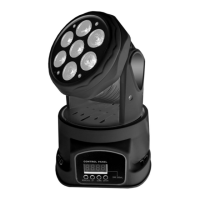
DMX address setting: The LED Mini Moving Head uses 5 or 13 DMX channels. To set the DMX starting
channel address press the MODE button until you see A--- , then use the UP and DOWN buttons to
select the desired starting address, then press the ENTER button to save. DMX starting address can
be A001 - A512. See the DMX channel functions below.
4. How To Set The Unit
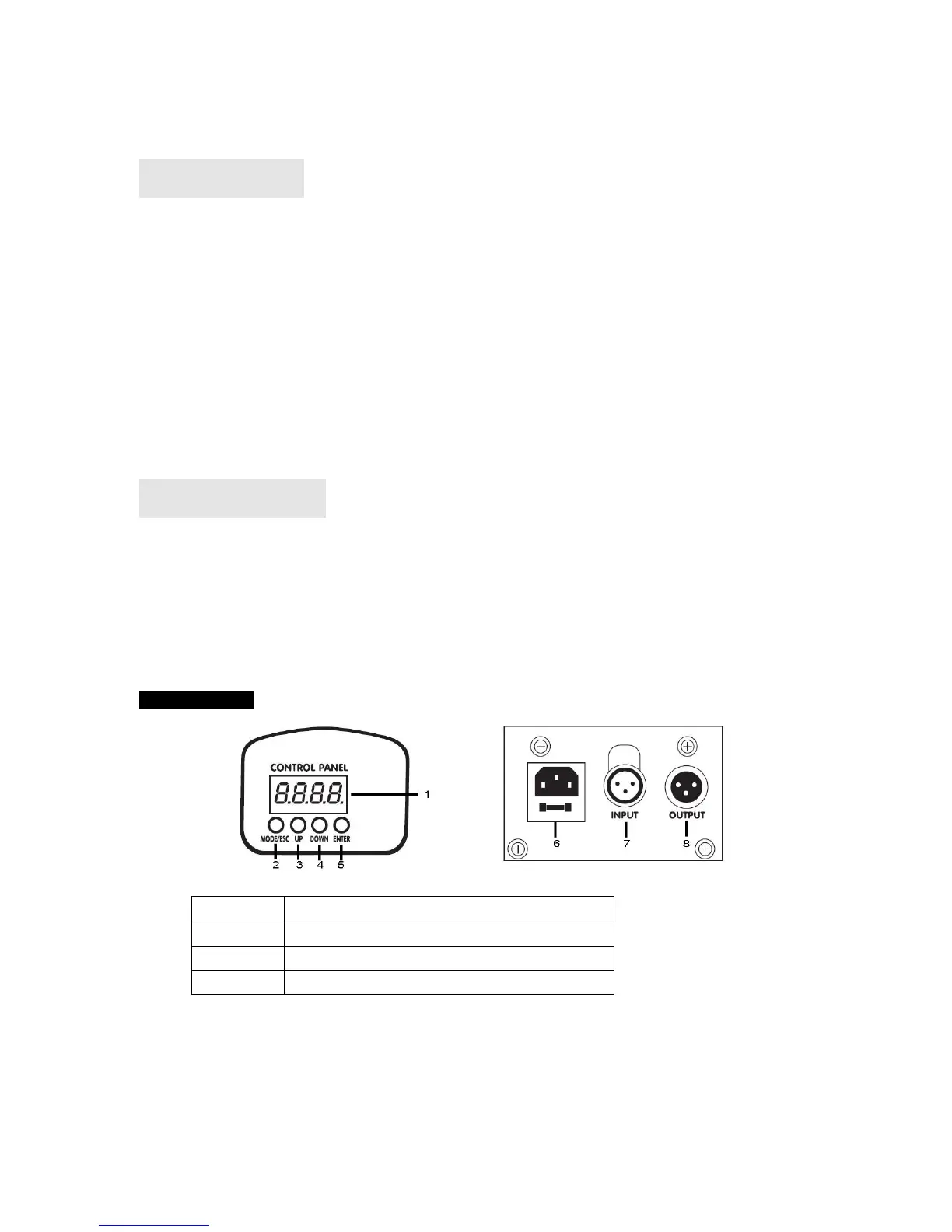
4.1 Control Panel
Button:
6 Power input: Connect to supply outlet.
7 DMX input: For DMX512 link, use 3/5-pin XLR plug cable to input DMX signal.
8 output: For DMX512 link, use 3/5-pin XLR plug cable to link the next unit.


 To Next Page