EasyManua.ls Logo

Adleepower AP2G3-137 - User Manual

Adleepower AP2G3-137
100 pages
Print Icon
To Next Page IconTo Next Page
Loading...
ADLEEPOWER
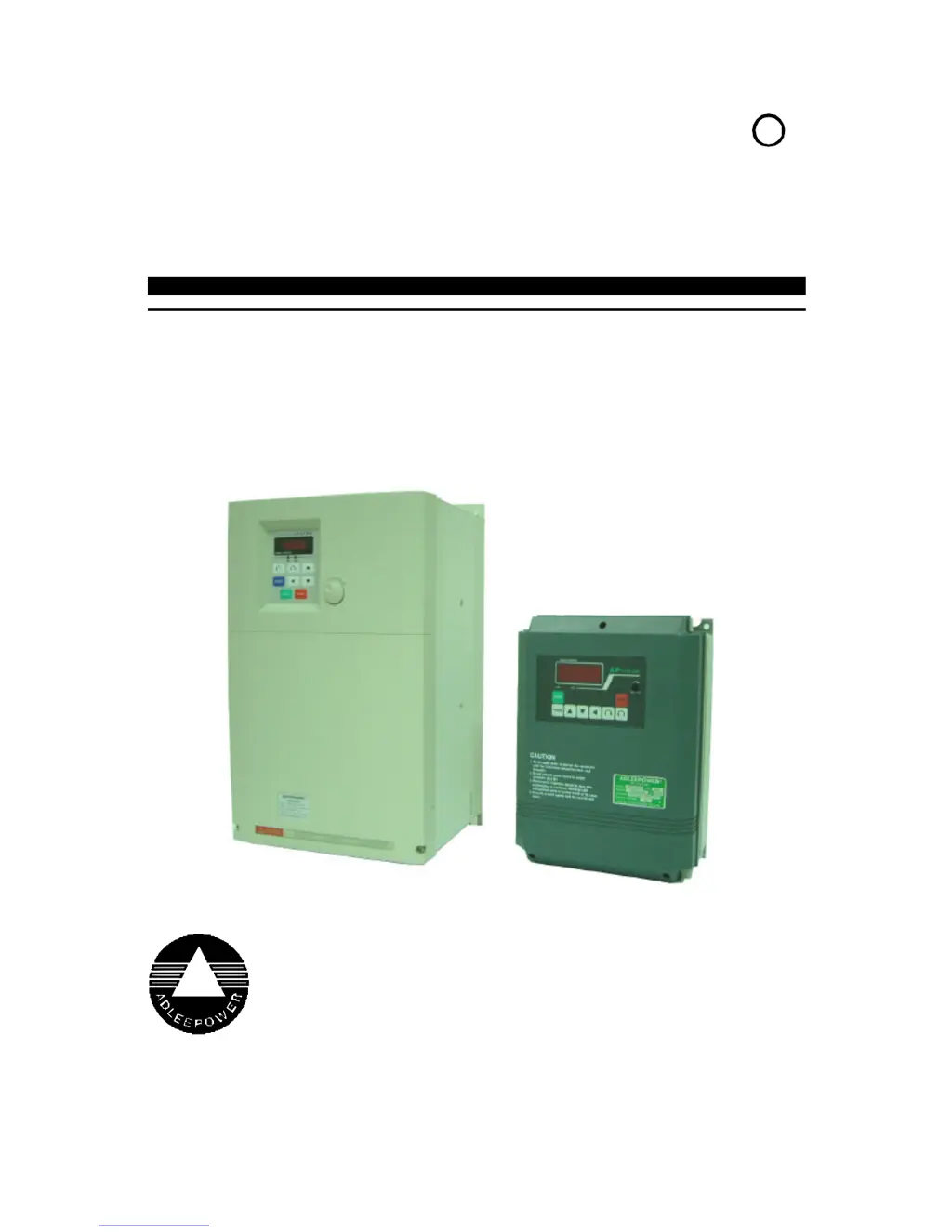
INSTRUCTION MANUAL
GENERAL-PURPOSE INVERTER
THANK YOU VERY MUCH FOR YOUR PURCHASE
OF ADLEE INVERTER APxG3 SERIES.
PLEASE READ THIS INSTRUCTION MANUAL
BEFORE INSTALLATION OF THE INVERTER.
R
AP2G3-137~AP2G3-1185
AP2G3-337~AP2G3-3220
AP4G3-337~AP4G3-3220

Table of Contents

Questions and Answers

Summary

Receiving

Description of Name Plate

Details on how to interpret the inverter's nameplate information.

Specifications

Dimension Drawings

Installation

Description of Terminals

Main Circuit Connection Diagram

Illustrates the main power connections for the inverter.

Description of Hardware Setting

Explains hardware settings and DIP switch configurations.

Analog Signal Switch Setting

Shows switch settings for analog signal inputs.

Jumper Setting

Explains various jumper configurations for different functions.

Wiring

Wiring of Main Circuit

Guides on connecting the main power supply to the inverter.

Wiring Equipments

Details selection of wiring equipment like MCCB and contactors.

Cable Size and Length

Provides guidance on selecting cable size and length for motor connections.

Digital Operation Panel

Operation Key

Describes the function of each key on the digital operation panel.

Functions Description

CD00 First Speed Setting

Sets the initial desired motor speed.

CD01 Parameter Lock

Prevents accidental changes to parameter settings.

CD02 Acceleration Time 1

Configures the time for acceleration from 0 to a target speed.

CD03 Deceleration Time 1

Configures the time for deceleration from a target speed to 0.

Functions Description

CD17 1 st Maximum Voltage Frequency

Sets the first maximum voltage frequency.

CD18 V;F Pattern Setting

Selects the voltage-frequency curve type for motor control.

CD19 DC Braking Time

Configures the duration of DC braking.

CD20 DC Braking Power

Adjusts the power level for DC braking.

Functions Description

CD40 Clear Errors Record

Resets all recorded error history.

CD41 HZ;RPM;AMP Display

Configures the display unit for frequency, speed, or current.

CD42 FT1 Multi-Function Terminal 1

Configures the function of the FT1 terminal.

CD43 FT2 Multi-Function Terminal 2

Configures the function of the FT2 terminal.

Functions Description

CD58 Auto Running Mode

Configures the inverter's automatic operation sequences.

CD59 1 st Step Timer

Sets the running time for the first step in auto mode.

CD60 2 nd Step Timer

Sets the running time for the second step in auto mode.

CD61 3 rd Step Timer

Sets the running time for the third step in auto mode.

Functions Description

Communication Address Description

Explains how to set communication addresses for RS485.

Functions Description

1-1. Panel Operation

Describes operation using the inverter's control panel.

1-3. RS485 Communication Control

Explains how to control the inverter via RS485.

1-4. Terminal Control

Describes operation using external terminal commands.

Protective Function

Inverter Self-Checking Errors

Lists internal error checks performed by the inverter.

Operation Errors

Describes errors related to operation and parameter settings.

Protective Function

Parameter Locked OPE1

Indicates when parameters are locked and cannot be changed.

FWD or REV Only OPE2

Error related to motor direction limiting.

Analog Signal Input Only OPE3

Error when analog input is used for speed command.

Protective Function

Terminal Command Only OPE4

Error when accepting commands only from terminals.

Over Range Error OPE5

Indicates an operating error due to exceeding limits.

Logic Error Warning OPE6

Error caused by invalid parameter settings.

Protective Function

Only Changed in Standby OPE7

Indicates parameters can only be changed in standby mode.

Read Only Parameter OPE8

Parameter set by the system and cannot be user-modified.

Communication Error OPE9

Indicates a loss of communication with the inverter.

Overload OL

Indicates the inverter is operating under overload conditions.

Troubleshooting

No Display Error

Troubleshooting steps for when the display shows no output.

PF01 Power Device Failure During Acceleration

Addresses power device failure during acceleration.

PF02 Power Device Failure During Constant Frequency

Addresses power device failure during constant frequency operation.

EEPROM Access Error

Troubleshooting steps for EEPROM access errors.

Application

Example 01: Multistage Speed Control

Illustrates multistage speed control using external resistors.

Example 02: Normal Jog Operation

Demonstrates normal and jog operation modes with wiring.

Example 03: Master-Slave Driver System

Shows a master/slave configuration for multiple drives.

Inverter Selection

Inverter Capacity for Multidriving

Formulas for calculating inverter capacity for multiple drives.

Inverter Capacity for Continuous Performance

Formulas for calculating inverter capacity for continuous operation.

Inverter Capacity for Starting

Formulas for calculating inverter capacity for starting loads.

Appendix

Optional Braking Resistor

Details the specifications and usage of optional braking resistors.

Terminals Wiring Diagram

Provides a comprehensive wiring diagram for all terminals.

Remote Operator Specifications

Shows the dimensions and part numbers for remote operators.

Adleepower AP2G3-137 Specifications

General IconGeneral
ModelAP2G3-137
CategoryInverter
Input Voltage12V DC
USB Ports2
Protection FeaturesOverload, Overheat, Short Circuit, Low Voltage

Related product manuals