EasyManua.ls Logo

Adleepower MS Series - User Manual

Adleepower MS Series
106 pages
Print Icon
To Next Page IconTo Next Page
Loading...
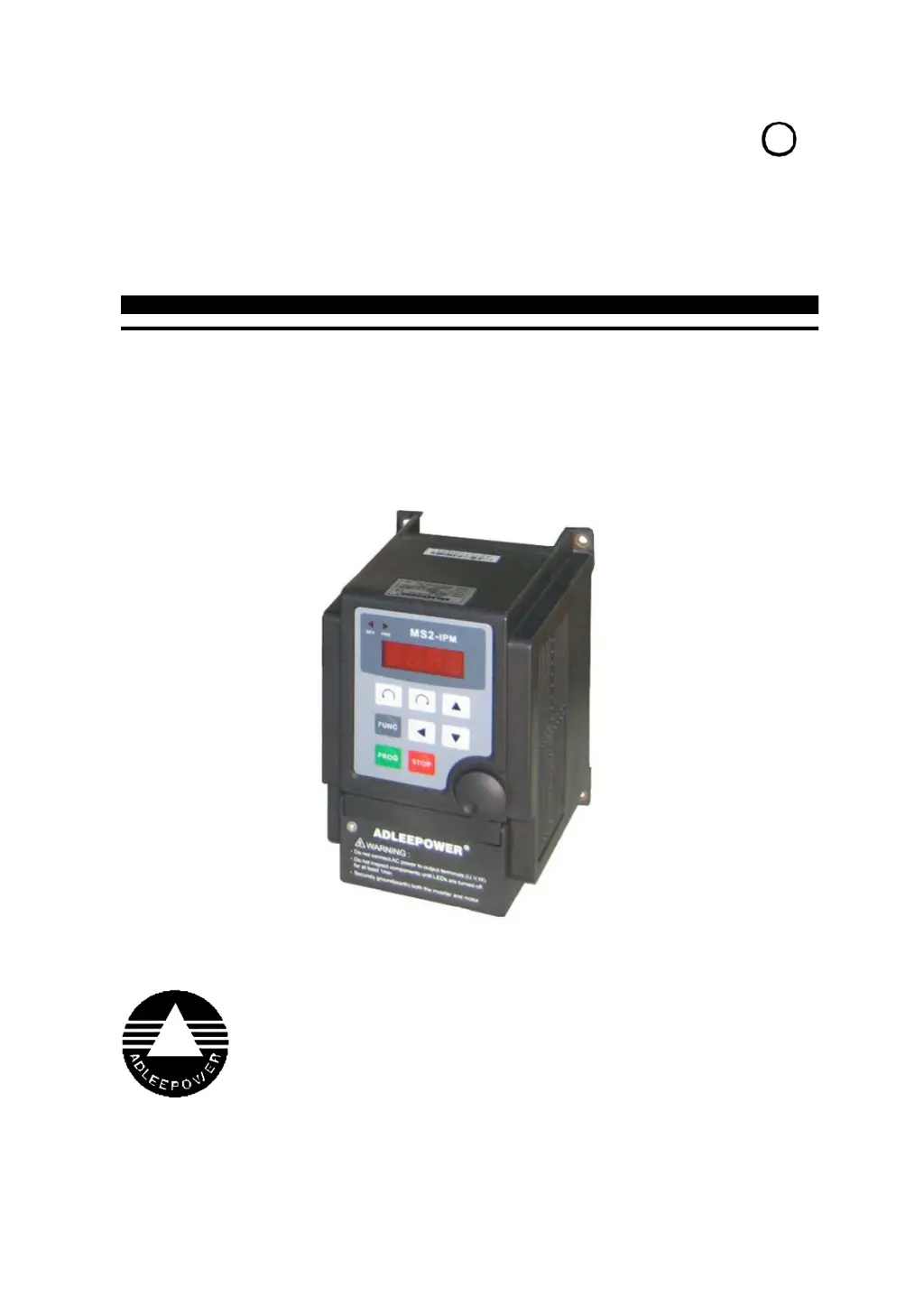
ADLEEPOWER
INSTRUCTION MANUAL
GENERAL-PURPOSE INVERTER
THANK YOU VERY MUCH FOR YOUR PURCHASE
OF ADLEE INVERTER MS SERIES.
PLEASE READ THIS INSTRUCTION MANUAL
BEFORE INSTALLATION OF THE INVERTER.
R
MS2 / MS4

Questions and Answers

  • C
    Christine HendersonAug 3, 2025
    What to do if my Adleepower MS Inverter shows PF01?
    • B
      Brian GuzmanAug 3, 2025
      If your Adleepower Inverter displays the error code PF01, it could be due to several reasons. It may be caused by power device failure during acceleration, in which case you should increase the acceleration time. Alternatively, the boost voltage might be too high, so you should reduce CD21 contents. Another possible cause is a locked motor or an excessively heavy load; try reducing the load factor. Finally, check for disconnected output wiring (W.V.U.) and repair if necessary.
  • M
    Melissa HarrisAug 6, 2025
    What to do if my Adleepower MS Inverter shows PF02?
    • A
      Albert WilliamsAug 6, 2025
      If your Adleepower Inverter displays the error code PF02, it might be due to a power device failure during constant frequency operation. Try to eliminate any sudden changes in load. Another possible reason is that the ambient temperature is too high, and you should attempt to reduce it.
  • T
    Tony KentAug 11, 2025
    What to do if my Adleepower MS shows PF03?
    • P
      Peter ParksAug 11, 2025
      If your Adleepower Inverter displays the error code PF03, it could be due to a power device failure during deceleration. To resolve this, increase the deceleration time. It could also be caused by over voltage, in which case you should connect a braking resistor.
  • L
    Lonnie BurgessAug 15, 2025
    What to do if my Adleepower Inverter shows PF04?
    • A
      Andrew BooneAug 16, 2025
      If your Adleepower Inverter displays the error code PF04, it may be caused by a power device failure during stand-by. Remove the cause of the failure. Another possible reason is that the power supply voltage is too high, so reduce the voltage.
  • S
    Scott SweeneyAug 20, 2025
    What to do if my Adleepower MS Inverter shows EEP1?
    • B
      Bobby SmithAug 20, 2025
      If your Adleepower Inverter displays the error code EEP1, it indicates a communication reset error. Refer to address 100 description. If the same message appears again, rework with the previous process, or repair.
  • A
    Andrew ArellanoAug 25, 2025
    What to do if my Adleepower Inverter shows EEP2?
    • W
      wilsonjenniferAug 25, 2025
      If your Adleepower Inverter displays the error code EEP2, it indicates an EEPROM check-sum error. Rework with the previous process, and if the same message appears again, repair.
  • S
    Stacey ReidAug 28, 2025
    How to fix no display on Adleepower Inverter?
    • K
      Kelly BartlettAug 28, 2025
      If the display on your Adleepower Inverter is not working, it might be because the discharge LED is extinguished. Ensure it is turned on, or replace the MCCB.

Summary

Preface and Safety Information

General Precautions

General safety and handling guidelines for the inverter.

Safety Symbols

Explanation of warning and caution symbols used in the manual.

Receiving and Specifications

Receiving Inspection

Guidance on checking the inverter upon receipt.

Name Plate Description

Details on how to interpret the information on the inverter's nameplate.

Inverter Specifications

Technical specifications and parameters for the MS1 and MS2 series inverters.

Dimension Drawings

Installation Guidelines

Terminal Descriptions and Configuration

Main Circuit Terminal Diagram

Wiring diagram for the main power circuit terminals.

Control Circuit Terminal Diagram

Wiring diagram for control signal terminals.

RS485 Connector Pinout

Details of the RS485 communication connector and its pins.

Hardware Setting Configuration

Explanation of hardware settings and jumper configurations.

Terminal Type Categorization

Lists and describes various terminal types like relay, analog, and control.

Digital Operation Panel

Operation Key Functions

Explanation of the functions of each key on the digital operation panel.

Functions Description

Function Parameter Codes

Lists function codes (CD00-CD17) and their default values.

Function Setting Procedures

Step-by-step guide on how to set inverter functions and parameters.

Operation Key-in Sequences

Explains how to use the panel keys for operation and setting.

Display Error Codes

Inverter Self-checking Errors

Lists error codes related to internal protection and self-tests.

Operation Errors

Details error codes related to operational faults like parameter lock, direction limits, etc.

Precautions and Troubleshooting

Maintenance Precautions

Safety checks and procedures to follow before performing maintenance.

Application Precautions

Guidelines for safe and proper installation and operation in various applications.

Troubleshooting Guide

Identifies common faults, check points, and suggested remedies for inverter issues.

Application Examples

Example 1: 2-Stage Speed Setting

Demonstrates setting two different speeds using external controls and jumpers.

Example 2: Normal; Jog Operation

Illustrates configuring the inverter for normal and jog operation modes.

Example 3: Auto Multi-Speed and Time Programming

Shows how to set up automatic speed changes with time-based programming.

Example 4: 8-Speed Terminal Control

Details how to configure 8 different speeds using terminal inputs and jumpers.

Inverter Selection

Appendix

Optional Braking Resistor

Information and specifications for optional braking resistors.

Terminals Wiring Diagram

Detailed wiring diagram showing all terminal connections for the inverter.

Remote Operator Information

Information about the optional remote operator and its accessories.

MS4 EMC Optional Parts

Details on optional parts like EMI filters and clip cores for EMC reduction.

Adleepower MS Series Specifications

General IconGeneral
DC Input Voltage12V/24V
AC Output Voltage220V/230V/240V
Output Frequency50Hz/60Hz
ProtectionOverload, Over Voltage, Low Voltage, Short Circuit
CoolingFan
Operating Temperature-10°C to 50°C
Humidity5% to 95% (Non-condensing)
CertificationCE

Related product manuals