CHAPTER 7
94
View Menu – Edit View
Originator Reference You can enter up to 32 characters of reference information here about the producer.
Origination Date (yyyy-mm-dd) This field should contain the date that the subject matter was created. The date should
be in the year-month-day format, using “0” as a place holder in single-digit values. For example, if the date the original
recording was made was June 8, 2001, then it needs to be written as: 2001-06-08.
Origination Time (hh:mm:ss) The time the audio file was produced goes in this field. The format is
hour:minutes:seconds, with the hour represented in 24-hour (0 to 23) “military time” format (i.e., 10 p.m. is 22).
Time Reference (since midnight) This field contains the time code of the audio file, calculated since 12:00 a.m. Select
from “hh:mm:ss.ddd” (hour:minutes:seconds:thousandths of seconds) or samples options.
Coding History This field is used to contain a description of all coding processes applied to the waveform. Adobe
Audition doesn’t automatically add any information in this field. However, you’re welcome to enter a processing history
(or any other text-based information) here manually.
Sampler Tab
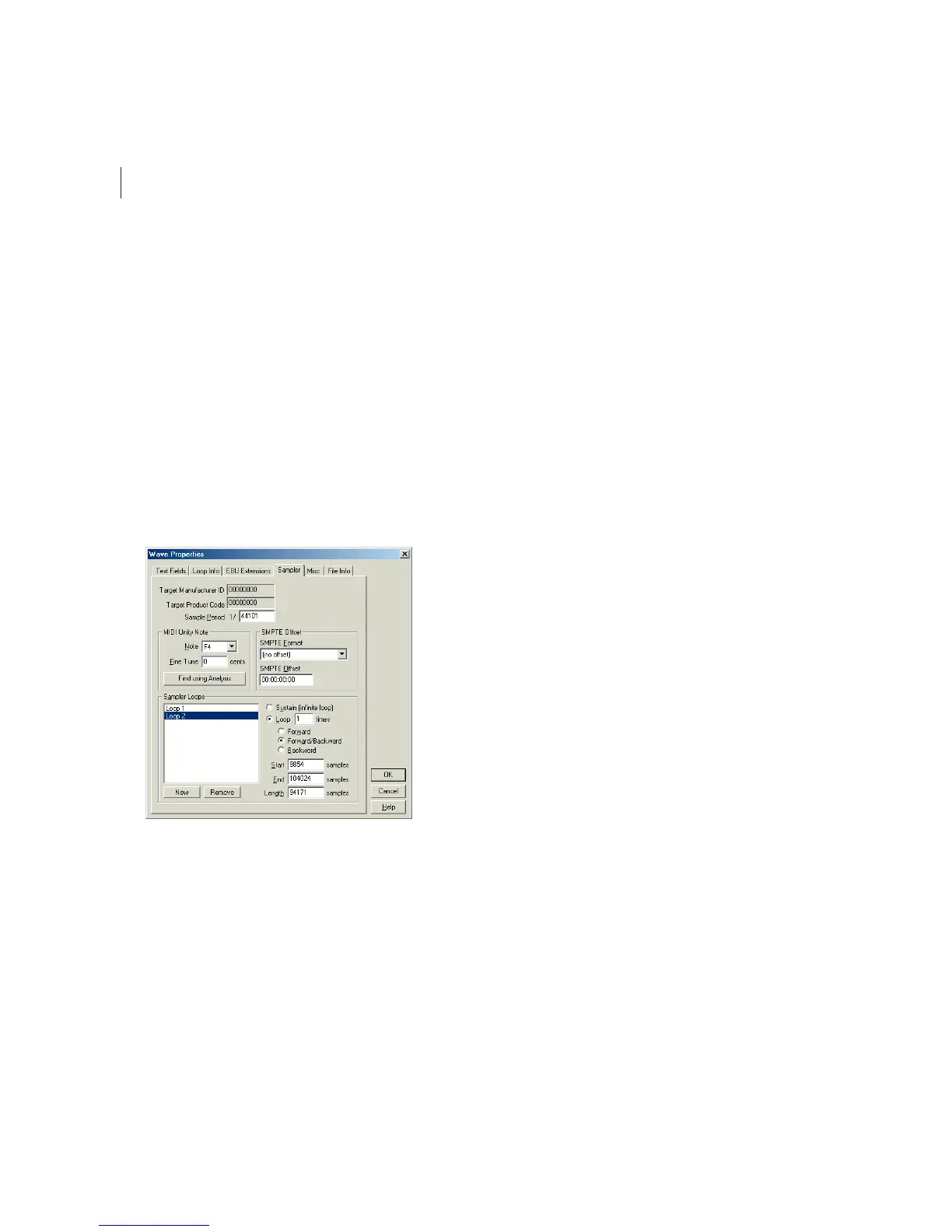
Wave Properties Dialog – Sampler tab
Technical information relating to other devices, systems, or programs (such as synthesizer uploading and downloading
software) can be directly imbedded within your .wav files using the View > Wave Properties > Sampler information
window. As with the information in the View > Wave Properties > Text Fields window, this information should stay with
your audio file through its lifetime.
Here are the major components of the Sampler window:
Target Manufacturer ID You can’t edit this information, but this field will show a proper value if a sampler has written a
.wav file with this sampler information chunk present.



 To Next Page