203
Chapter 11: Favorites Menu – Edit View
he Favorites menu allows you to create, customize, and save your favorite Adobe Audition effects, scripts, and
even third-party tools (the latter using command line executables). All of the favorites you create appear on this
menu. You can also categorize the menu items into hierarchical submenus for easy organization.
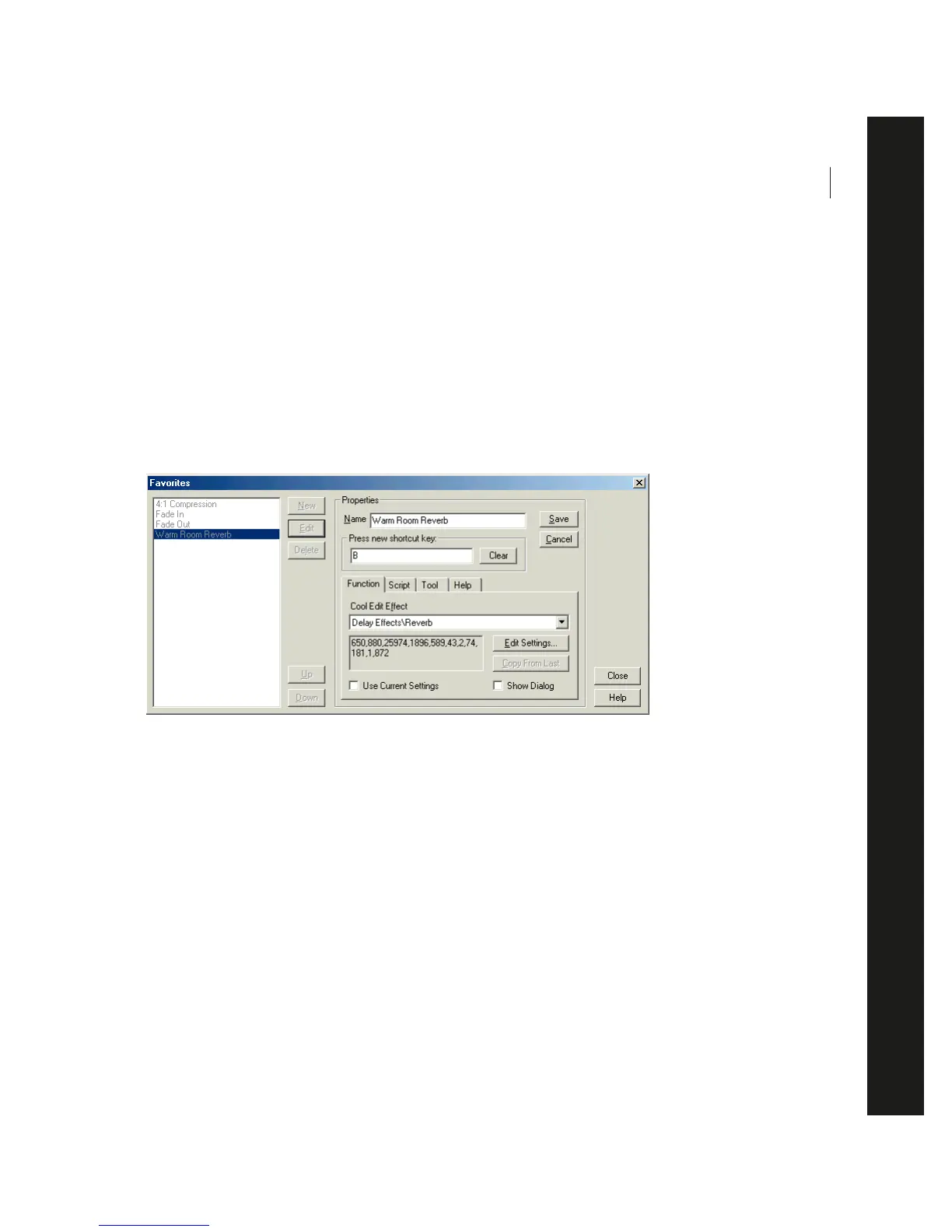
Edit Favorites
This command brings up the dialog where you create, delete, edit, and organize items that appear in Adobe Audition’s
Favorites menu.
Edit Favorites Dialog
New Press this button to enable the fields in the Properties area of the Favorites dialog so that you can create a new
Favorite.
Edit Pressing this button allows you to modify the properties of a highlighted entry in the Favorites list.
Delete This button deletes the highlighted Favorite.
Up This button moves the selected item up in the list. The order of this list is the same as in the Favorites menu.
Down This button moves the selected item down in the list. The order of this list is the same as in the Favorites menu.
Name Enter the name of a created Favorite in this field.
You may create hierarchical menus by using a backslash. For example My Delays\Hall Reverb places the item under Hall
Reverb in the My Delays submenu.
T



 To Next Page