37
Chapter 4: Navigating the Edit View
dit View is one of Adobe Audition’s two major workspaces (Multitrack View is the other). Use Edit View to
record, play, convert, and edit single waveforms…and lots more. A wealth of effects are at your disposal, from
delay effects like echoes and reverbs, to advanced functions such as noise reduction and dynamics processing.
Most of this chapter will concentrate on the largest portion of the Edit View: the Wave Display. The Wave Display is the
area where waveforms are visualized and modified.
Note: Interface components that are common to both Edit View and Multitrack View (such as the Level Meters and the
Transport Buttons) are documented in the “Looking at the Work Area” chapter, while all of the items referenced on the Edit
View’s drop-down menus are explained in the Edit View menu chapters.
About Edit View
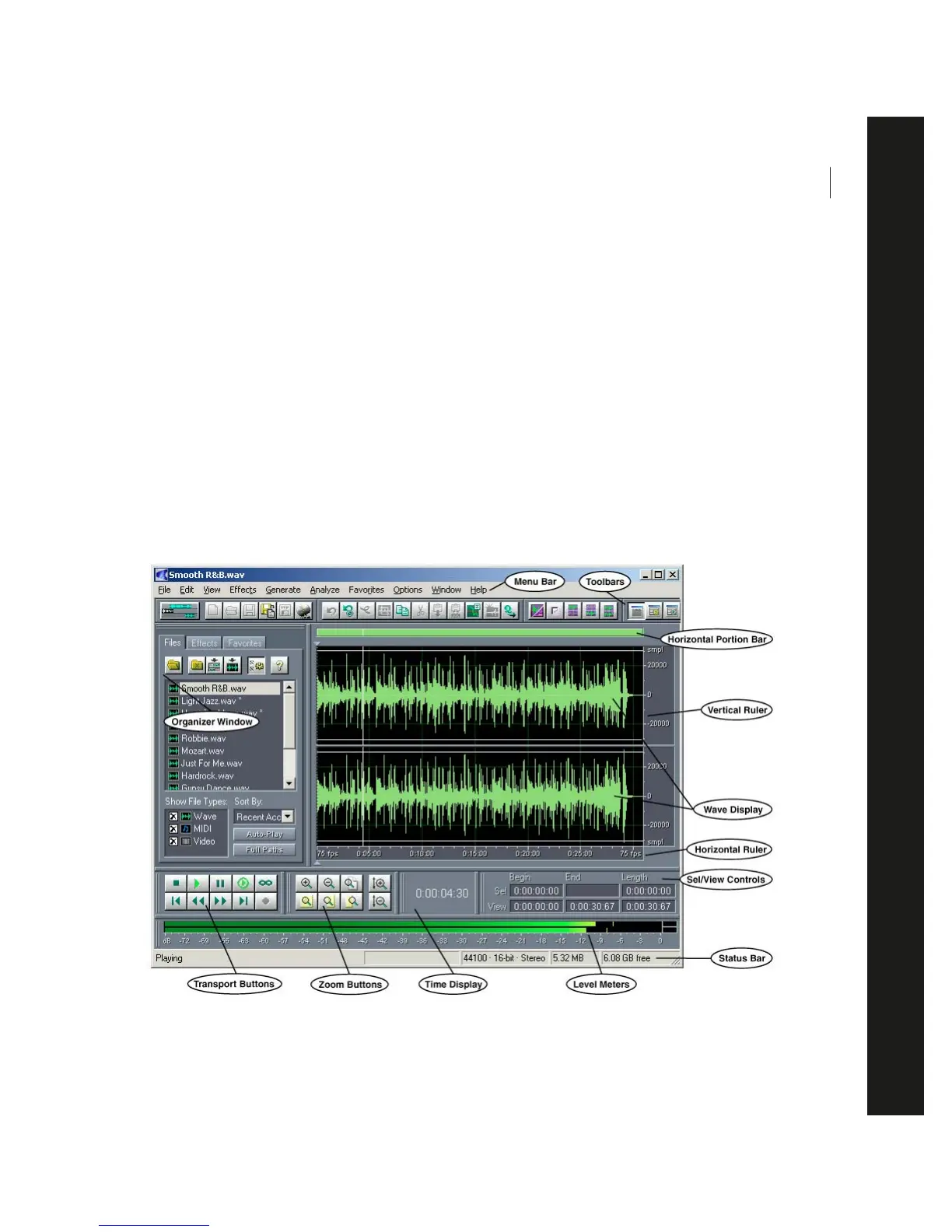
The following is a typical layout for Adobe Audition’s Edit View Screen:
A typical Edit View screen with the Organizer Window open
E



 To Next Page