371
USING ACROBAT X PRO
Multimedia and 3D models
Last updated 10/11/2011
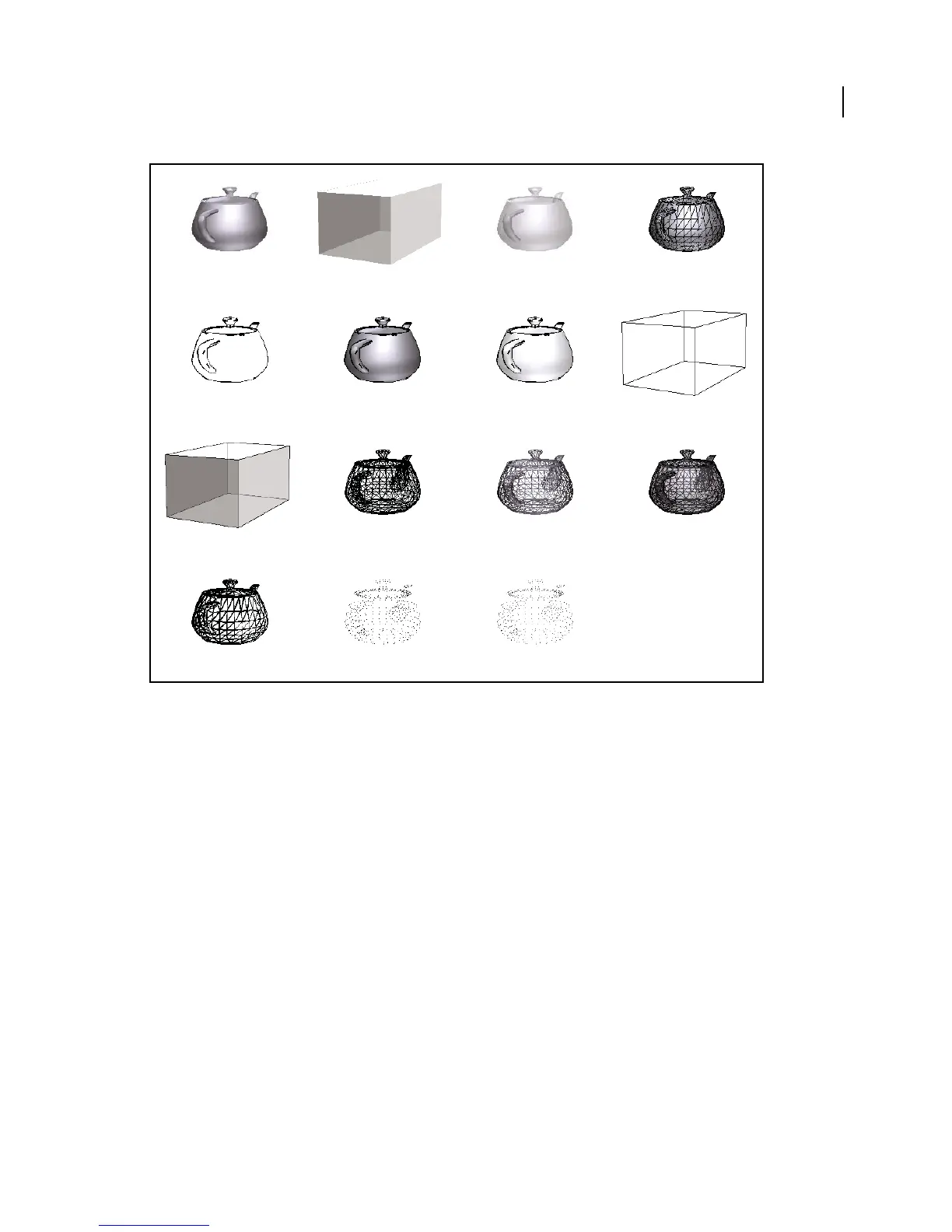
Model rendering modes
A. Solid B. Transparent Bounding Box C. Transparent D. Solid Wireframe E. Illustration F. Solid Outline G. Shaded Illustration
H. Bounding Box I. Transparent Bounding Box Outline J. Wireframe K. Shaded Wireframe L. Transparent Wireframe M. Hidden
Wireframe N. Vertices O. Shaded Vertices
Change rendering mode, lighting, projection, and background
The model rendering mode determines the surface appearance of the 3D model. The default rendering mode is solid,
but you can also choose another rendering mode. You can also change the lighting of the 3D model as well as the
background.
ABCD
EFGH
IJKL
MNO



 To Next Page