CHAPTER 5
134
Enhancing and Restoring Audio
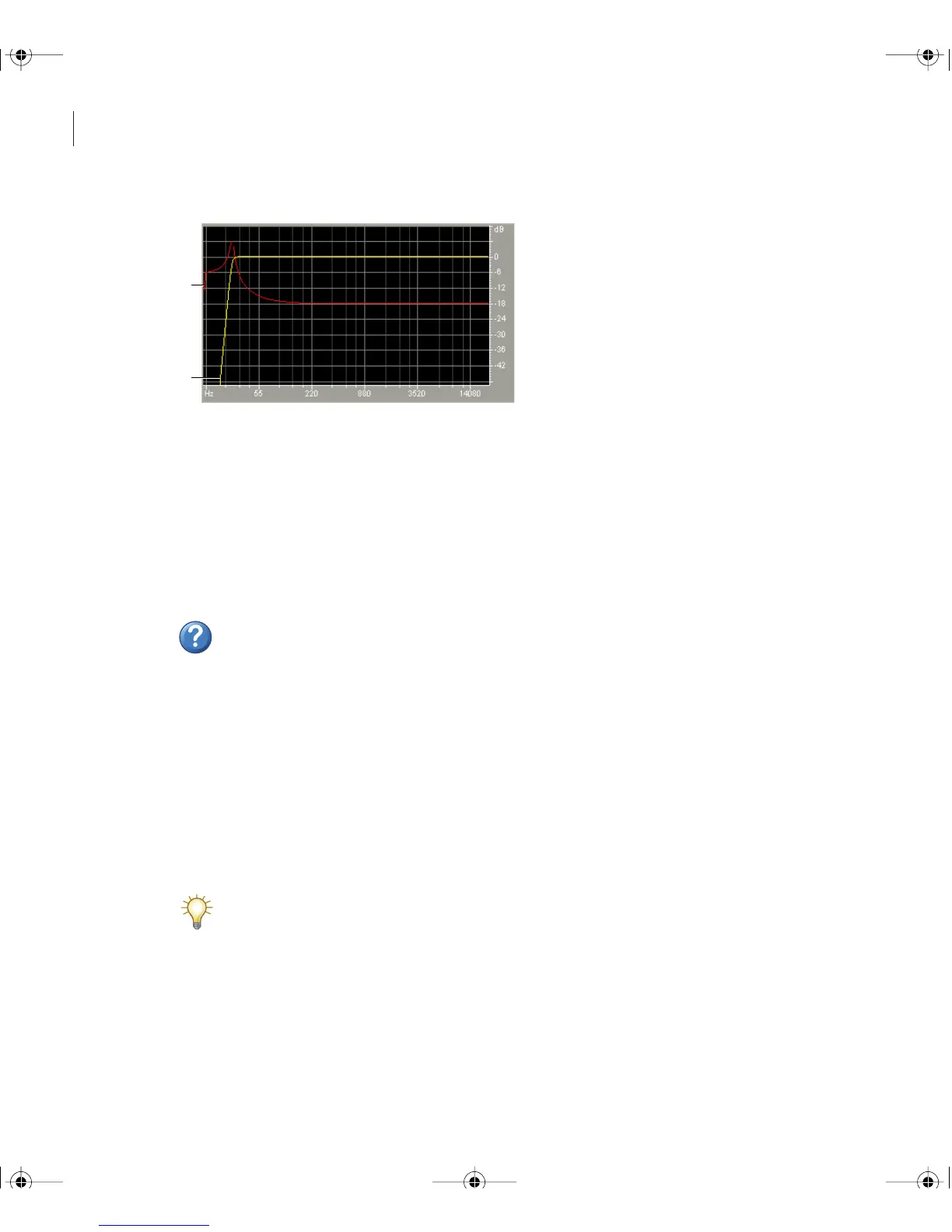
Scientific Filters graph for Butterworth filter (Remove Subsonic Rumble preset)
A. Group Delay (milliseconds) B. Frequency Response (dB)
To use the Scientific Filters effect:
1 In Edit View, select an audio range.
2 In the Effects tab of the Organizer window, expand Filters, and double-click Scientific
Filters.
3 Set the desired options.
For more information, search for “Scientific Filters options” in Help.
Optimizing amplitude
Amplitude effects let you optimize audio volume for specific mediums such as radio and
CD, produce detailed fade outs, and more.
Using the Amplify/Fade effect (Edit View only)
The Amplify/Fade effect produces either constant amplification changes (such as fixed
boosts) or precise fades.
Though the Amplify/Fade effect isn’t available in Multitrack View, you can use real-
time envelopes to accomplish the same task. (See “Automating mixes with clip
envelopes” on page 188.)
A
B
ug.book Page 134 Tuesday, March 16, 2004 1:29 PM



 To Next Page