135
ADOBE AUDITION 1.5
User Guide
To use the Amplify/Fade effect:
1 In Edit View, select an audio range.
2 In the Effects tab of the Organizer window, expand Amplitude, and double-click
Amplify/Fade.
3 Set the desired options.
For more information, search for “Amplify/Fade options” in Help.
Using the Envelope effect (Edit View only)
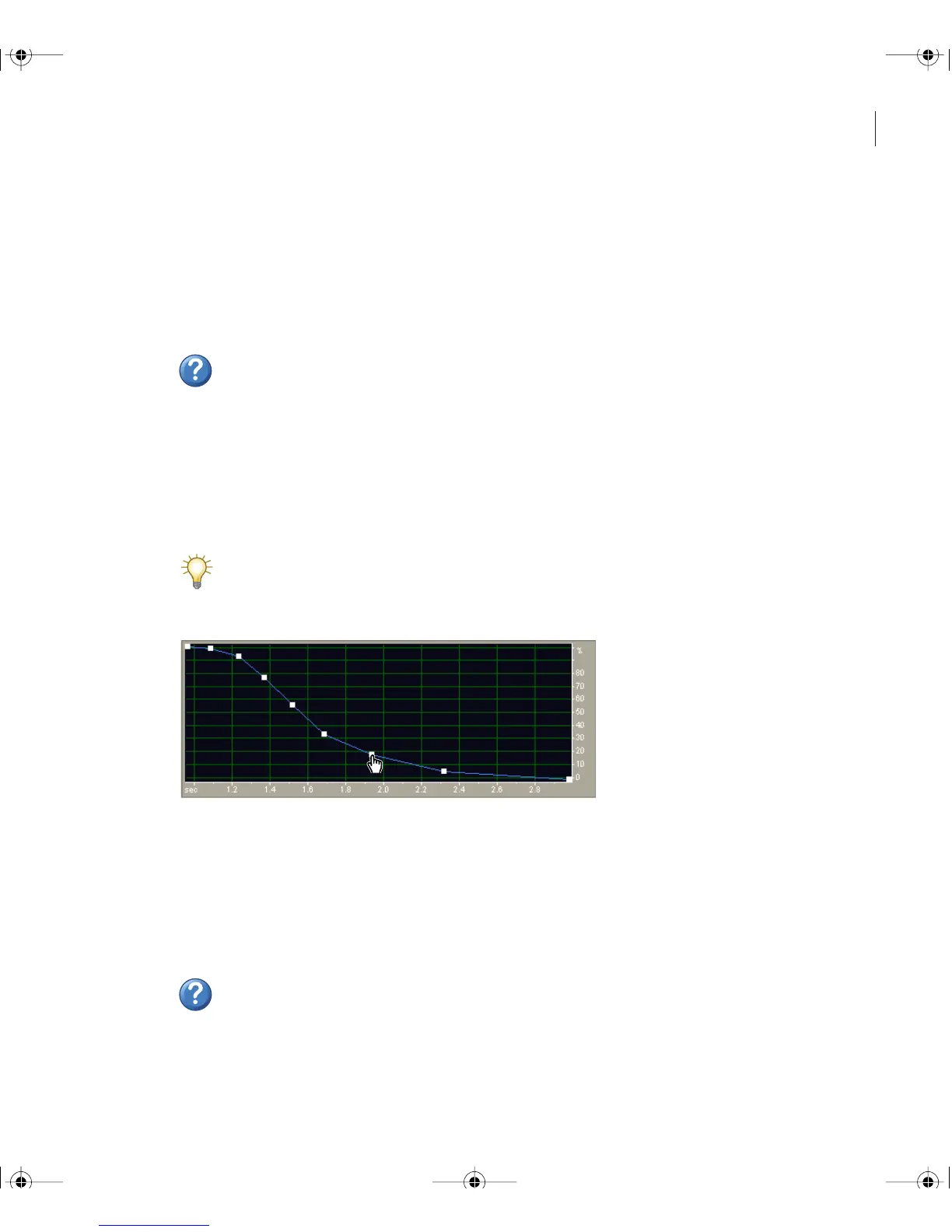
The Envelope effect lets you precisely control amplitude over time, enabling you to
combine a wide range of amplification effects, such as multiple fades and boosts. The top
of the Envelope graph represents 100% (normal) amplification; the bottom represents
100% attenuation (silence).
Though the Envelope effect isn’t available in Multitrack View, you can use real-time
track envelopes to accomplish the same task. (See “Automating mixes with clip
envelopes” on page 188.)
Envelope graph (Bell Curve preset)
To use the Envelope effect:
1 In Edit View, select an audio range.
2 In Effects tab of the Organizer window, expand Amplitude, and double-click Envelope.
3 Set the desired options.
For more information, search for “Envelope options” in Help.
ug.book Page 135 Tuesday, March 16, 2004 1:29 PM



 To Next Page