CHAPTER 5
136
Enhancing and Restoring Audio
Using the Dynamics Processing effect
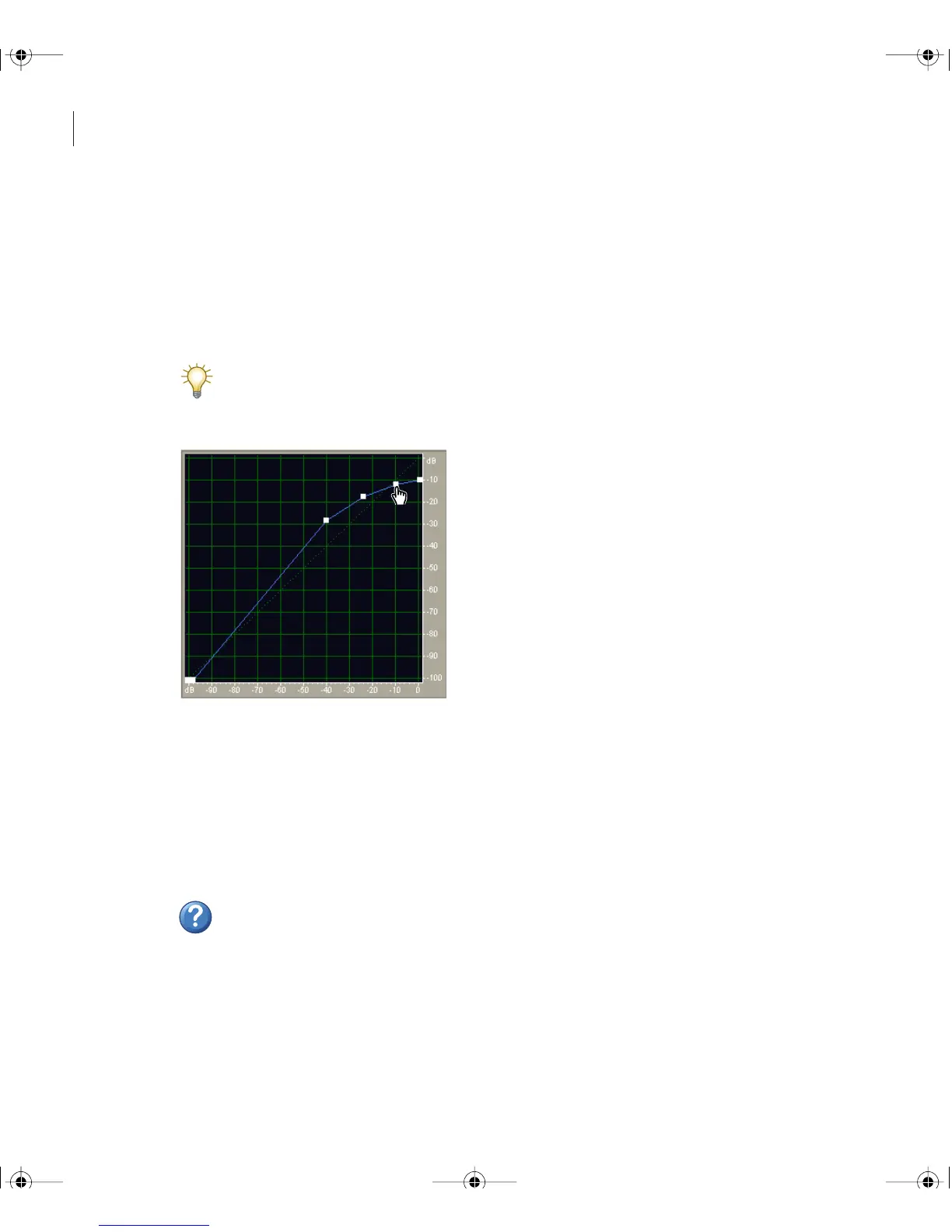
The Dynamics Processing effect varies the output level of a waveform based on its input
level. You can use this effect to limit or compress dynamic range, producing a consistent
level of perceived loudness. You can also expand or gate the signal so that low-level signals
are reduced in level, increasing perceived dynamic range, or eliminating signals with noise
that falls below a specific threshold.
The Dynamics Processing effect can produce subtle changes that you notice only after
repeated listening. When applying this effect in Edit View, use a copy of the original file
so you can return to the original audio if necessary.
Dynamics Processing graph (Classic SoftKnee preset)
To use the Dynamics Processing effect:
1 Select an audio range (Edit View) or track (Multitrack View).
2 In the Effects tab of the Organizer window, expand Amplitude, and double-click
Dynamics Processing.
3 Set the desired options.
For more information, search for “Dynamics Processing options” in Help.
ug.book Page 136 Tuesday, March 16, 2004 1:29 PM



 To Next Page