PSR78 Repeater
User Manual V0.1
Page | 6
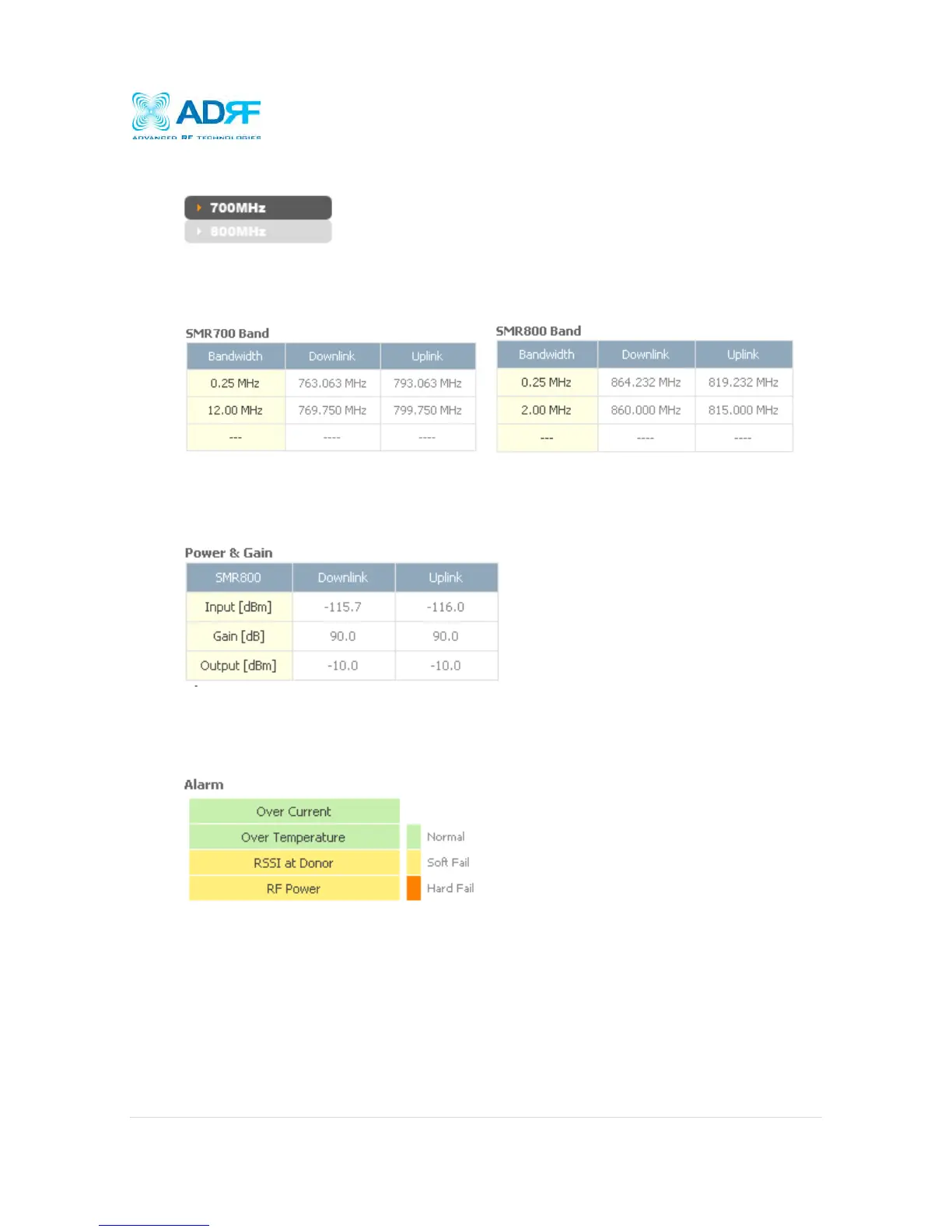
4.2.3 Side Navigation Bar
The side navigation bar located on the left hand side of the Web-GUI allows the user to switch between the two
technolgies supported by the system.
4.2.4 SMR700 Band / SMR800 Band
The band column displays the bandwidth that has been selected. The downlink column displays the center
frequency of the selected band. The uplink column displays the center frequency of the selected band.
4.2.5 Power & Gain
This section displays the Input, Gain, and Output for both downlink and uplink.
4.2.6 Alarm
This section displays the four (4) alarms statuses with three possible status conditions (Normal, Soft Fail or Hard
Fail).



 To Next Page